cnPilot Enterprise AP User Guide CAMBIUM NETWORKS
user should enable only if he is sure what they want and the threshold should to be set
accordingly.
The following table lists the fields that are displayed in the Configure > Radio > Enhanced Roaming
page:
Table 7: Configure: Radio > Enhanced Roaming parameters
Enable active disconnection of clients with
weak signal.
SNR below which clients will be forced to
roam (1-100 dB).
You can configure the above parameters through the UI or CLI.
In the UI
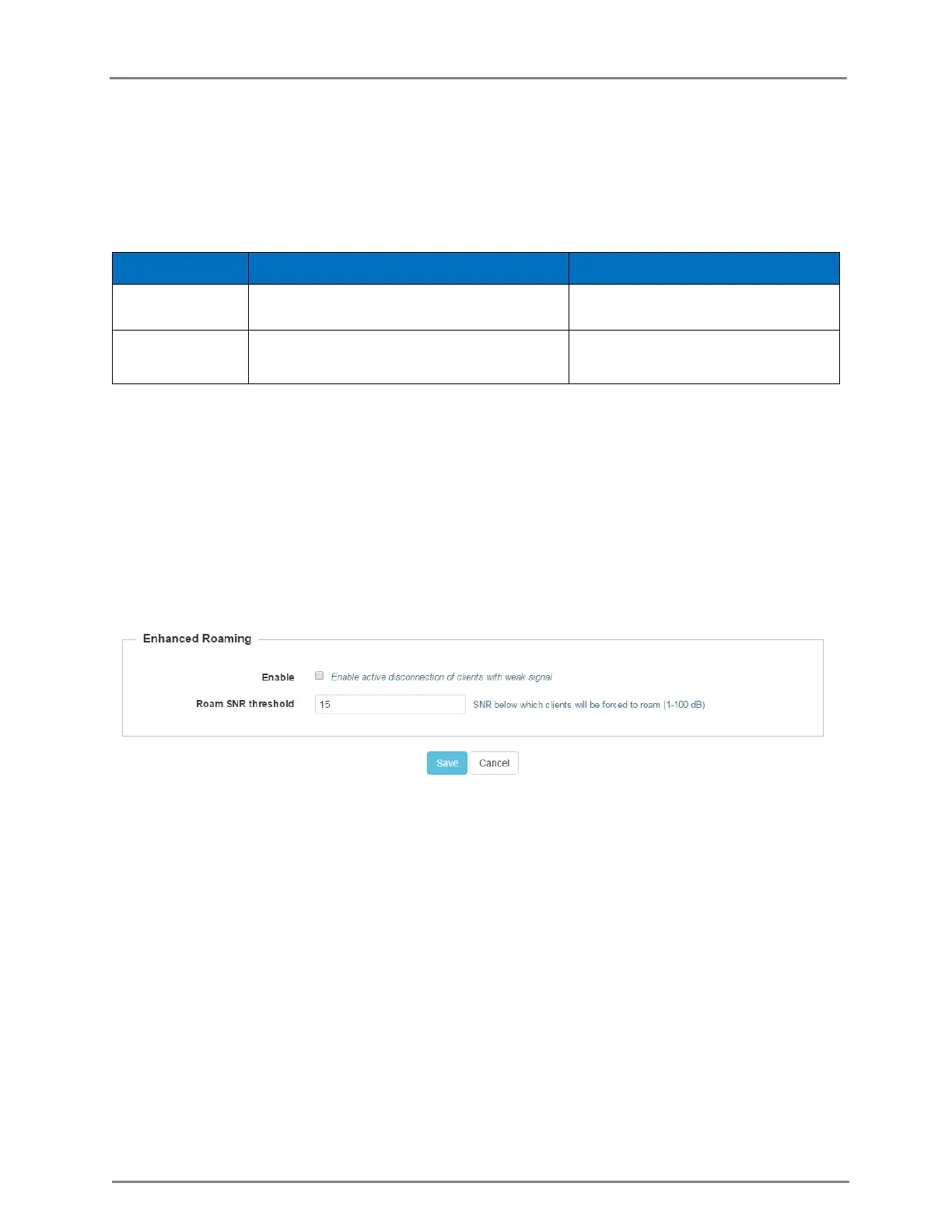
1. Navigate to the Configure > Enhanced Roaming tab. The following fields are displayed:
a. Select the Enable checkbox to enable active disconnection of clients with weak signal.
b. Enter Roam SNR Threshold value between 1-100.
2. Click Save.
Figure 7: Configure: Radio > Enhanced Roaming tab
In the CLI
To configure Enhanced Roaming:
(cnPilot Enterprise AP) (configure)# wireless radio 1
(cnPilot Enterprise AP) (config-radio-1)# enhanced-roaming
(cnPilot Enterprise AP) (config-radio-1)# enhanced-roaming threshold
WLAN Configuration
This section provides details on configuring WLAN Configuration parameters.
The following table lists the fields that are displayed in the Configure > WLAN page:



 To Next Page