cnPilot Enterprise AP User Guide CAMBIUM NETWORKS
Troubleshooting
The following types of troubleshooting tools are supported:
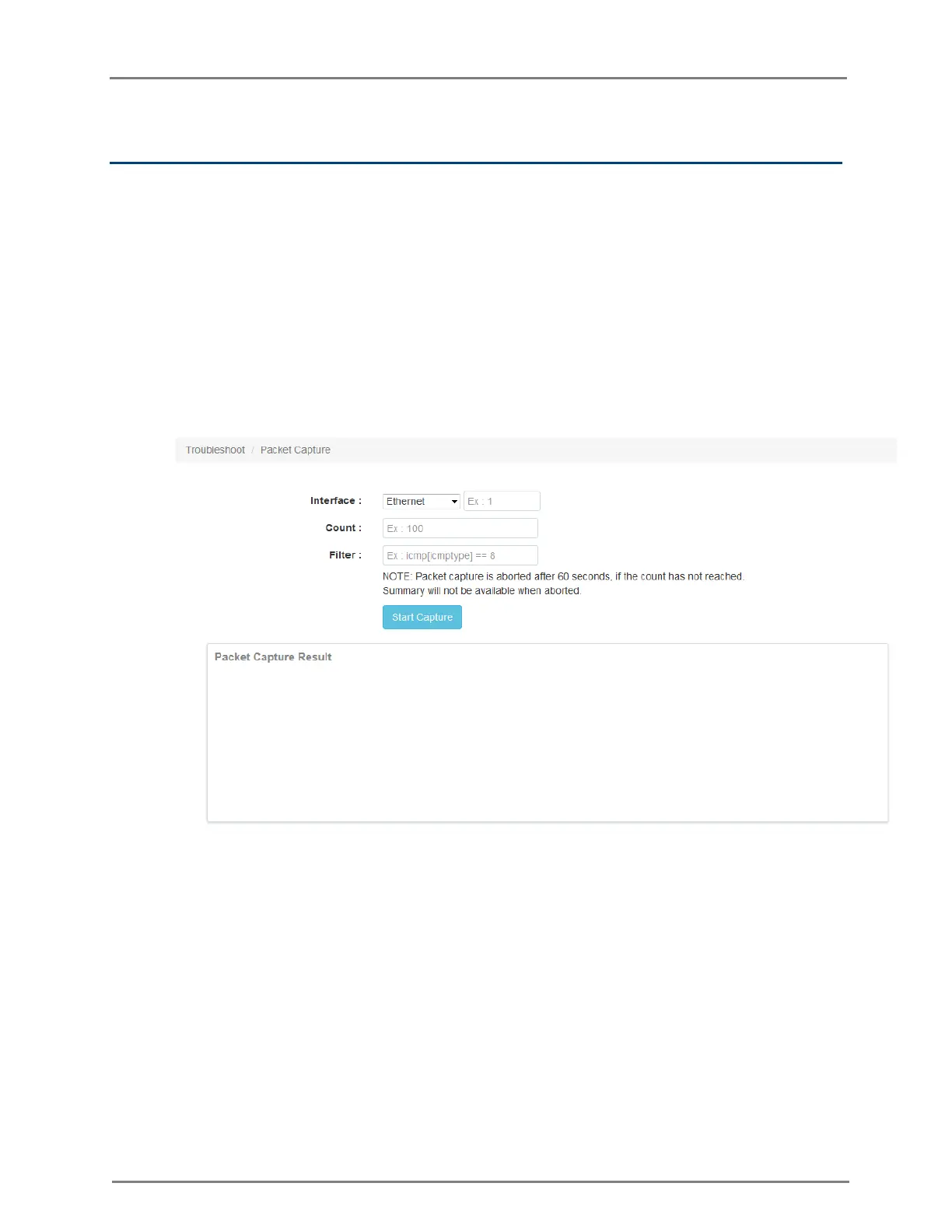
1. Packet Capture: Allows the administrator to capture all packets on a specified interface. A
decode of the packet indicating the network addresses, protocol types etc is displayed. The
administrator can filter the packets being captured by specifying a particular MAC address,
IP address, port number etc. The number of packets that are captured can also be capped,
so the console or system is not overwhelmed. Packets captured on the ETH interfaces are
packets that are being transmitted or received on the physical interface of the device.
Packets captures on the WLAN interfaces are data packets on a particular WLAN as they
are bridged on the radio interface of the device.
Figure 24: Troubleshooting> Packet Capture page
2. Logs and Events: The system generates event-messages for any notable activity on the
device from client associations and authentications to system configuration changes.
These logs are:
1. Forwarded to cnMaestro for later viewing and filtering
2. Buffered on the device and can be viewed using ‘show logging’ in the CLI
3. Transmitted to any configured syslog servers.



 To Next Page