cnPilot Enterprise AP User Guide CAMBIUM NETWORKS
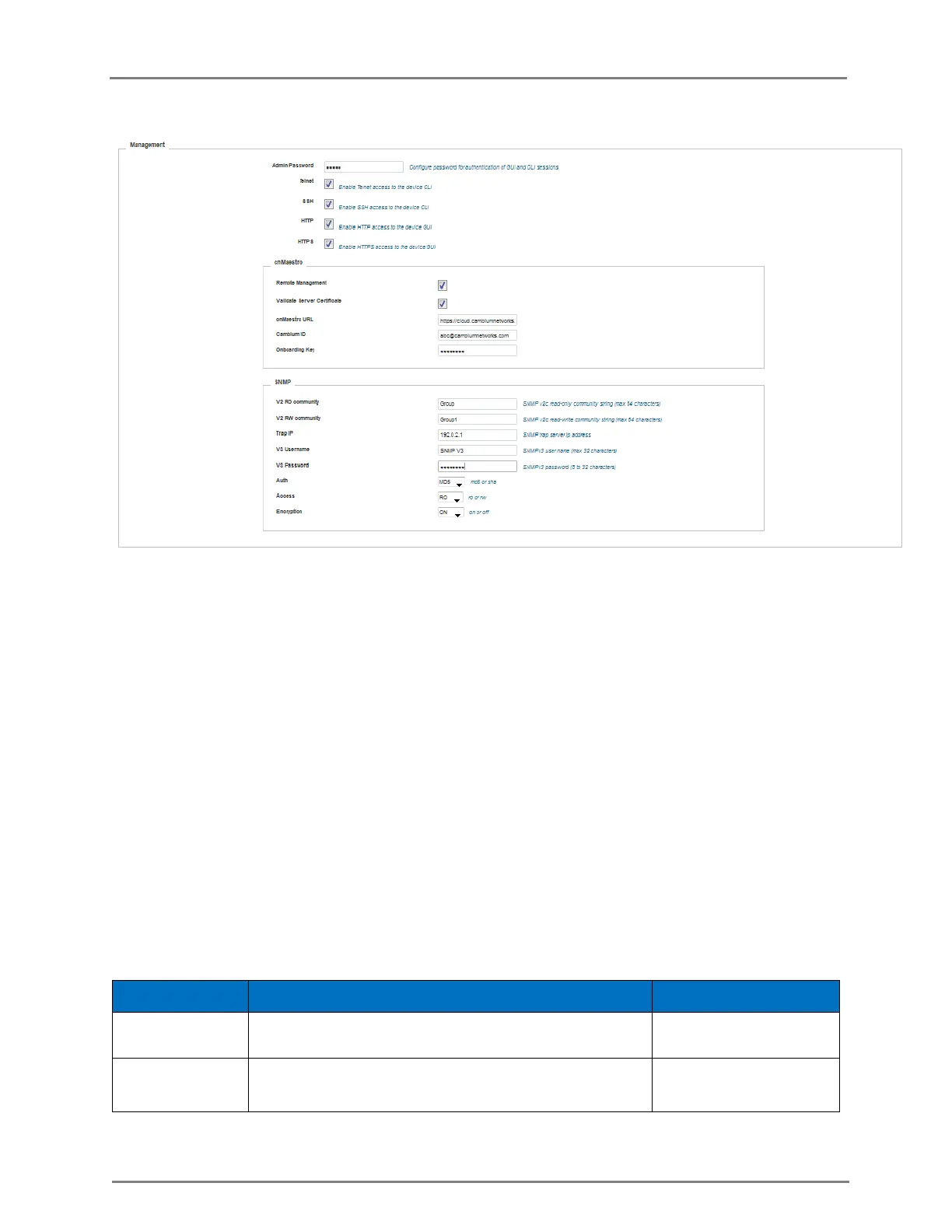
Figure 2: Configuration: Management page
In the CLI
To configure management:
(cnPilot Enterprise AP) (configure)# management {telnet, ssh, http. https}
To configure Cambium-ID:
(cnPilot Enterprise AP) (configure)# cambium-id CAMBIUM-ID PASSWORD
Time Settings
The user can configure upto 2 NTP servers. These are used by the AP to set its internal clock to
UTC/GMT time. Note that the AP does not have a battery backup, and on power-cycle its clock will
reset to default and needs to sync time again. The servers can be specified as IP addresses or as
hostname (Eg: pool.ntp.org).
The following table lists the fields that are displayed in the Configuration > System > Time Settings
page:
Table 3: Configuration: System > Time Settings parameters
Name or IP address of a Network Time Protocol server
1.
Name or IP address of a Network Time Protocol server
2.



 To Next Page