cnPilot Enterprise AP User Guide CAMBIUM NETWORKS
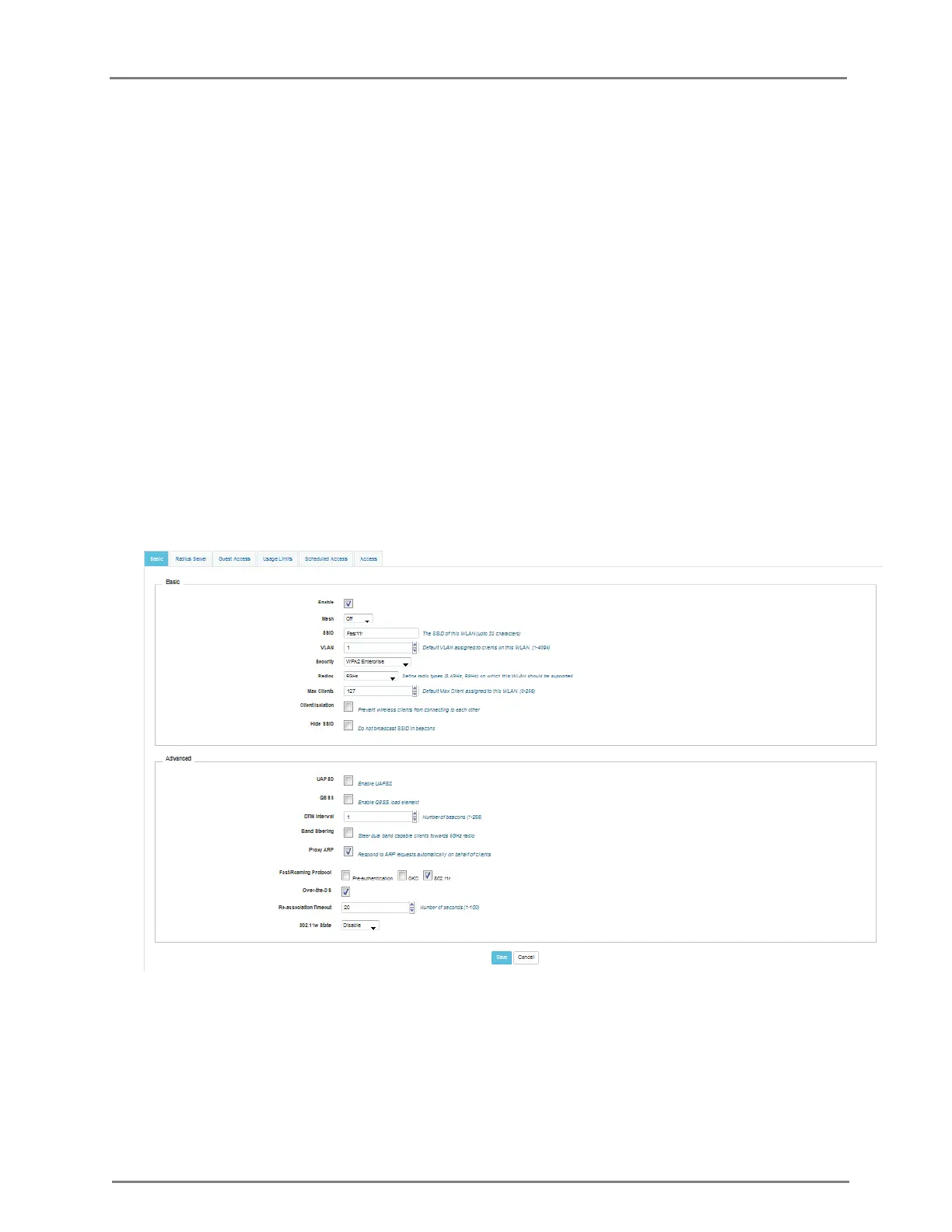
b. Enter the SSID name for this WLAN in the SSID textbox.
c. Enter the default VLAN assigned to the clients on this WLAN in the VLAN
textbox.
d. Select the security type as Open, WPA2 Pre-shared Keys, or WPA2 Enterprise
from the Security drop-down list.
e. Select the Client Isolation checkbox to prevent wireless clients from
connecting to each other.
f. Select the Hide SSID checkbox for not broadcast SSID in beacons.
g. Select Proxy ARP checkbox for responding to ARP requests automatically on
behalf of clients.
h. Select the UAPSD checkbox to enable UAPSD.
i. Select the QBSS checkbox to enable QBSS.
j. Enter the value in the DTIM interval text box to configure DTIM interval.
k. To enable band steering feature, select Band Steering checkbox.
l. Select the type of Fast-Roaming Protocol as Pre-authentication, OKC, or
802.11r.
m. Select 802.11w State as Disable, Optional, or Mandatory.
2. Click Save.
Figure 8: Configure: WLAN Configuration page
In the CLI
To configure wlan:
(cnPilot Enterprise AP) (configure)# wireless wlan 1



 To Next Page