cnPilot Enterprise AP User Guide CAMBIUM NETWORKS
(cnPilot Enterprise AP) (configure)# interface vlan vlan-id
To enable NAT for the SVI:
(cnPilot Enterprise AP) (configure)# ip nat inside
To disable NAT for the SVI:
(cnPilot Enterprise AP) (configure)# no ip nat
Port Forwarding allows to forward traffic with specific TCP / UDP ports to specific server in NAT
enabled subnet. As oppose to NAT which is SVI specific, port forwarding is a global configuration.
You can configure NAT using UI and the CLI:
In the UI
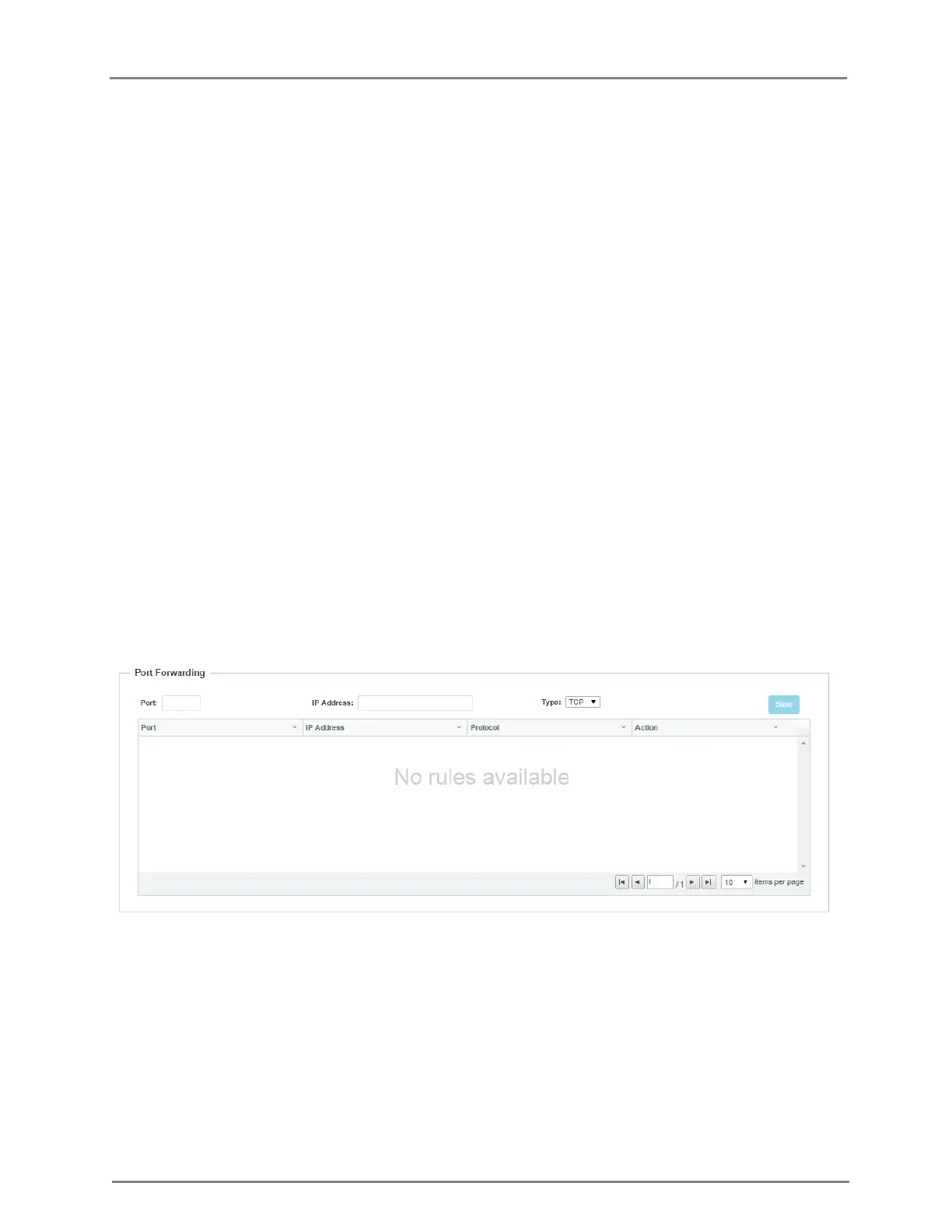
1. Navigate to the Configure > Network > Routes tab. The following fields are displayed:
a. Enter the port number in the Port textbox.
b. Enter the IP address in the IP Address textbox.
c. Select the type as TCP or UDP from the Type drop-down list.
2. Click Save.
Figure 18: Configure: Network > Port Forwarding page
In the CLI
To forward TCP port-num to a.b.c.d server:
(cnPilot Enterprise AP) (configure)# ip port-forward tcp port-num a.b.c.d
To forward UDP port-num to a.b.c.d server:
(cnPilot Enterprise AP) (configure)# ip port-forward udp port-num a.b.c.d
To disable forwarding of TCP port-num to a.b.c.d server:
(cnPilot Enterprise AP) (configure)# no ip port-forward tcp port-num a.b.c.d



 To Next Page