CANNON Instrument Company | TE-BBR System Preparation & Maintenance
Check Bath Components
Check the function of bath components as follows:
Stirring Bar Speed
1. Make sure that the cross-shaped magnetic stirring bar (supplied) is placed in the center of the
bath section of the Control Unit. With the circulator guard in place over the stirrer, turn the
speed adjustment knob, located on the right rear panel, fully counter-clockwise to its lowest
setting.
2. Turn the Control Unit power switch ON. The TE-BBR power switch is located on the right rear
corner of the Control Unit.
3. Slowly turn the motor stirrer speed adjustment knob (next to the power switch) clockwise to
increase the speed of the stirring bar to the desired level.
Note: Excessive stirring speeds may cause the magnetic stirring bar to lose its
attraction and spin out.
LED Checks
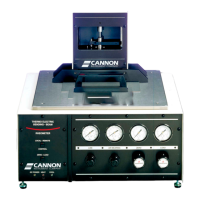
There are three LED (Light-Emitting Diode) indicators on the front panel of the Thermoelectric
Bending Beam Rheometer. These provide a visual check for the status of the thermoelectric
temperature control system.
• The yellow LED, which should be lit whenever the power switch is on, indicates DC POWER.
When this LED is lit, MAINS power is available and no elements of the thermoelectric system are
over temperature.
• The green LED labelled COOLING indicates that coolant is circulating between the Control
Unit and the Refrigeration Unit. A steady green LED indicates cooling. A flashing green LED
indicates that the system is controlling at the test temperature specified in the SETUP menu.
• The red LED labelled HEATING is illuminated or flashing red when the bath heaters have been
energized.
Note: Temperature control must be software-enabled from the SETUP menu
before the TE-BBR will begin heating or cooling.


 To Next Page