TE-BBR Instruction and Operation Manual
Initial Startup
Remove any beams from the beam supports.
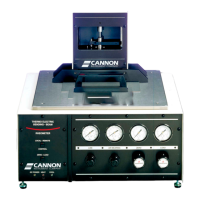
Turn the computer and the TE-BBR instrument ON and check the push button switches on the BBR
left panel to make sure that the red indicator LEDs are lit. These default settings for BBR front panel
switches are LOCAL and ZERO. These settings should be maintained or restored prior to activating
the air bearing compressed gas supply.
Enabling temperature control
The TE-BBR will not control temperature unless the Enable Temperature Control software option is
turned on. When temperature control is enabled, the Enable Temperature Control option on the
Setup menu will have a check mark in front of it.
To enable temperature control, select Setup from the Main Menu and click on Enable
Temperature Control.
Note: When the TE-BBR is turned off, Temperature Control is disabled. If the
software application is exited but the instrument remains on, the Enable
Temperature Control option retains its previous setting when the BBR is
restarted.
Adjust Gas Pressure
1. Before turning on the compressor or compressed gas valve, make sure that there are no beams
on the supports.
2. Turn on your compressor or compressed gas supply and make sure it is functioning normally.
3. Adjust the LINE pressure to 40 psi and the BEARING pressure to 25 psi. Ensure that the supply
pressure is always set to a minimum of 60 psi to ensure adequate regulation from the bearing
pressure regulator.
Adjust Load Settings
1. Place the 6.35 mm (¼") thick stainless steel beam on the supports.
2. Set the switches on the front of the Control Unit to LOCAL, and ZERO.


 To Next Page