EasyManua.ls Logo

Canon DC100 - Components Guide

Canon DC100
86 pages
Print Icon
To Next Page IconTo Next Page
To Previous Page IconTo Previous Page
Loading...
Components
Guide
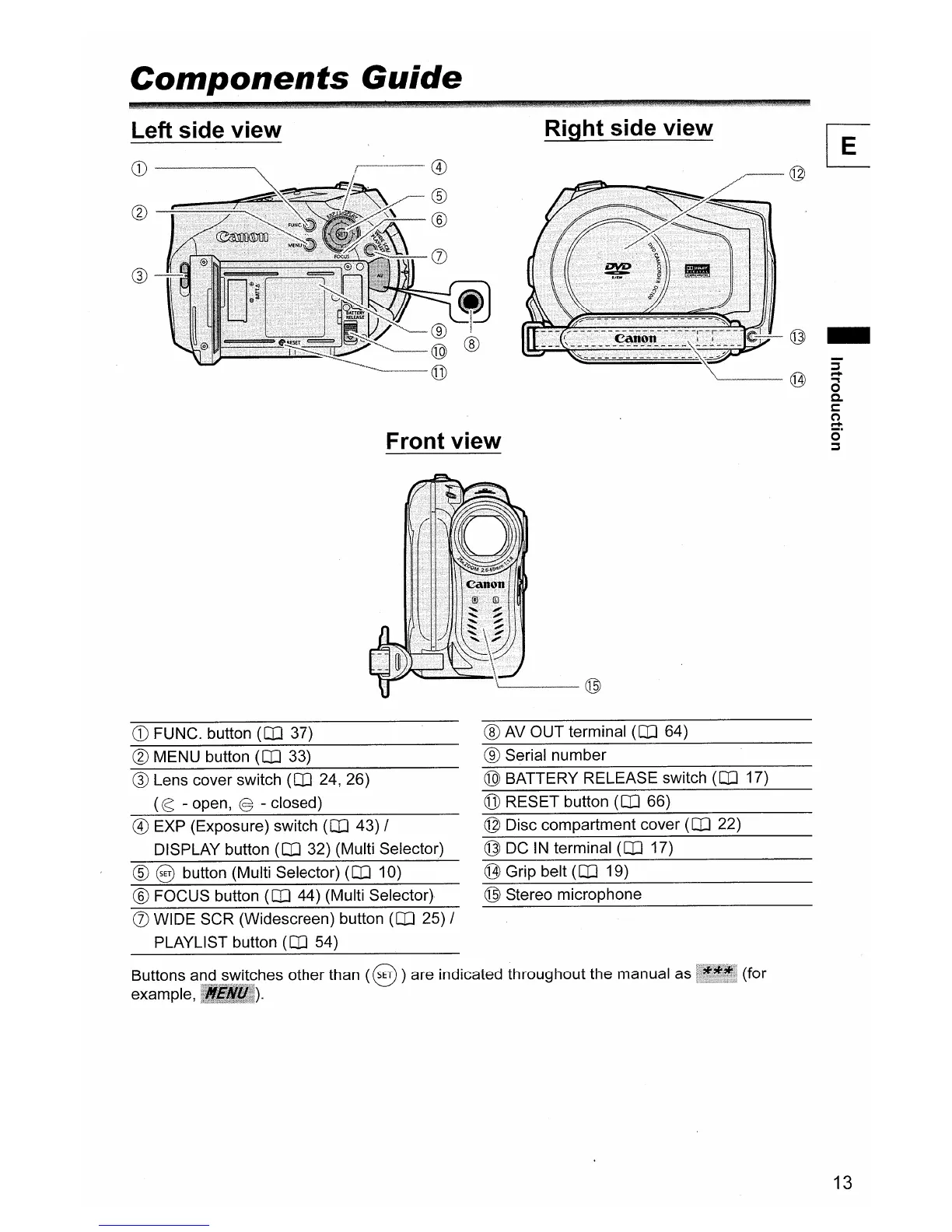
Left side view
CD----~
®
Front view
Right side view
-~
1,/
.
~
,
A
---
-.::;:
~
::
I
-
(
.
\
'"
IJ
~
\.
~
,
.1J
;-..1
..
'V
~
..,.
@
-
c@
a
0
a.
s:::::
~
o'
:;j
CD
FUNC. button
(CO
37)
(g)
MENU button
(CO
33)
® Lens cover switch
(CO
24, 26)
(cs - open, @ - closed)
@)
EXP (Exposure) switch
(CO
43) /
DISPLAY button
(CO
32) (Multi Selector)
® 8 button (Multi Selector)
(CO
10)
® FOCUS button
(CO
44) (Multi Selector)
(j) WIDE SCR (Widescreen) button
(CO
25) /
PLAYLIST button
(CO
54)
'------@
® AV OUT terminal
(CO
64)
® Serial number
@ BATTERY RELEASE switch
(CO
17)
@ RESET button
(CO
66)
© Disc compartment cover
(CO
22)
@ DC
IN
terminal
(CO
17)
@ Grip belt
(CO
19)
® Stereo microphone
Buttons and switches other than
(8
)are indicated throughout the manual as (for
example,
).
13

Other manuals for Canon DC100

Related product manuals