Playback
I
To
change the operating mode, refer to About the Operating Modes (OJ
11).
The scene index screen appears with the selection frame on the first scene.
1.
Move (
...
,
~~)
the selection
frame to the scene you want to
play back.
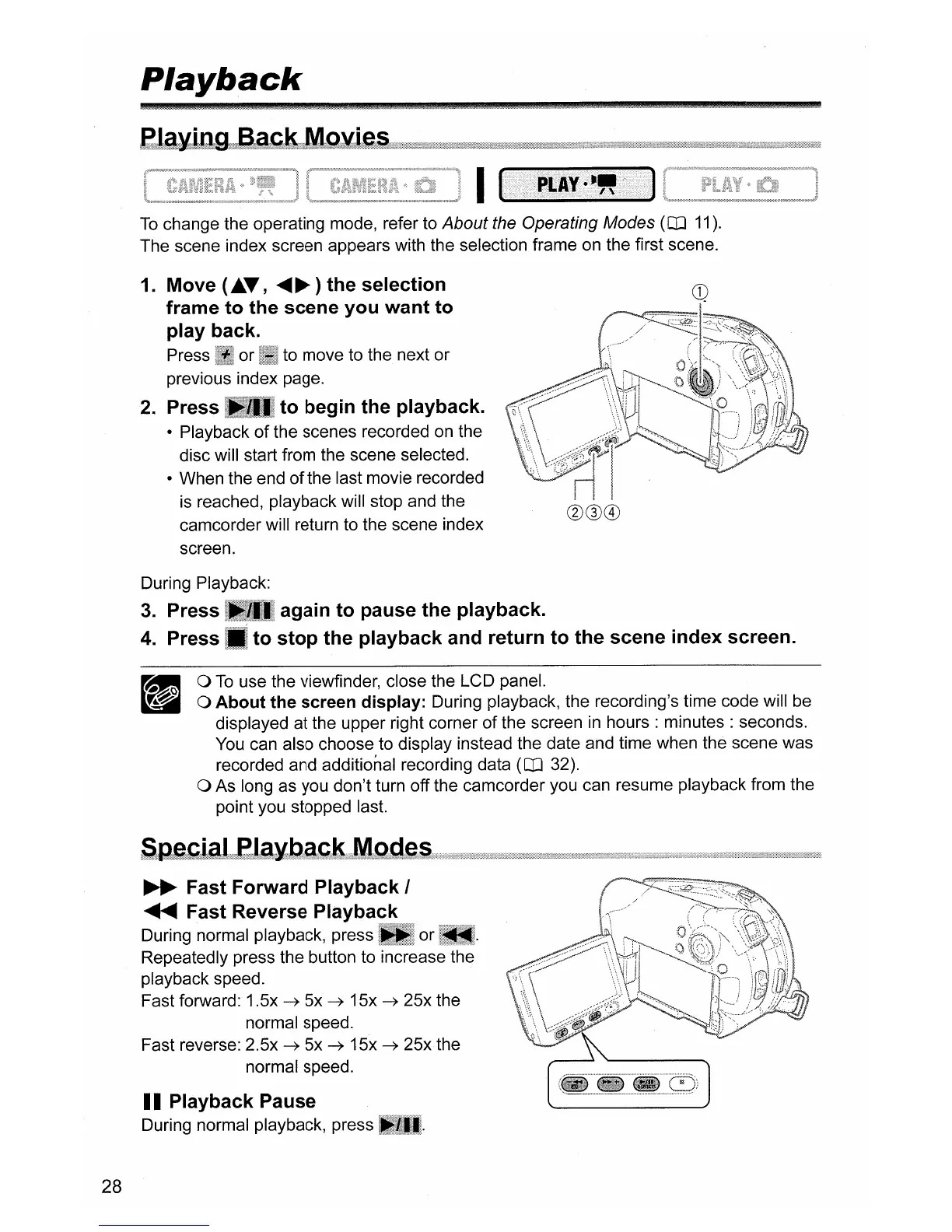
Press or to move to the next or
previous index page.
2.
Press to begin the playback.
• Playback
of
the scenes recorded
on
the
disc will start from the scene selected.
• When the end
of
the last movie recorded
is reached, playback will stop and the
camcorder will return to the scene index
screen.
again to pause the playback.
to stop the playback and return to the scene index screen.
During Playback:
3.
Press
4.
Press
o
To
use the viewfinder, close the LCD panel.
o About the screen display: During playback, the recording's time code will be
displayed at the upper right corner
of
the screen
in
hours:
minutes: seconds.
You
can also choose to display instead the date and time when the scene was
recorded and additional recording data
(OJ 32).
o As long as you don't turn off the camcorder you can resume playback from the
point you stopped last.
~
Fast Forward Playback I
~
Fast Reverse Playback
During normal playback,
presst
or
Repeatedly press the button to increase the
playback speed.
Fast forward: 1.5x
~
5x
~
15x
~
25x the
normal speed.
Fast reverse: 2.5x
~
5x
~
15x
~
25xthe
normal speed.
II
Playback Pause
During normal playback, press
28



 To Next Page