Image Jump Function
You
can also quickly locate a specific image without having to browse all
of
them one by
one.
Push the multi selector
(~~
) and keep it pressed down.
Image numbers will quickly
run
in
sequence. When you release the multi selector the
image corresponding to the number selected will be displayed.
During playback, still images can
be
magnified up to 5 times.
I
To
change the operating mode, refer to About the Operating Modes
(CO
11).
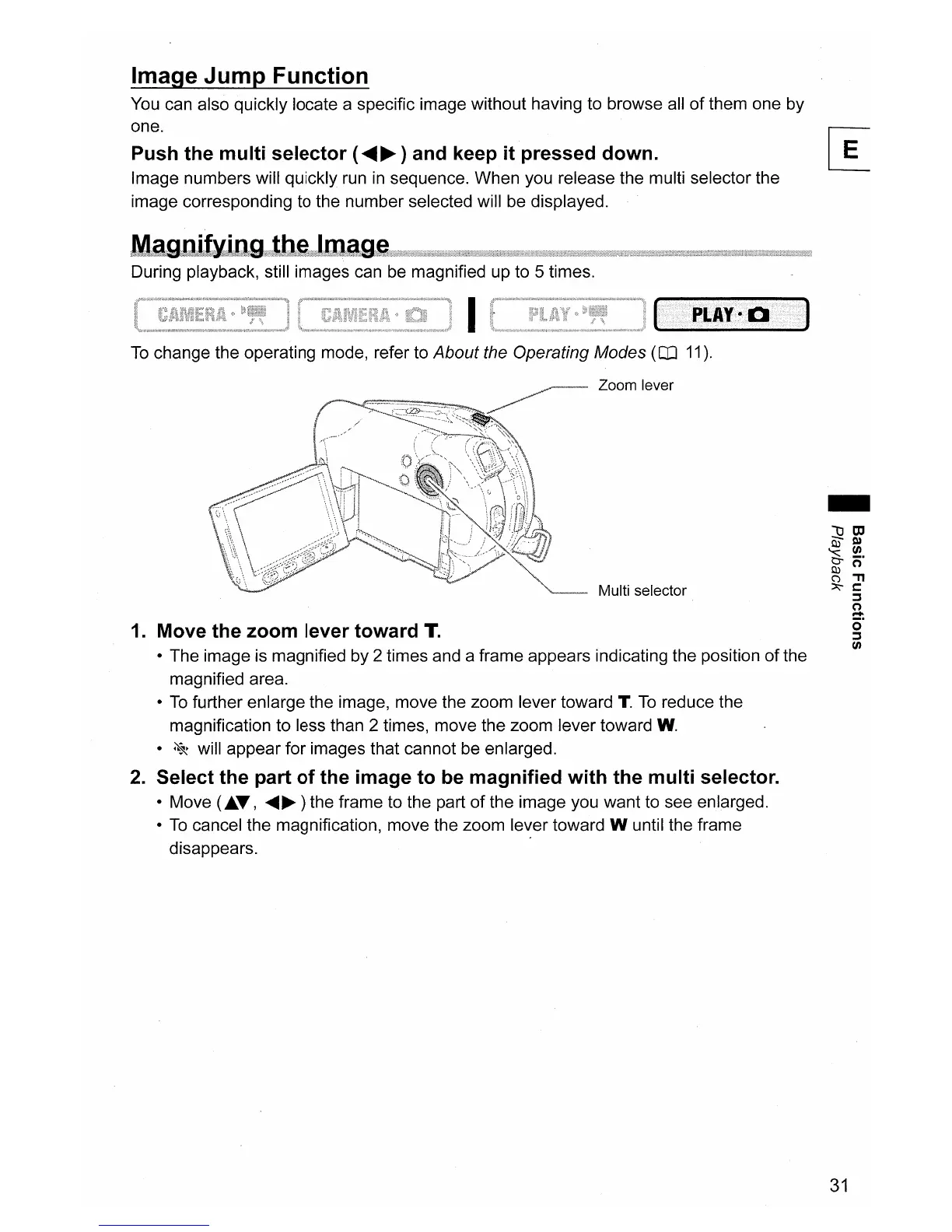
Zoom lever
Multi selector
1.
Move the zoom lever toward
T.
• The image is magnified by 2 times and a frame appears indicating the position
of
the
magnified area.
•
To
further enlarge the image, move the zoom lever toward T.
To
reduce the
magnification to less than 2 times, move the zoom lever toward
W.
•
~
will appear for images that cannot be enlarged.
2.
Select the part of the image to
be
magnified with the multi selector.
• Move
(J..T,
.....
~)
the frame to the part
of
the image you want to see enlarged.
•
To
cancel the magnification, move the zoom lever toward W until the frame
disappears. .
-
31



 To Next Page