IPLAYLST
ALL
DEL
ICPIrII;~.)
(OJ 55)
[NO], [YES]
This option is available only
in
the playlist index screen.
L..-I
D_I_SC_.
_P_R_O_TE_C_T
----li
CPIrIV:-.) (PLIYoD)
(OJ
57)
[NO], [YES]
I_P_H_O_T_O_M_OV_I_E
---1
I
(PI..AY
o
b)
(OJ 60)
[NO], [YES]
L..-I
D_IS_C_T_IT_L_E
----lICPI..AYo
••
) (OJ 58)
-
~!~~~~~
~~~~.~.
0
0.0
••••••••••••••••••••••••••••••••••••••••••••••••••••••••
IBRIGHTNESS
I(CAMERA:~.)
(eIlVlERI·D)
(I'EIY·~.)
(PLIYSD)
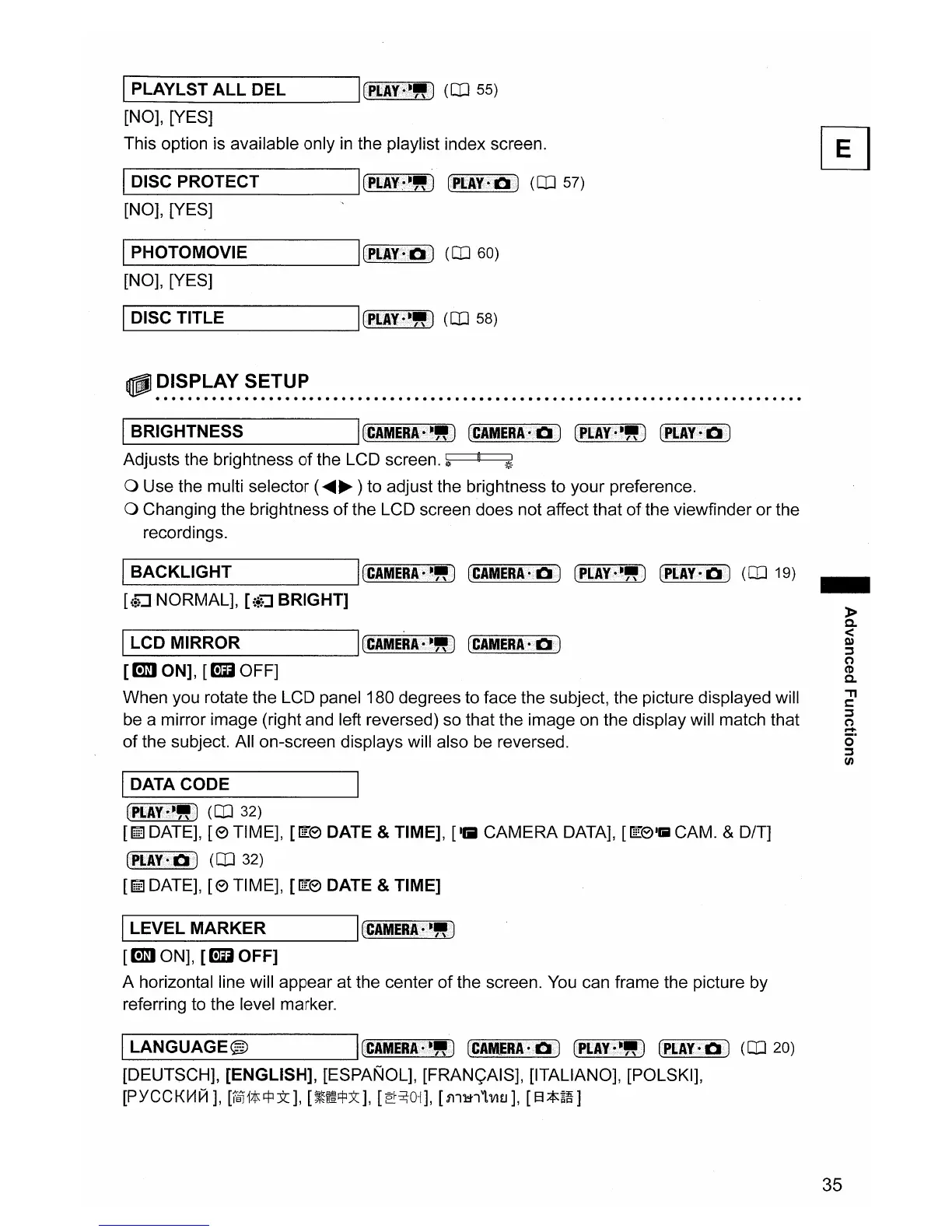
Adjusts the brightness
of
the LCD screen.
~
o Use the multi selector (
.....
~
) to adjust the brightness to your preference.
o Changing the brightness
of
the LCD screen does not affect that
of
the viewfinder
or
the
recordings.
IBACKLIGHT
ICCAMERA.L~.)
(CAMERA
0
D)
CPLAY·~.)
(1'IrAV·'::')
(OJ 19)
[\~
NORMAL], [{;u BRIGHT]
ILCD MIRROR I
(CAMERA·~.)
(CIMERA·e)
[cmJ ON],
[lml
OFF]
When you rotate the LCD panel 180 degrees to face the subject, the picture displayed will
be a mirror image (right and left reversed) so that the image on the display will match that
of
the subject. All on-screen displays will also be reversed.
IDATA CODE
(PLIV±~.)
(OJ 32)
[!ITa
DATE],
[8
TIME], [1['8 DATE & TIME], [till
CAMERA
DATA], [1['8
1
1iii1
CAM. & OfT]
(PIrAY~D)
(OJ 32)
[!ITa
DATE],
[8
TIME], [1['8 DATE & TIME]
ILEVEL MARKER I
(CIMERAo
••
»
[cmJ
ON],
[lml
OFF]
A horizontal line will
appear
at the center
of
the screen. You can frame the picture by
referring to the level marker.
ILANGUAGE@
ICCIMERAo>~
.•
)
(CAMERI·e<)
(PI..AY·~.)
CPLIY-D)
(OJ 20)
[DEUTSCH], [ENGLISH], [ESPANOL], [FRAN<;AIS], [ITALIANO], [POLSKI],
[PYCCKVlIII],
[1'§]"1tl:j:l:>t],
[~e!=j:lx],
[~~01],
[511~1"l'VHJ],
[EL*~fi]
-
»
a.
<
Q)
;j
o
CD
a.
."
l:
;j
a
o·
;j
(J)
35



 To Next Page