I
TV
TYPE
I
(PL.AY·-")
[~
NORMAL
TV],
[~
WIDE
TV]
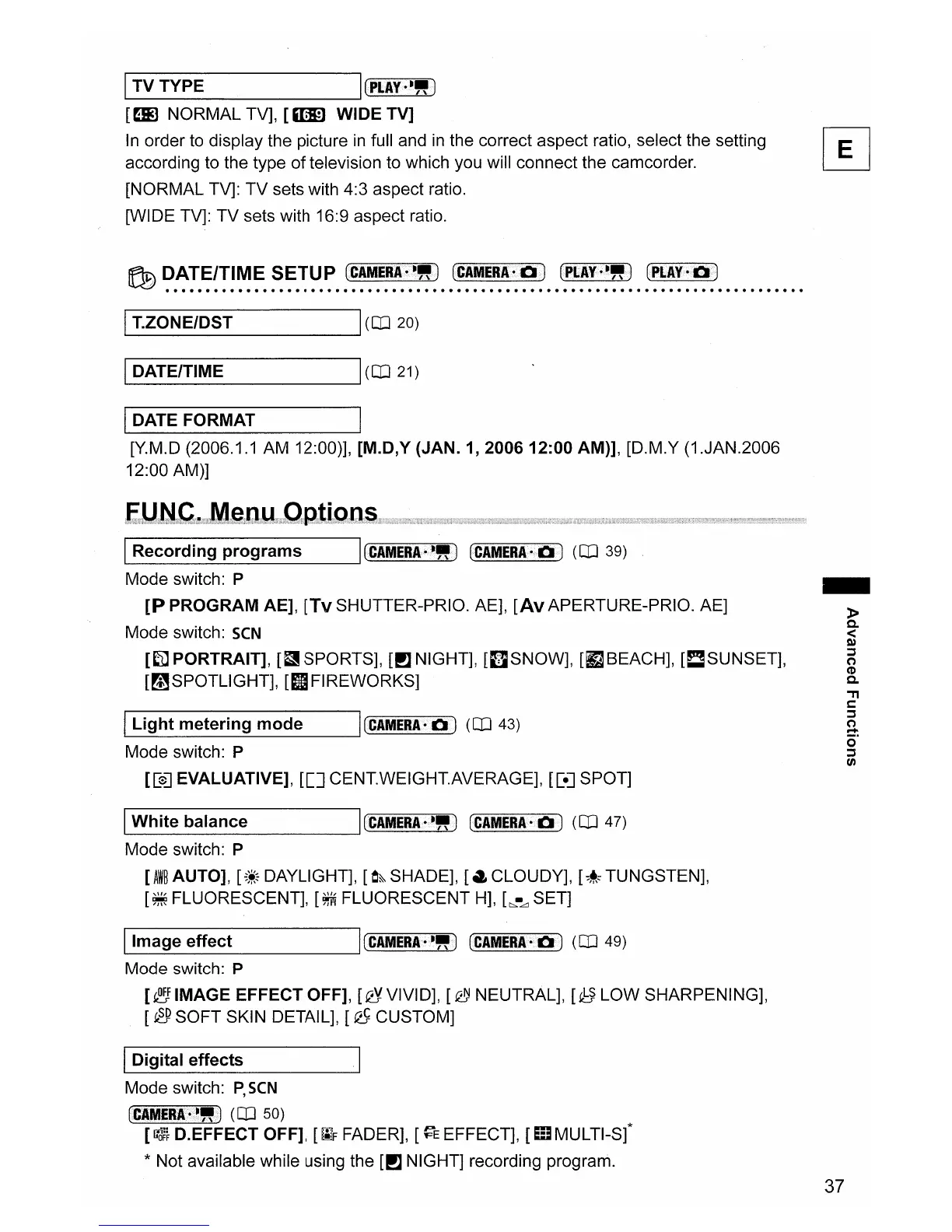
In order to display the picture in full and
in
the correct aspect ratio, select the setting IEl
according to the type
of
television to which you will connect the camcorder.
~
[NORMAL TV]:
TV
sets with 4:3 aspect ratio.
[WIDE TV]:
TV
sets with 16:9 aspect ratio.
,--I
T_.Z_O_N_E/_D_S_T
---'I(OJ
20)
1...-1
D_A_T_E/_T_IM_E
------li
(OJ
21)
-
»
0-
<
Q)
:::s
(')
CD
0-
'"T1
s:::
:::s
~
o·
:::s
CJ)
I(CAMERA.-")
(CAMERA·
0)
(OJ
39)
-----------'
L..-I
L_ig_h_t_m_e_te_r_in_g_m_o_d_e
__
----'I(CAMEIlA.Of)
(OJ
43)
Mode switch: P
[[e]
EVALUATIVE],
[[]
CENT.WEIGHT.AVERAGE], [[e] SPOT]
IRecording
programs
Mode switch: P
[P
PROGRAM
AE],
[Tv SHUTTER-PRIO. AE],
[Av
APERTURE-PRIO. AE]
Mode switch:
SCN
[~PORTRAIT],
[t1
SPORTS], [PJ NIGHT],
[I]SNOW],
[fJBEACH],
[!:!SUNSET],
[~SPOTLlGHT],
[IIFIREWORKS]
I
DATE
FORMAT
I
[Y.M.D (2006.1.1
AM
12:00)],
[M.D,Y
(JAN.
1,
200612:00
AM)],
[D.M.Y (1.JAN.2006
12:00 AM)]
L..-
1
W_hi_te_b_a_la_n_c_e
----'1
(CAMERA·-") (CAMERA·O)
(OJ
47)
Mode switch: P
[AW~
AUTO],
[;*~
DAYLIGHT],
[e&
SHADE],
[a
CLOUDY],
[::~~
TUNGSTEN],
[~
FLUORESCENT],
[~
FLUORESCENT
H],
L:".-Ll
SET]
I Image effect I(CAMERA·-")
(CAMERA.~>O)
(OJ
49)
Mode switch: P
[~IMAGE
EFFECT
OFF],
[QYVIVID],
[~NEUTRAL],
[~LOW
SHARPENING],
[
eP
SOFT
SKIN DETAIL], [
~
CUSTOM]
IDigital effects
Mode switch:
P,
SCN
(CAMiRI·>·")
(OJ
50)
[~}
D.EFFECT
OFF],
[~F
FADER], [
~E
EFFECT],
[m
MULTI-sf
* Not available while using the [PJ NIGHT] recording program.
37



 To Next Page