I~
Slow Forward Playback I
.....
Slow Reverse Playback
During playback pause, press or . Repeatedly press the button to increase the
playback speed.
Slow playback: 1/16
~
1/8
~
1/4
~
1/2 the normal speed.
Skipping Scenes
During normal playback, push the multi selector
(~
) to skip to the beginning
of
the next
scene. Push the multi selector (
.....
) to return to the beginning
of
the current scene. Repeat
to skip to the beginning
of
the previous scene.
-
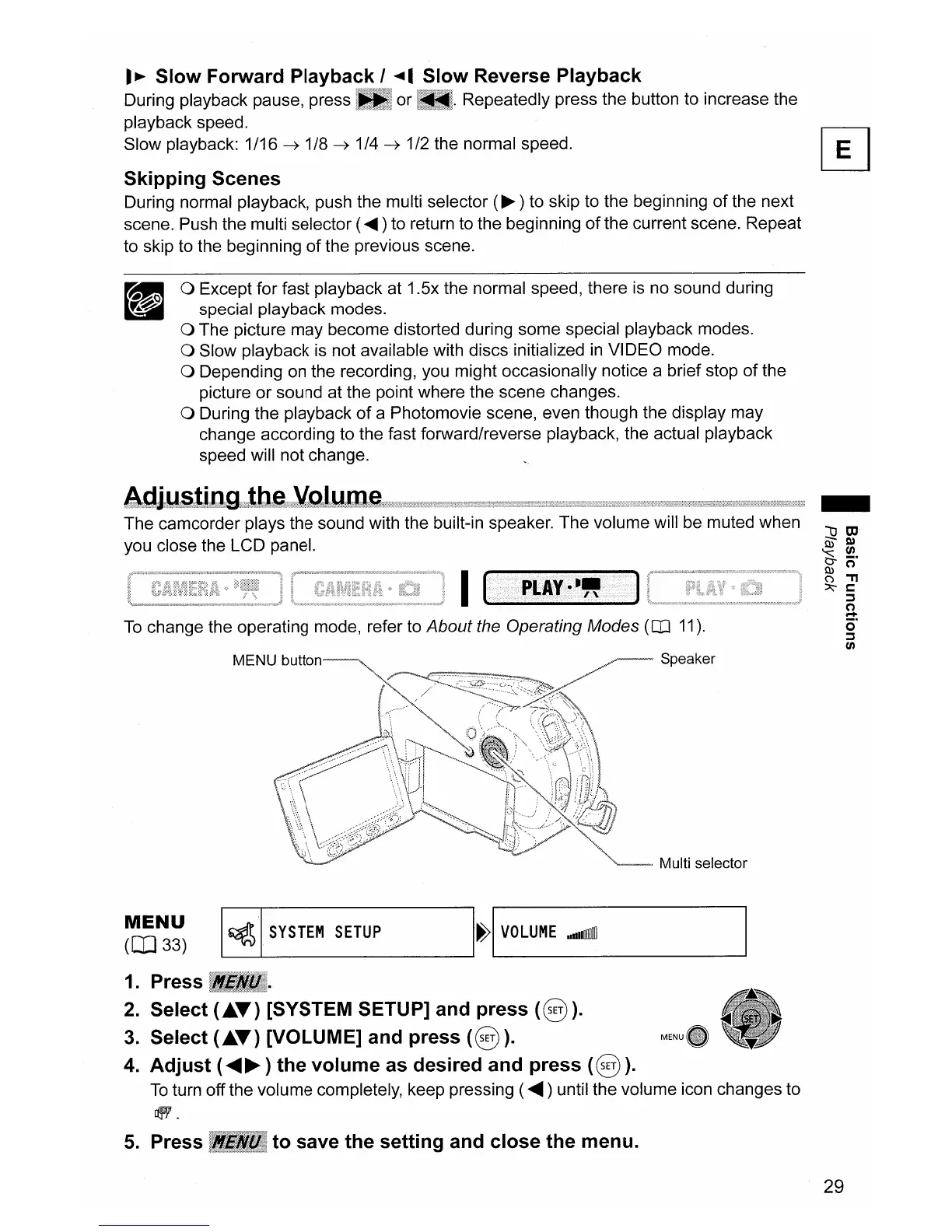
Speaker
I
MENU
hllt1nn----.,.
a Except for fast playback at 1.5x the normal speed, there
is
no sound during
special playback modes.
a The picture may become distorted during some special playback modes.
a Slow playback is not available with discs initialized
in
VIDEO mode.
a Depending
on
the recording, you might occasionally notice a brief stop
of
the
picture or sound at the point where the scene changes.
a During the playback
of
a Photomovie scene, even though the display may
change according to the fast forward/reverse playback, the actual playback
speed will not change.
The camcorder plays the sound with the built-in speaker. The volume will be muted when
you close the LCD panel.
To
change the operating mode, refer to About the Operating Modes
(CO
11).
Multi selector
MENU
OI]33)
~
SYSTEM
SETUP
H
VOLUME
adIlllII
1.
Press
2.
Select <"T) [SYSTEM SETUP] and press
<§).
3.
Select <"T) [VOLUME] and press
<§).
4.
Adjust (
......
~
) the volume
as
desired and press <
§).
To
turn off the volume completely, keep pressing (
......
) until the volume icon changes to
~.
5.
Press
to
save the setting and close the menu.
29



 To Next Page