7-15
Routine Maintenance
7
Replacing the Toner Cartridge
•
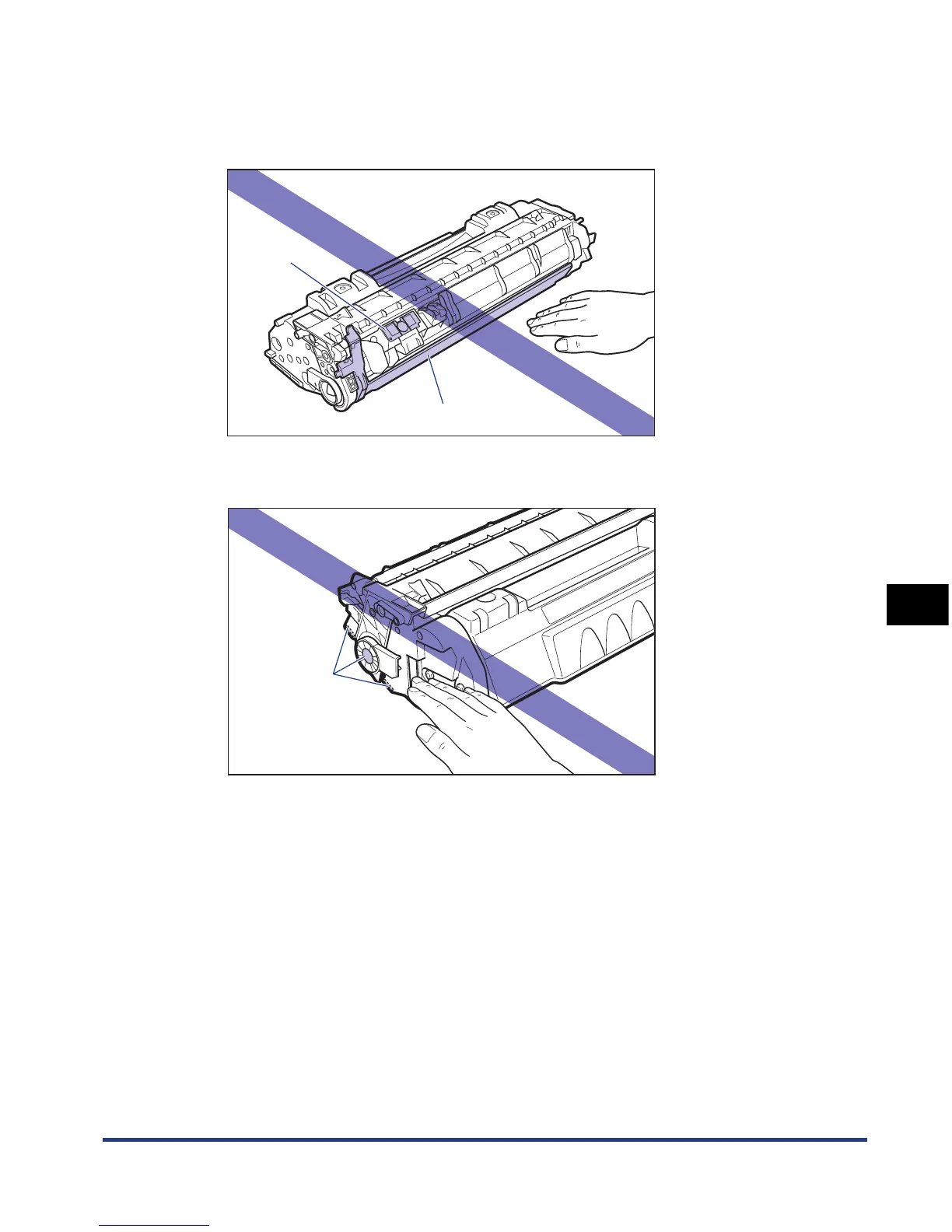
Do not jolt the toner cartridge memory (A) or bring it near a magnetic field. This may
result in damage to the cartridge. Print quality may deteriorate if you touch or damage the
photosensitive drum inside the toner cartridge. Be sure not to touch or open the drum
protective shutter (B).
•
Be careful not to hold or touch areas that are not specified in this procedure, such as the
electrical contacts (C). This may result in damage to the cartridge.
(A)
(B)
(C)



 To Next Page