4-12
Loading and Outputting Paper
Paper Source
4
IMPORTANT
If you are printing from Cassette 2, make sure that Cassette 1 is set before printing. If you
print from Cassette 2 when Cassette 1 is not set, this will cause paper jams.
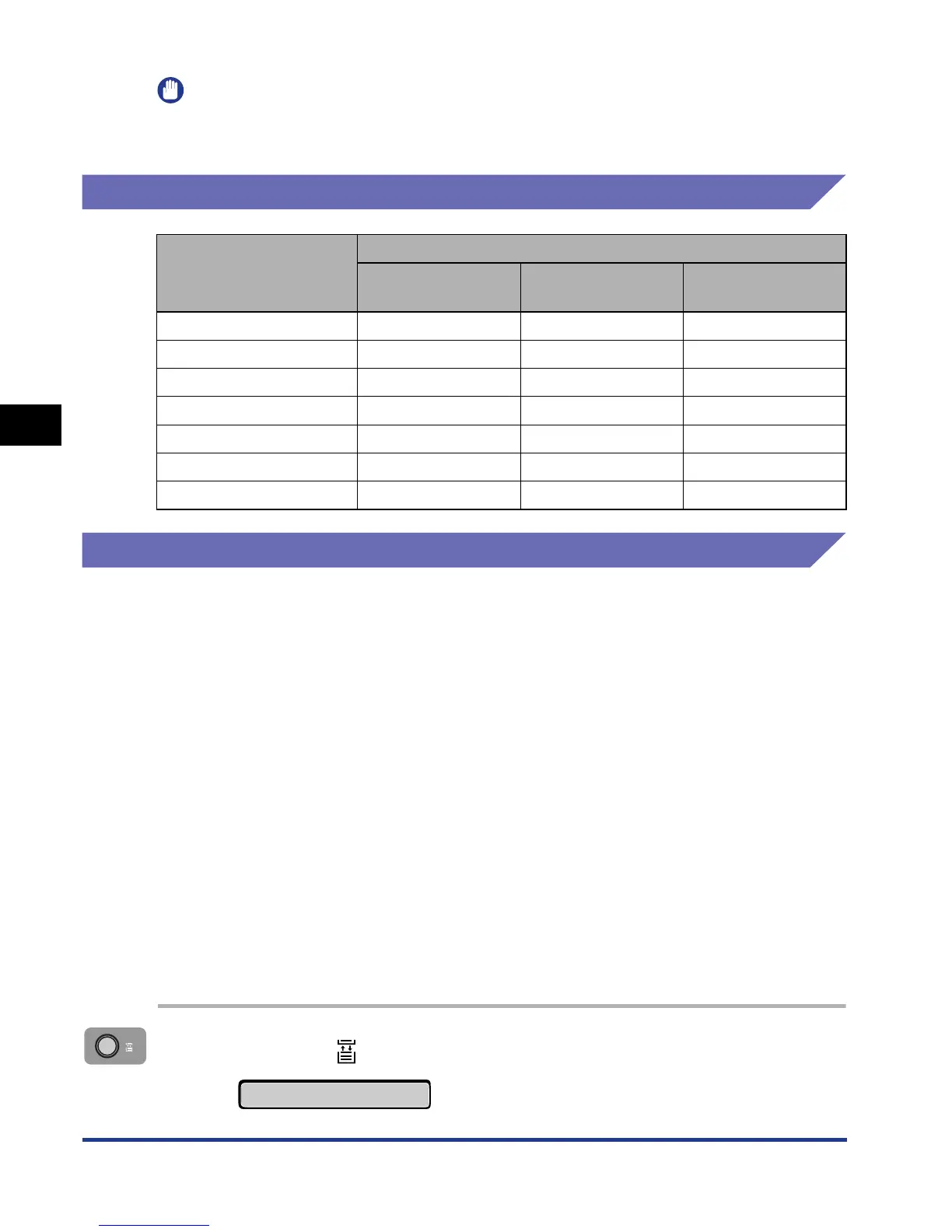
Paper Capacity for Paper Source
Selecting a Paper Source
A paper source can be selected using the following procedure.
■ When printing from Windows or Macintosh
Select a paper source in the printer driver. Because the default setting for the paper
selection in the printer driver is [Auto], if a paper size is specified by an application, the
printer selects the paper source automatically and feeds paper from the paper source.
Even when the paper source runs out of paper during printing, if paper of the same size is
loaded in other paper source, the paper source is switched automatically and the paper is
fed.
If you want to specify a paper source, select the paper source in the printer driver. For
more details on using the printer driver, see Help of the printer driver.
■ When printing from DOS or UNIX
When you are printing from DOS, UNIX, or other operating system on which you cannot
use the printer driver, select a paper source using the control panel. The default setting for
this printer's paper source is set to AUTO.
Select a paper source with the printer's control panel using the following procedure.
1
Press the (Feeder Selection) key.
Paper Type
Paper Source
Manual Feed Slot Cassette 1
Cassette 2
(Optional)
Plain paper (80 g/m
2
)1 sheet Approx. 250 sheets Approx. 250 sheets
Heavy paper (91 g/m
2
)1 sheet Approx. 200 sheets Approx. 200 sheets
Heavy paper (128 g/m
2
)1 sheet x x
Transparency 1 sheet x x
Label 1 sheet x x
Index Card 1 sheet x x
Envelope 1 sheet x x
PAPER SOURCE
→













 To Next Page