4-13
Loading and Outputting Paper
4
Paper Source
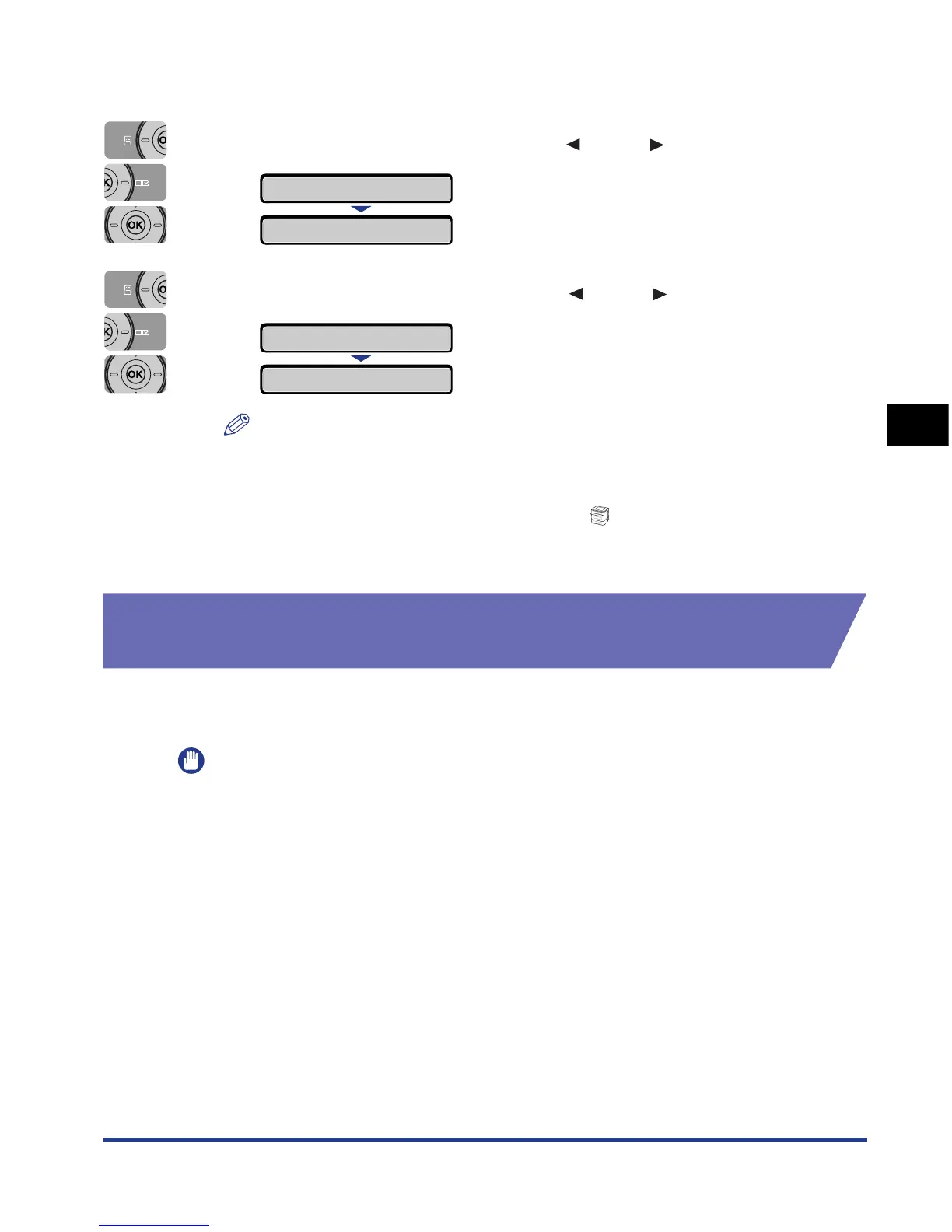
PAPER SOURCE is displayed in the display.
2
Select PAPER SOURCE using [ ] and [ ], then press [OK].
3
Select the paper source using [ ] and [ ], then press [OK].
NOTE
•
CASSETTE 2 is displayed only when the paper feeder is installed.
•
If paper of the same size is loaded in two or more paper sources when the paper
source setting is specified to be selected automatically, paper is fed from the upper
paper source regardless of the status of the (Paper Source) indicators. When
the paper source runs out of paper, the paper source automatically switches to
other one in which paper of the same size is loaded.
Precautions for Handling the Manual Feed Slot or Paper
Cassette
Be careful of the following points when handling the manual feed slot or paper
cassette.
IMPORTANT
•
Be sure to turn the printer ON once when loading paper in the paper cassette for the first
time after installing the paper feeder.
•
When any paper is in the manual feed slot, you cannot feed paper from the paper
cassette. If you are printing from the paper cassette, remove any paper loaded in the
manual feed slot.
•
Do not pull out the paper cassette while the printer is printing. This may result in paper
jams or damage to the printer.
•
Do not touch the paper in the manual feed slot or pull it out during printing. This may
result in a faulty operation.
•
Refill the paper cassette after all the loaded paper runs out. If the cassette is refilled
when paper still remains in the cassette, it may result in misfeeds.
•
Do not load paper in the manual feed slot during printing from the paper cassette. This
may result in multiple sheets of paper fed at once or paper jams.
PAPER SOURCE
→
=AUTO
→
CASSETTE 1
→
=CASSETTE 1
→













 To Next Page