2-28
Installing the Printer
2
Turning the Printer ON and Checking the Printer Operation
Turning the Printer ON and Checking the Printer
Operation
This section describes the procedures for turning the printer ON and checking the
printer operation.
Turning the Printer ON
IMPORTANT
•
Do not turn the power ON immediately after turning it OFF. If you want to turn the printer
ON again after turning it OFF, wait at least 10 seconds after turning the printer OFF
before turning it ON again.
•
If the printer does not operate properly or an error message appears, see "When the
Printer Does Not Operate Properly," on p. 2-32.
•
When turning the power ON, make sure that no paper is loaded in the manual feed slot. If
the power is turned ON when any paper is loaded in the manual feed slot, this may result
in paper jams.
•
Be sure to set the paper cassette in the printer before you turn the power ON for the first
time after you install the printer.
•
Although a sheet of blank paper is output when you turn the power ON for the first time
after you install the printer, this is not an error.
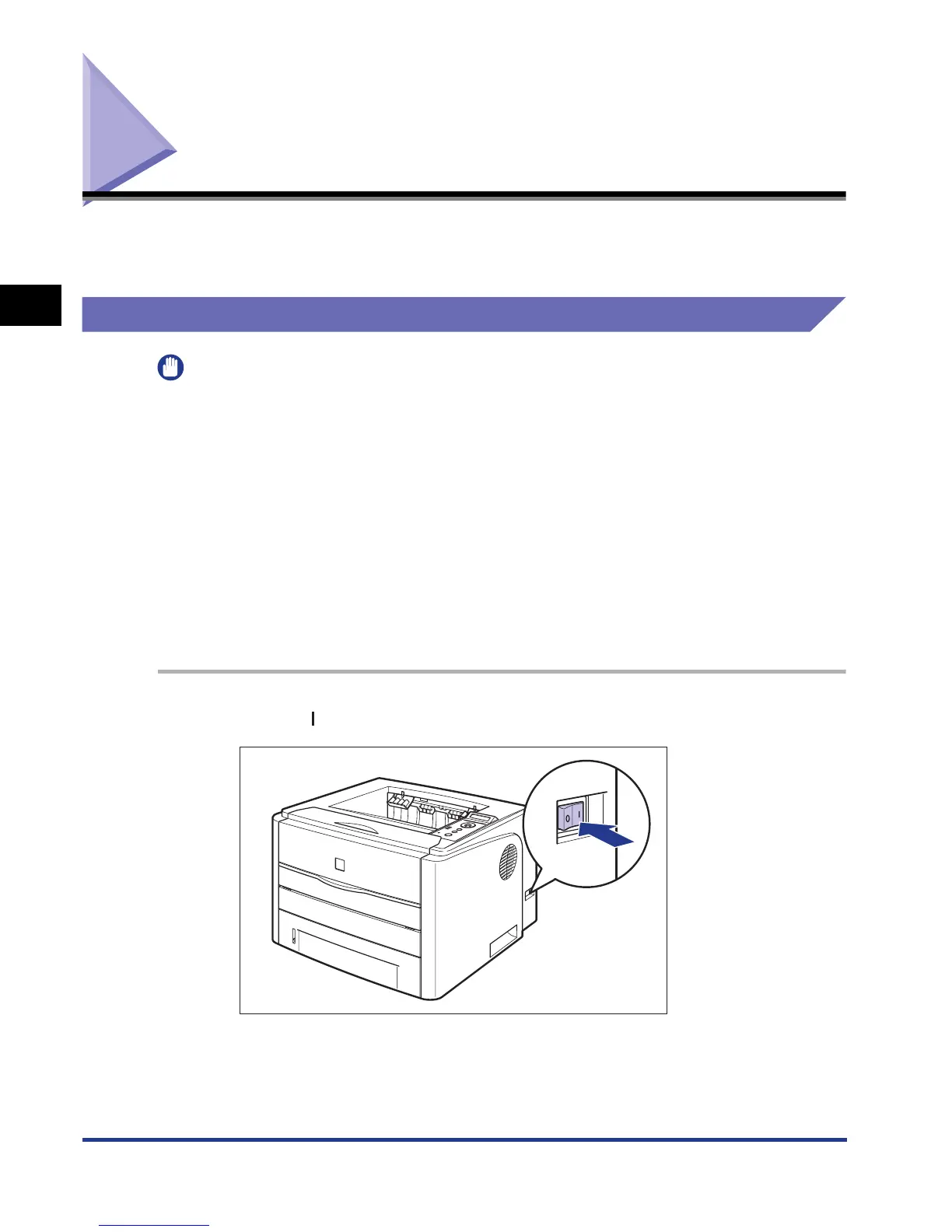
1
Press " " of the power switch to turn the printer ON.
The indicators and display on the control panel come on, and the printer initiates
a self-diagnostic test on the printer unit and optional accessories.













 To Next Page