1-8
Before You Start
1
Parts and Their Functions
ii
ii
Duplex Unit Cover
Opened when specifying the size of paper for
2-sided printing or removing paper jammed in the
duplex unit.
jj
jj
Paper Size Switch Lever
Switch the lever according to the paper size for
2-sided printing when performing 2-sided printing.
(See p. 4-49)
kk
kk
Power Socket
Connect the supplied power cord to this socket.
ll
ll
Output Selection Cover
Open when using the face-up output slot or
removing paper jammed in the output area.
(See p.
4-18)
mm
mm
Face-up Output Slot
Outputs paper with the printed side facing up. (See
p. 4-16)
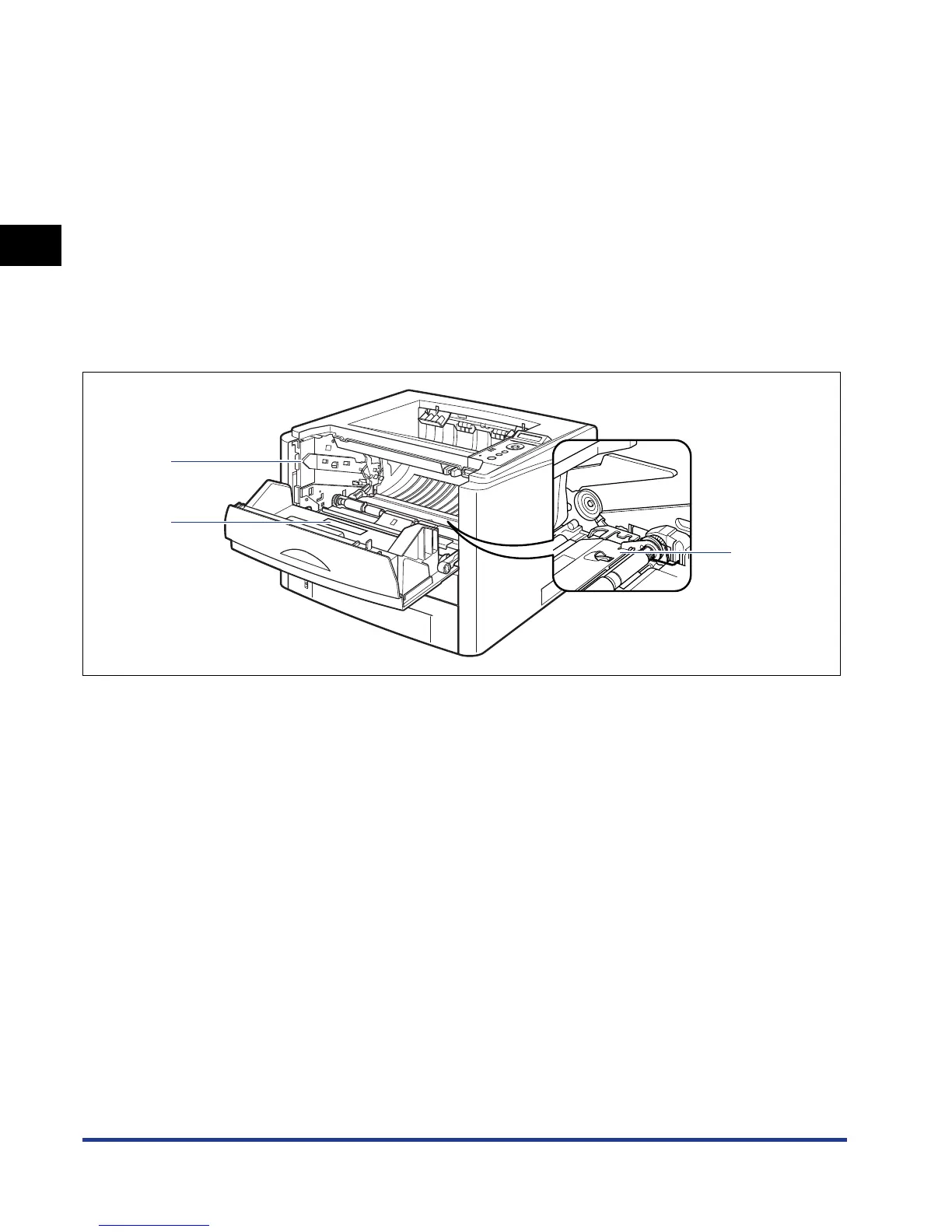
Inner View
The following are the parts inside the printer and their functions.
aa
aa
Toner Cartridge Guide
When setting the toner cartridge, push it while
aligning the projections on each side of the toner
cartridge with this guide. (See p. 7-13)
bb
bb
Transport Guide
Raised when removing paper jammed in the front
cover. (See p. 8-11)
cc
cc
Rating Label
The current value indicated in this rating label shows
the average power current consumption.
a
c
b













 To Next Page