8-7
Tr oubleshooting
8
Paper Jams
Paper Jam Location
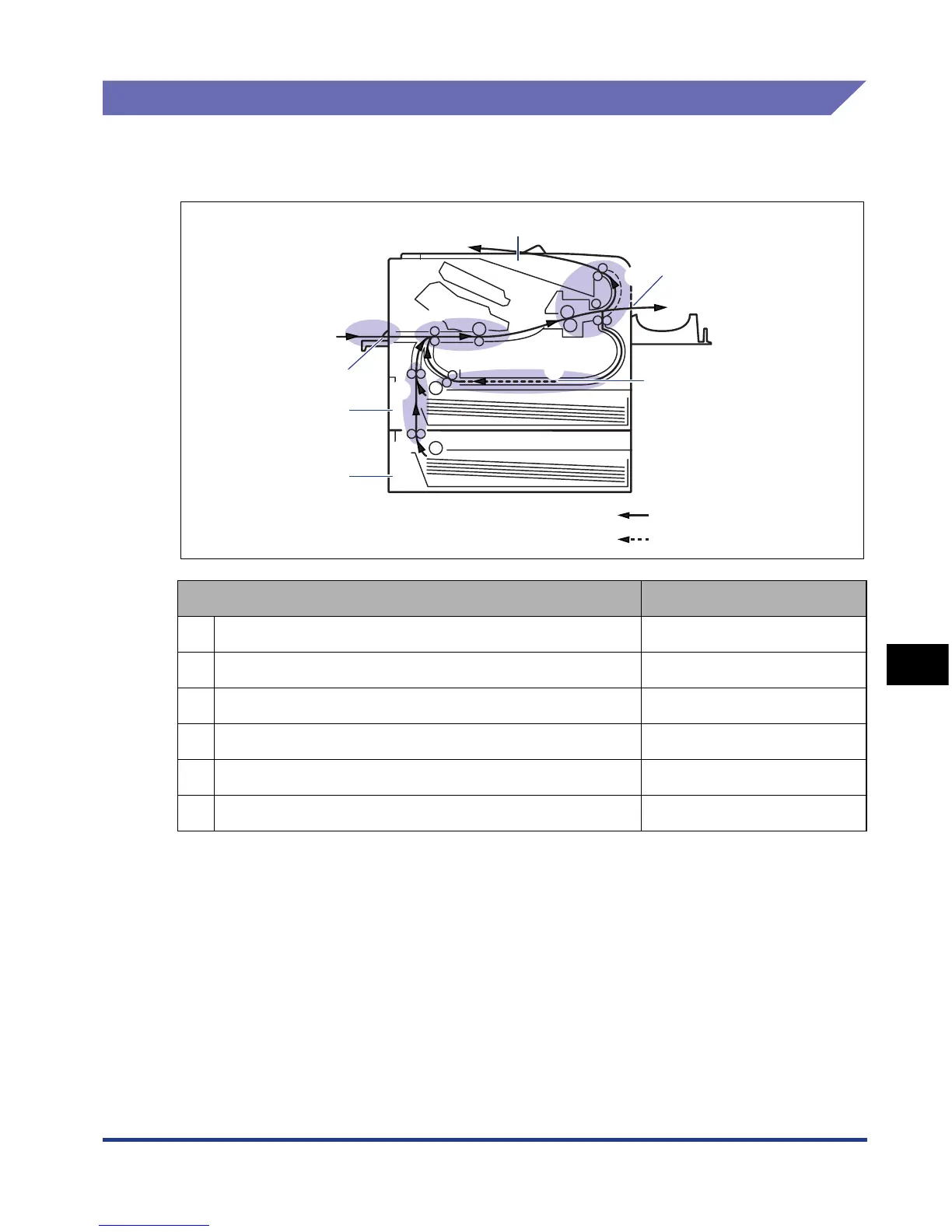
The message that appears in the display shows the location where the paper jam
occurred.
Paper Jam Location Displayed Message
a Duplex print transport area <DUPLEX UNIT>
b Face-up output slot <S-OUTPUT AREA>
c Inside the front cover <FRONT COVER>
d Manual feed slot <MF SLOT AREA>
e Cassette 1 <CASS.1 AREA>
f Cassette 2 (Only when the paper feeder is installed) <CASS.2 AREA>
a
b
c
d
e
f
Manual Feed Slot
Cassette 1
Cassette 2
(Optional)
Face-up Output Slot
Face-down Output Tray
Duplex Unit
Paper flow for 1-sided printing
Paper flow for 2-sided printing













 To Next Page