1-7
Before You Start
1
Parts and Their Functions
cc
cc
Ventilation Slots
Cool the insides of the printer.
dd
dd
Power Switch
Tu r ns the power of the printer ON/OFF. (See p. 2-28)
ee
ee
Lift Handles
Hold these handles when moving the printer. (See p.
7-33)
ff
ff
Paper Cassette
Can be loaded with up to 250 sheets of plain paper
(of 80 g/m
2
). (See p. 4-19)
gg
gg
Manual Feed Slot
Used when printing a sheet at a time manually. (See
p. 4-37)
hh
hh
Manual Feed Slot Cover
Open when using the manual feed slot.
ii
ii
Paper Guides
Align them with the width of the paper so that the
paper is fed straight.
jj
jj
Front Cover
Opened when replacing the toner cartridge or
removing jammed paper. (See p. 7-8)
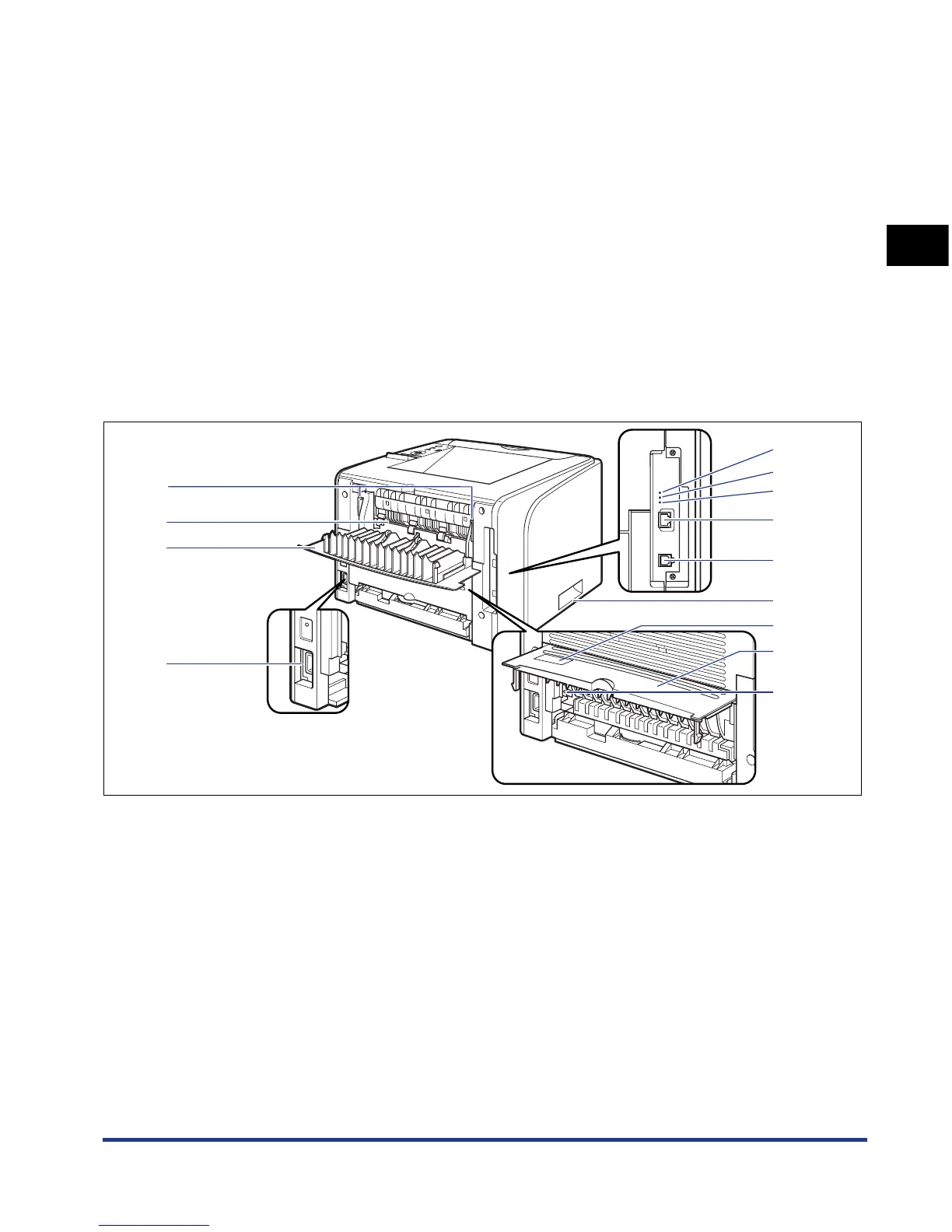
Rear View
The following are the parts on the rear side of the printer and their functions.
aa
aa
Pressure Release Levers
When a paper jam occurs, tilt the lever toward you to
release the pressure in the fixing unit.
(See p. 8-9)
bb
bb
100 Indicator (Green)
Comes on when the printer is connected to a
network by 100BASE-TX.
cc
cc
10 Indicator (Green)
Comes on when the printer is connected to a
network by 10BASE-T.
dd
dd
TX/RX Indicator (Green)
Blinks while the print server is communicating.
ee
ee
LAN Connector
Connects to a 10BASE-T/100BASE-TX LAN cable.
ff
ff
USB Connector
Connected to the USB cable. Connect the other end
of the cable to the USB port on the computer.
gg
gg
Lift Handles
Hold these handles when moving the printer.
(See p.
7-33)
hh
hh
Serial No. Label
The serial number (Serial No.) for printer
identification is indicated on this label. The number
is required for receiving service or repairs.
m
l
k
a
g
j
i
c
d
b
f
e
h













 To Next Page