8-16
Tr oubleshooting
8
Paper Jams
If you have not been performing automatic 2-sided printing, proceed to Step 17.
14
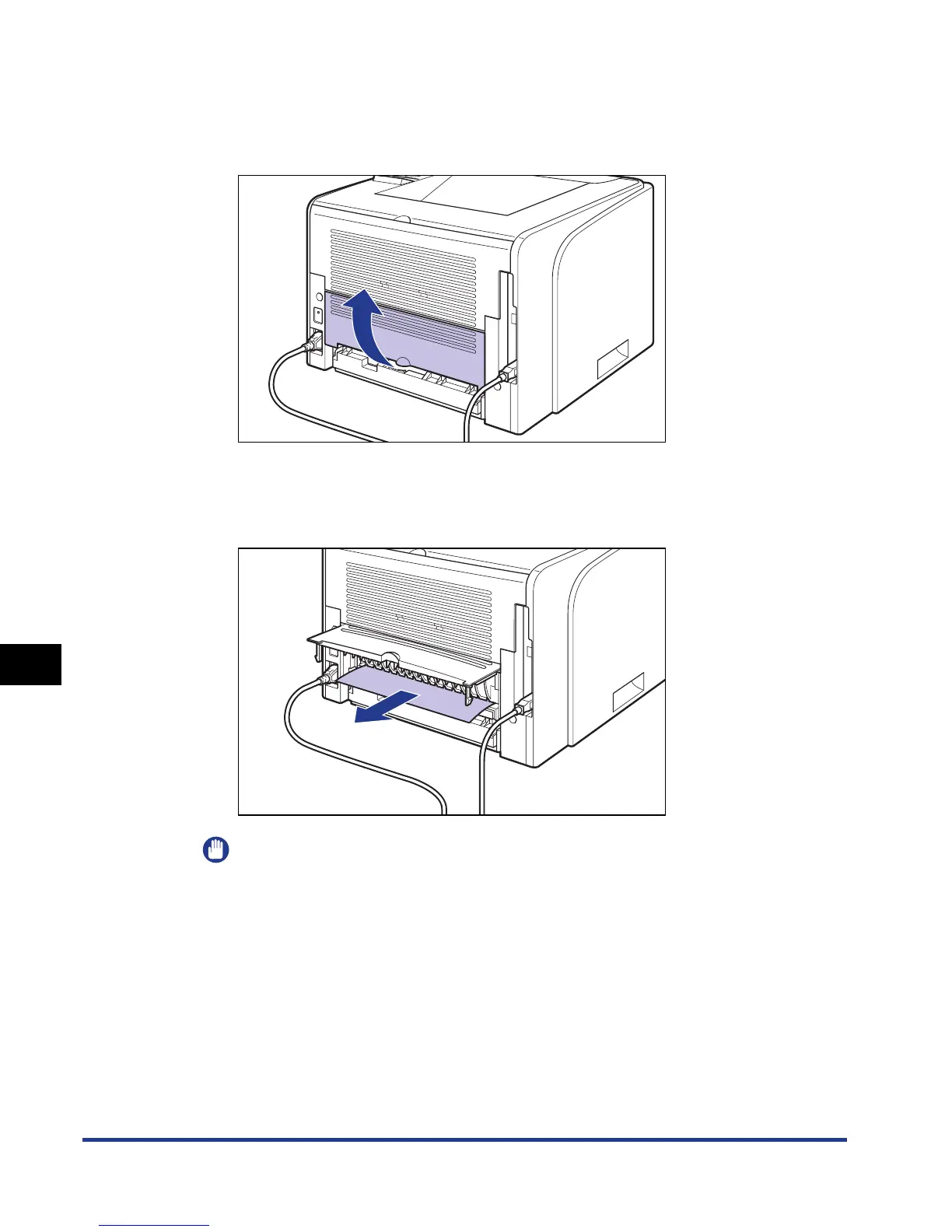
Open the duplex unit cover.
15
Remove any jammed paper by pulling it in the direction of the
arrow.
IMPORTANT
If the jammed paper cannot be removed easily, do not try to remove it forcefully but
proceed to the next step.



 To Next Page