Connecting the Cables
2-24
Installing the Printer
2
•
If you connected this printer to a network, check the MAC address of the print server with
Configuration Page Print, and then configure the network operating system (UNIX, etc.)
and print server. For more details, see "Network Guide".
1
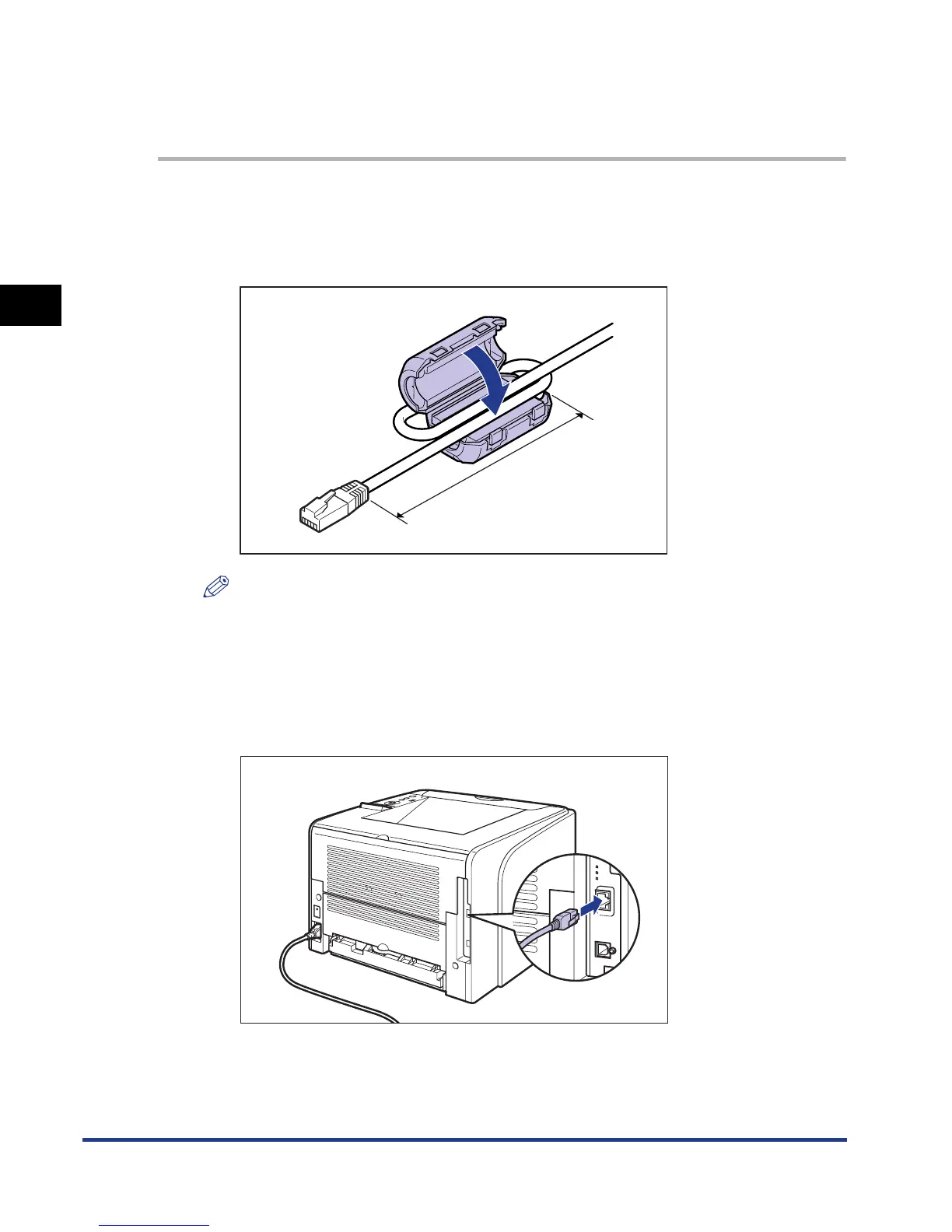
Attach the ferrite core to the LAN cable as shown in the figure.
Attach the ferrite core at 5 cm or less from the end of the connector connected to
the printer.
NOTE
A ferrite core is supplied with the printer.
2
Connect the LAN cable to the LAN connector.
Connect a LAN cable that is compatible with the LAN connector of the network
board according to the network.
5 cm or less













 To Next Page