Connecting the Cables
2-26
Installing the Printer
2
NOTE
•
The appropriate USB interface varies depending on the operating system of the
connected computer as follows. For more details, contact your local authorized Canon
dealer.
- Windows 98/Me: USB Full-Speed (USB1.1 equivalent)
- Windows 2000/XP/Server 2003/Vista: USB 2.0 Hi-Speed/USB Full-Speed (USB1.1
equivalent)
- Mac OS X 10.3.2 or earlier: USB Full-Speed (USB 1.1 equivalent)
- Mac OS X 10.3.3 or later: USB 2.0 Hi-Speed/USB Full-Speed (USB1.1 equivalent)
•
When you connect this printer to a computer with a USB cable, use a computer with
manufacturer's guarantee of USB proper operation.
•
A USB cable is only supplied with the printer for countries and regions of Asia. In other
countries and regions, prepare according to the specifications of your computer. Use a
USB cable with the following symbol.
1
Make sure that the printer and computer are OFF.
2
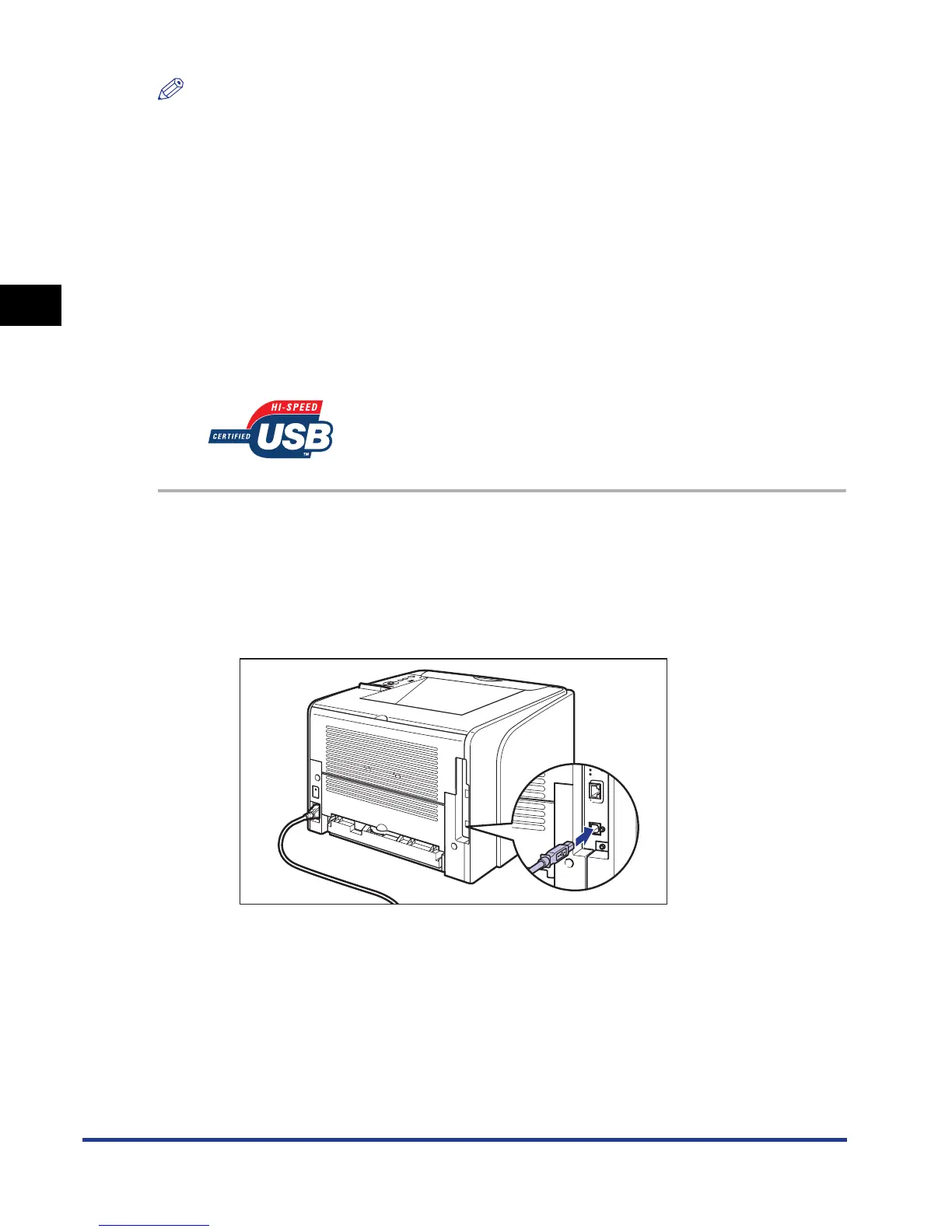
Connect the B-type (square) end of the USB cable to the USB
connector on the rear side of the printer.













 To Next Page