6-5
Routine Maintenance
6
Replacing the Toner Cartridge
IMPORTANT
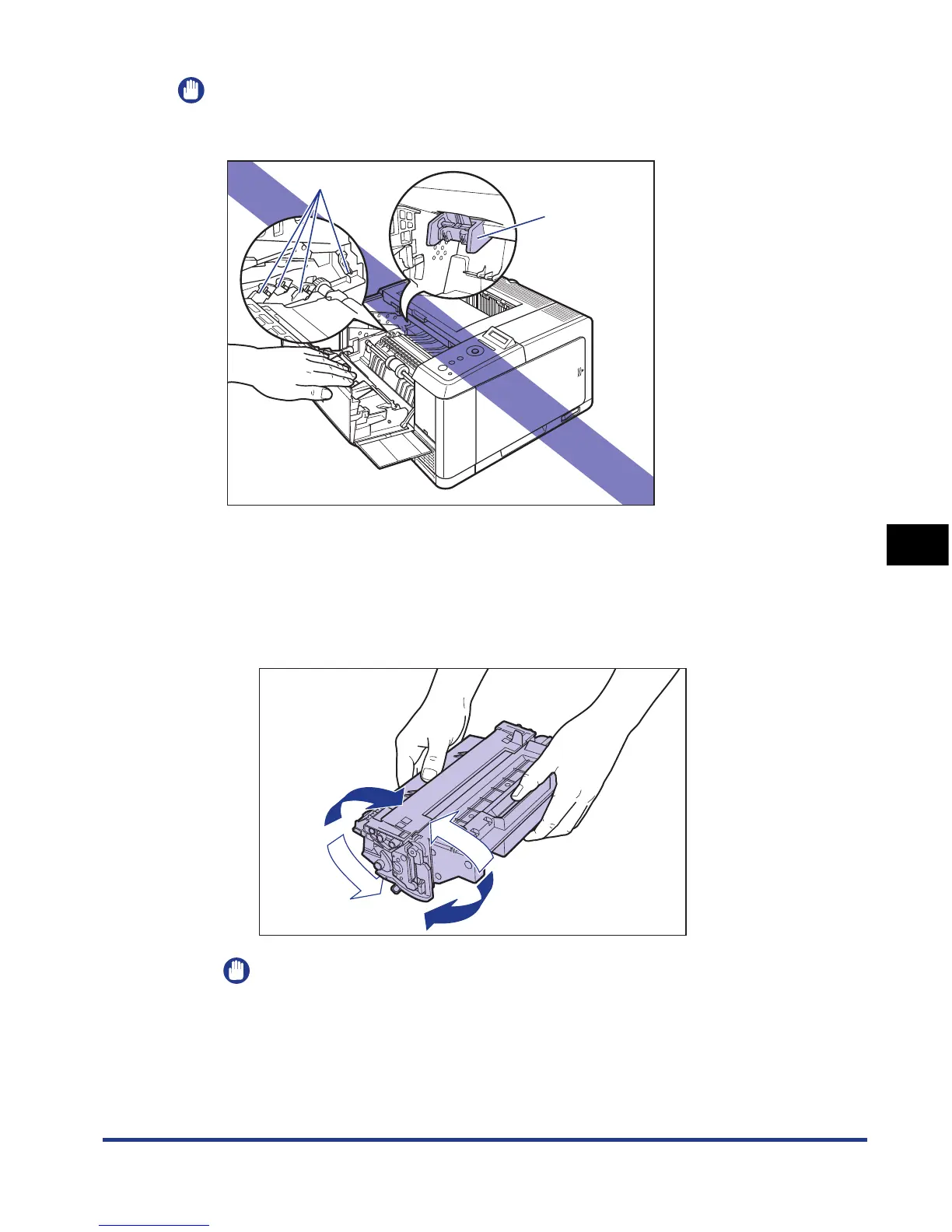
Be sure not to touch the high-voltage contacts (A) or electrical contact (B) shown in the
figure, as this may result in damage to the printer.
3
Hold the toner cartridge as shown in the figure, and shake it
gently 5 or 6 times to evenly distribute the toner inside the
cartridge.
Be careful not to spill the toner.
IMPORTANT
•
If toner is not distributed evenly, this may result in deterioration in print quality. Be
sure to carry out this procedure properly.
•
Be sure to shake the toner cartridge gently. If you do not shake the cartridge gently,
toner may spill out.
(B)
(A)











 To Next Page