3-49
Printing from the Multi-purpose Tray
Loading and Outputting Paper
3
6
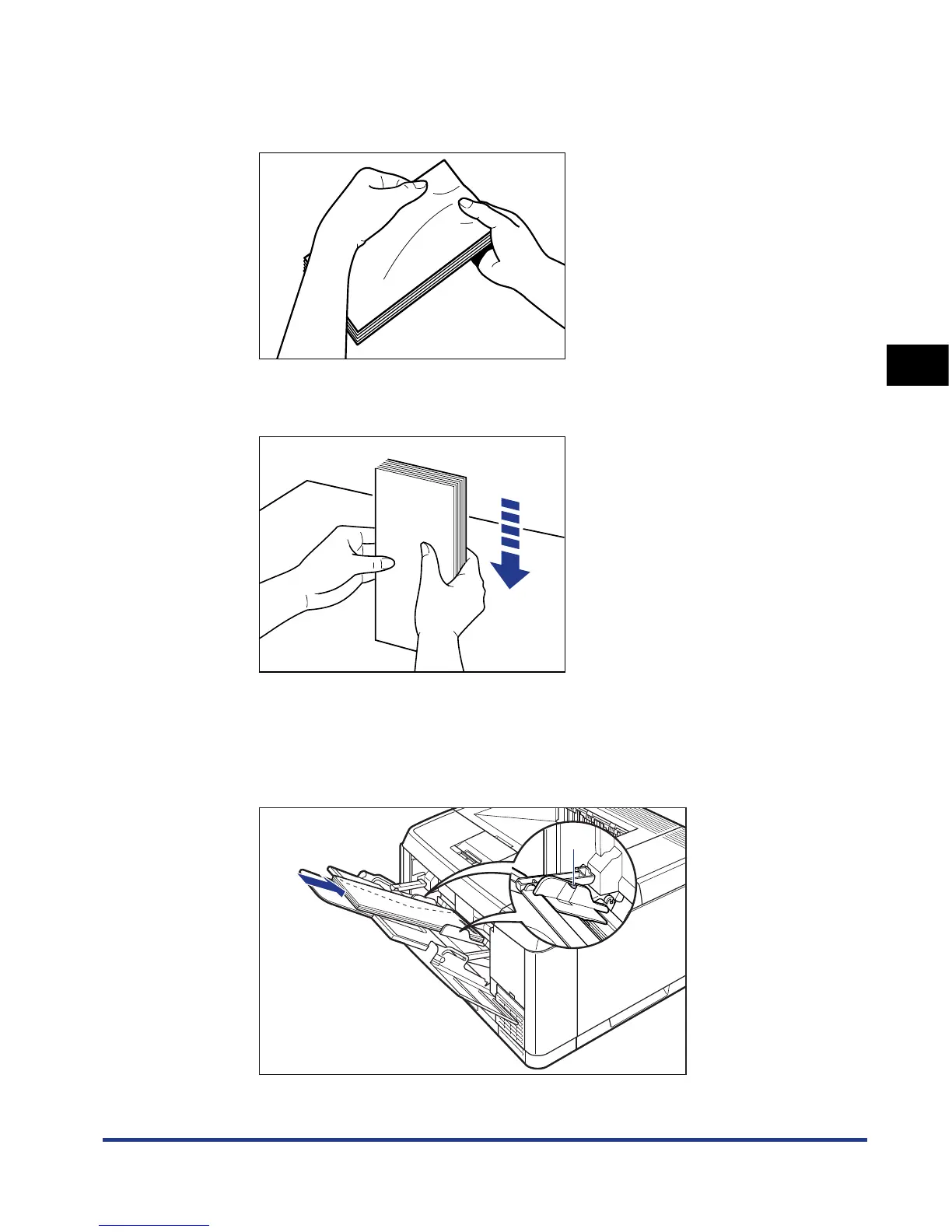
Loosen any stiff corners of the envelopes and flatten curls as
shown in the figure.
7
Align the edges of the envelopes on a flat surface.
8
Gently load the stack of envelopes with the address side
facing up until it touches the back of the tray.
Be sure that the stack of envelopes is loaded under the paper limit guide (A).
(A)











 To Next Page