CHAPTER 4 IMAGE FORMATION SYSTEM
COPYRIGHT
©
1999 CANON INC. CANON NP6512/6612/7120/7130/7130F REV.0 AUG. 1999 PRINTED IN JAPAN (IMPRIME AU JAPON)
4-37
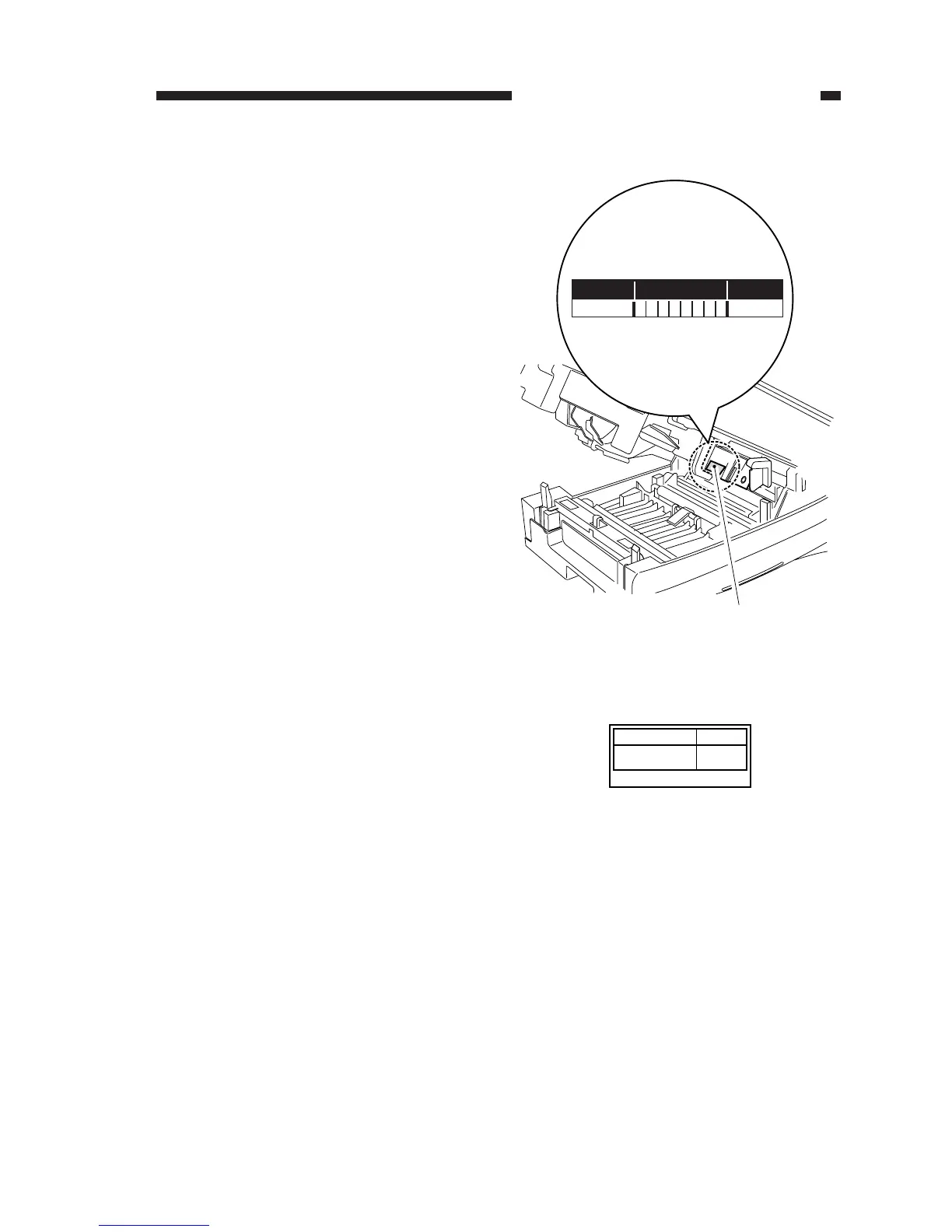
4. After Replacing the Drum Unit
1) Record the date and the counter reading in
the label [1] shown in the figure, and at-
tach the label to the front cover of the new
drum unit.
2) Execute ‘U7’, ‘installation/drum unit re-
placement mode’, and enter the setting re-
corded on the service label attached to the
drum unit.
Figure 4-306
Figure 4-305








 To Next Page