CHAPTER 11 TROUBLESHOOTING
COPYRIGHT
©
1999 CANON INC. CANON NP6512/6612/7120/7130/7130F REV.0 AUG. 1999 PRINTED IN JAPAN (IMPRIME AU JAPON)
11-89
2) Close the machine's top unit, and connect the flexible cable from the control to the DC control-
ler PCB; then, turn on the power switch.
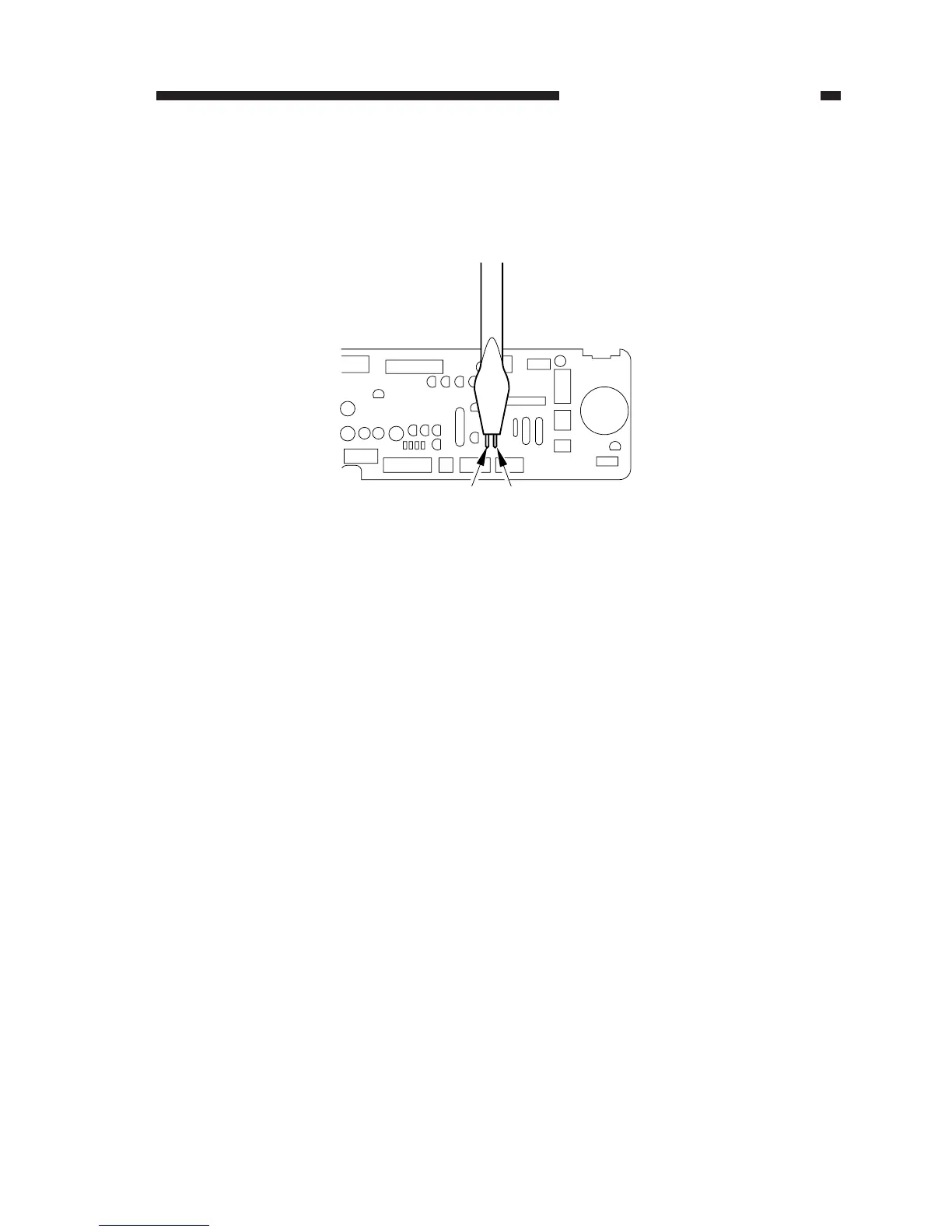
3) Short JP103 and JP104 on the DC controller PCB with a screwdriver.
• The display will indicate 'F'.
Figure 11-702
4) While the display indicates 'F', stop shorting JP103 and JP104.
2. Ending Service Mode
1) Press the Clear/Stop key.
3. Selecting an Item
1) While the display is indicating 'F', press the +/- key to select the item to check or adjust.
• The 10s digit will flash.
2) Press the Copy Start key to start the item.
SERVICE
JP104
JP104
JP103








 To Next Page