CHAPTER 3 EXPOSURE SYSTEM
COPYRIGHT
©
1999 CANON INC. CANON NP6512/6612/7120/7130/7130F REV.0 AUG. 1999 PRINTED IN JAPAN (IMPRIME AU JAPON)
3-32
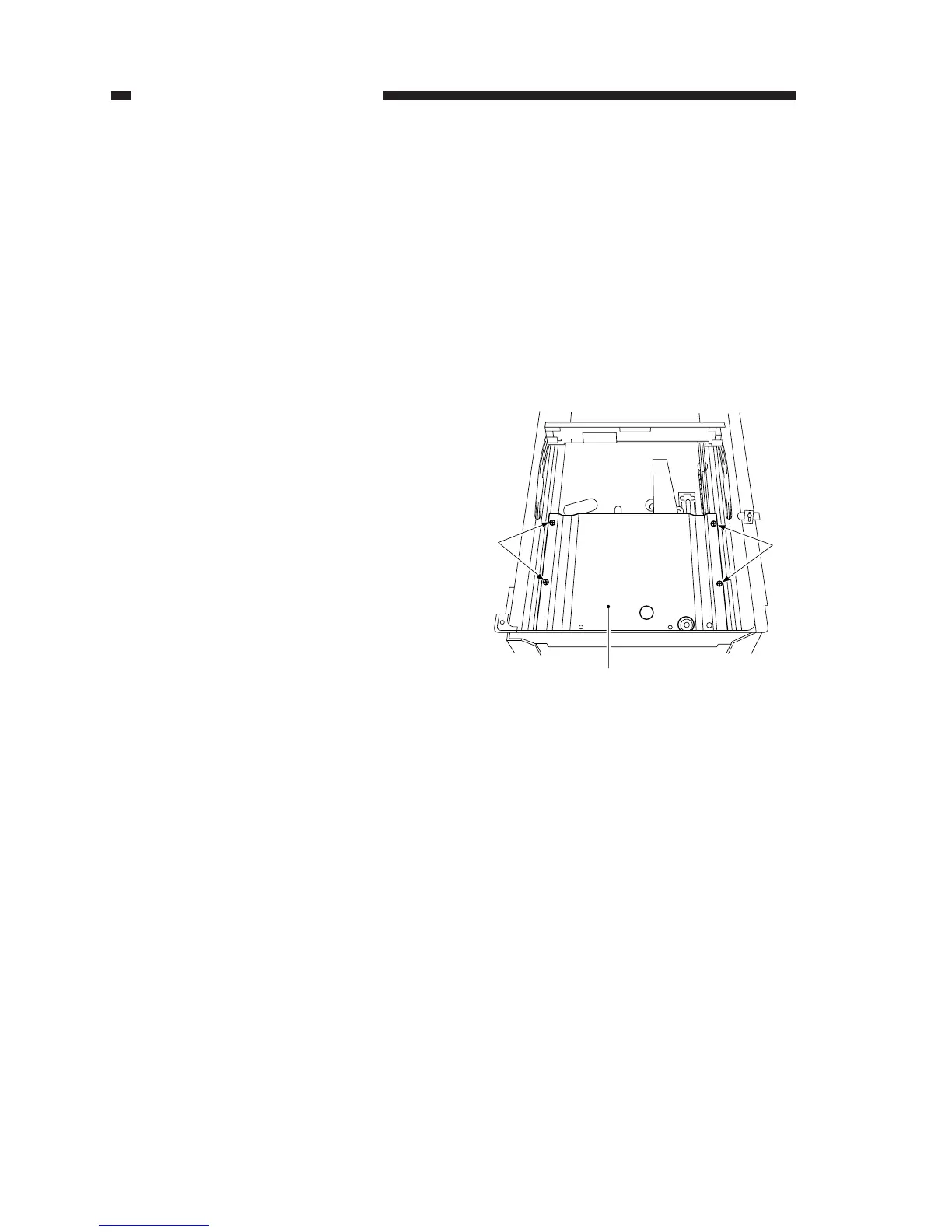
Figure 3-336
[1]
[1]
[2]
B. Lens Drive Assembly
1. Removing the Lens Cable
1) Turn on the power; when the lens has
moved to the Direct position, disconnect
the power plug.
2) Remove the copyboard glass.
(See Chapter 7.III.C.1. “Removing the
Copyboard Glass.”)
3) Remove the main drive assembly.
(See Chapter 7.III.D.2. “Removing the
Main Drive Assembly.”)
4) Remove the four screws [1], and detach
the lens cover [2].








 To Next Page