CHAPTER 11 TROUBLESHOOTING
COPYRIGHT
©
1999 CANON INC. CANON NP6512/6612/7120/7130/7130F REV.0 AUG. 1999 PRINTED IN JAPAN (IMPRIME AU JAPON)
11-5
II. STANDARDS AND ADJUSTMENTS
A. Mechanical
1. Copier
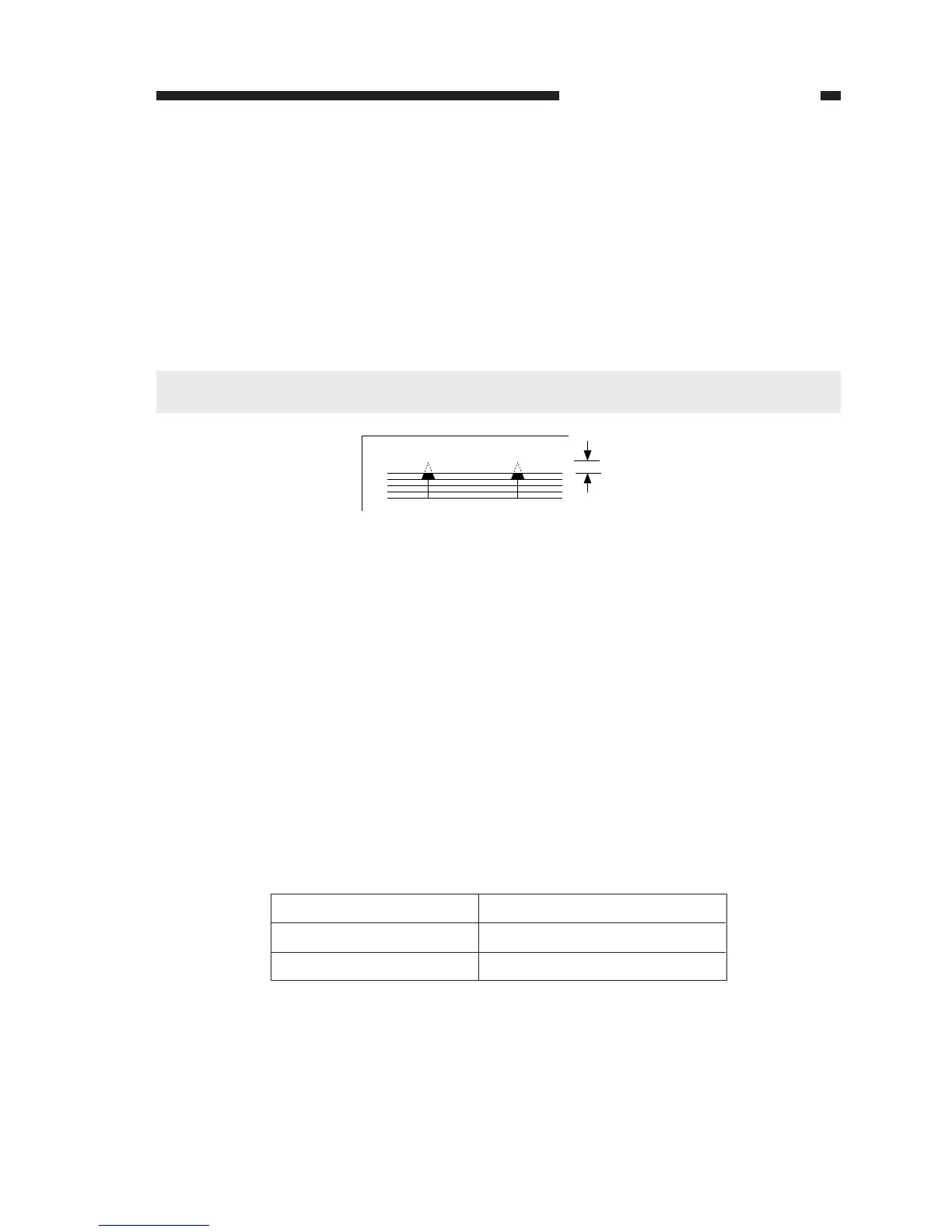
a. Leading Edge Non-Image Width
Make adjustments so that the leading edge non-image width is 2.0 ±1.5 mm when the Test
Sheet is copied in Direct.
2.0±1.5mm
Setting
Higher
Lower
Leading edge non-image width
Increases
Decreases
Table 11-201
Figure 11-201
Making Adjustments
1) Select '31' in service mode.
• The display will indicate '31'.
2) Press the Copy Start key.
• The existing setting will flash.
3) Change the setting by the +/- key.
• The setting may be between 0 and 99.
• For each '1', the non-image width will change by 0.24 mm.
4) Press the AE key.
• The setting will stop flashing and will remain on, indicating that it has been stored in
memory.
5) As necessary, press the Clear/Stop key once to return to item selection; or, press it once again
to end service mode.
Relationship between Setting and Leading Edge Non-Image Width
Caution:
If you have performed this adjustment, be sure to adjust the image leading edge margin.




 To Next Page