CHAPTER 9 INSTALLATION
COPYRIGHT
©
1999 CANON INC. CANON NP6512/6612/7120/7130/7130F REV.0 AUG. 1999 PRINTED IN JAPAN (IMPRIME AU JAPON)
9-6
Work Checks and remarksStep
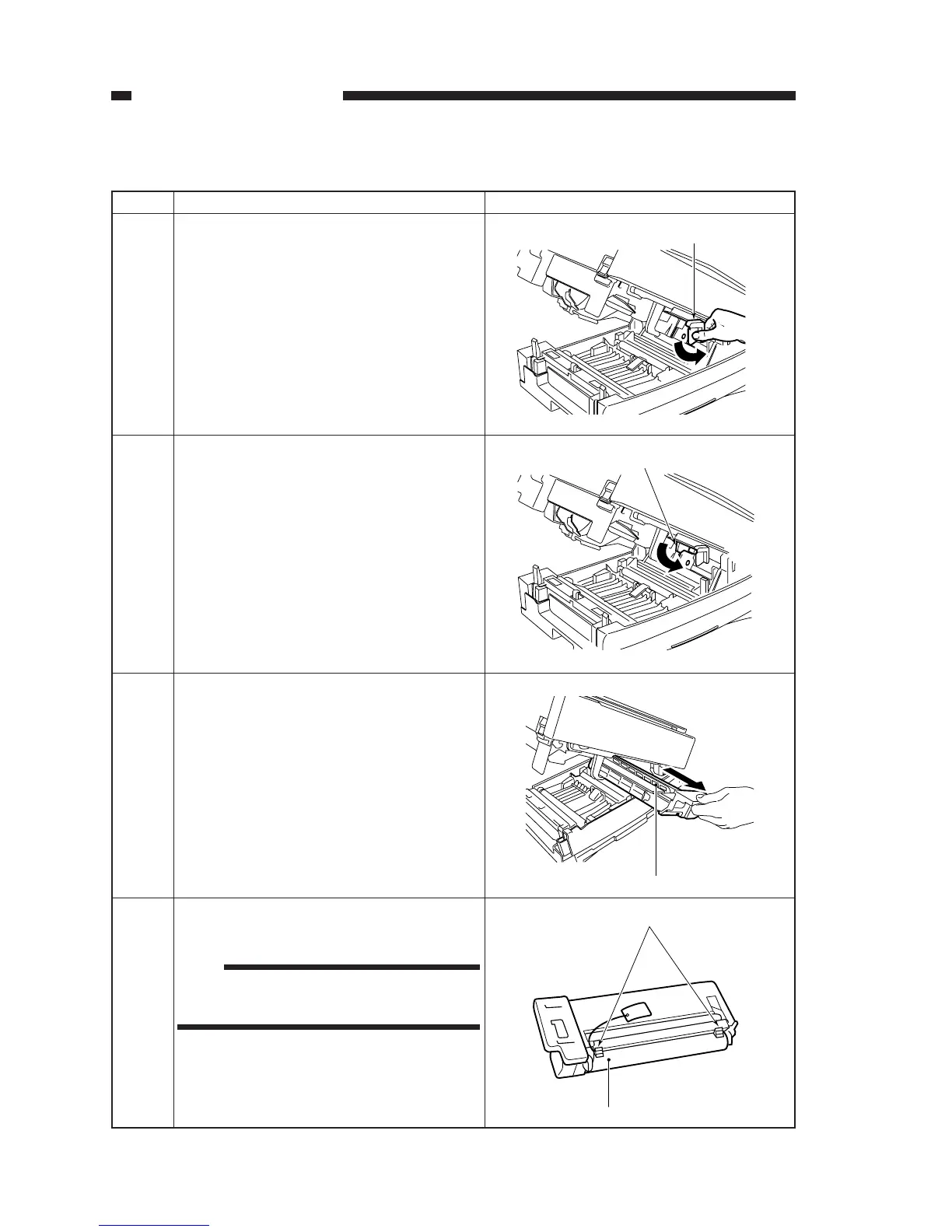
Turn the developing assembly locking lever
counterclockwise.
1
Turn the drum unit releasing lever counter-
clockwise.
Remove the drum unit.
3
2. Installing the Drum unit
Developing assembly locking lever
Drum unit releasing lever
2
Drum unit
Place the drum unit on a flat surface, and re-
move the two protective members.
4
Surface of the drum
Protective members
Note:
Do not touch the surface of the drum when
handling the drum unit.








 To Next Page