CHAPTER 11 TROUBLESHOOTING
COPYRIGHT
©
1999 CANON INC. CANON NP6512/6612/7120/7130/7130F REV.0 AUG. 1999 PRINTED IN JAPAN (IMPRIME AU JAPON)
11-69
12 E400
YES/NO
YES
NO
YES
NO
Cause
------------
5V power
supply
ADF con-
troller PCB
Step
1
2
3
Checks
Turn off and then on the power. Is the
probrem corrected?
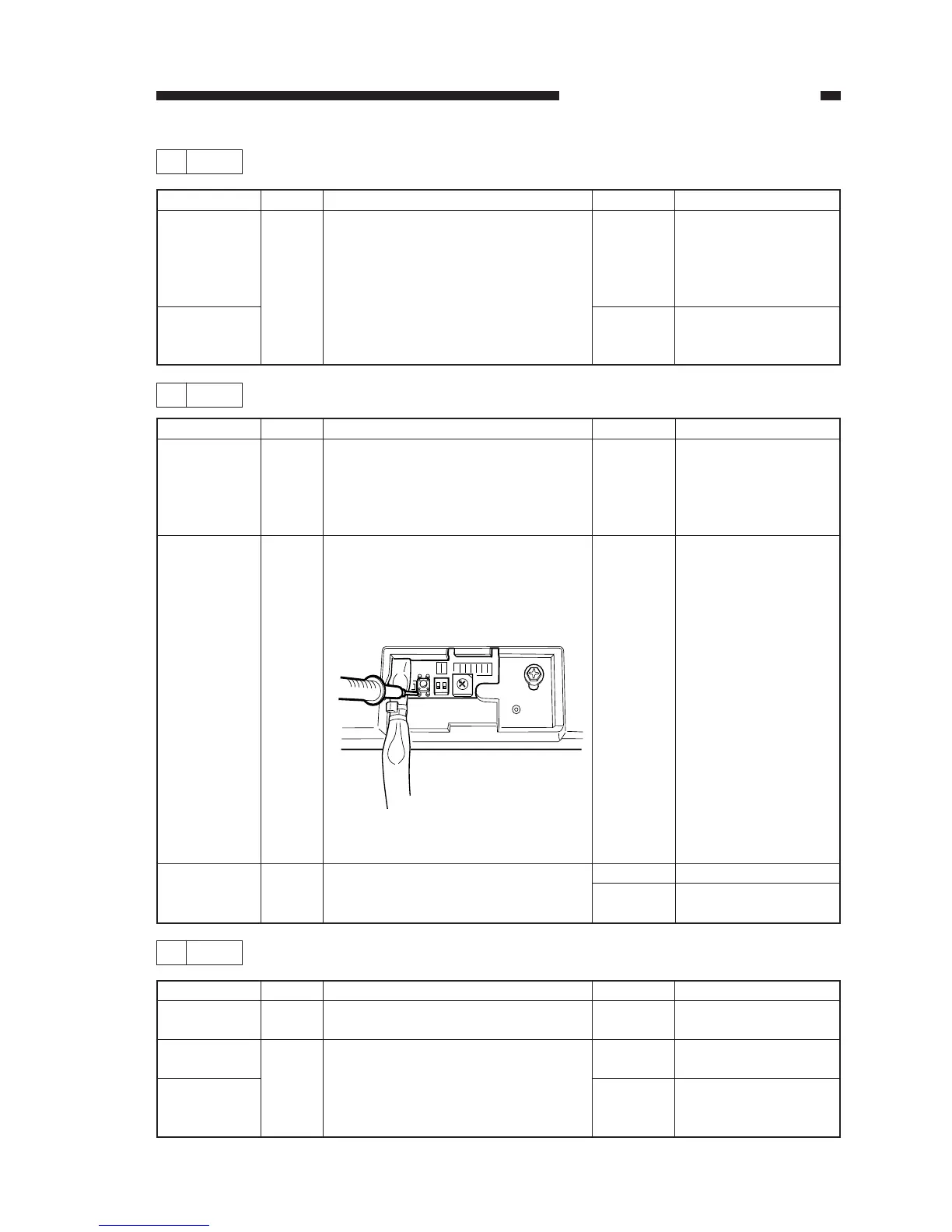
Set the matter to the 20VDC range,
and connect the + probe to the foot of
the push swich on the ADF controller
PCB and the - probe to the copier
ground. Is the voltage about 5V?
Figure 11-401
Replace the ADF controller PCB. Is
the problem corrected?
Action
End. (Check the
wiring between the
copier's DC controller
PCB and the ADF
controller PCB.)
Replace the ADF
controller PCB.
End.
Replace the copier's
DC controller PCB.
0
F
E
D
C
B
A
9
8
7
6
5
4
3
2
1
ON
12
13 E803
YES/NO
YES
YES
NO
Cause
Malfunction
DC control-
ler PCB.
Composite
power
supply PCB
Step
1
2
Checks
Turn off and then on the power switch.
Is the problem corrected?
Replace the DC controller PCB. Is the
problem corrected?
Action
End.
End.
Replace the composite
power supply PCB.
11 E261
YES/NO
YES
NO
Cause
Power
supply
frequency
Composite
power
supply PCB
Step
1
Checks
Turn off and then on the power switch.
Is the problem corrected?
Action
End. However, if
'E261' occurs fre-
quently, advise the
user to use a frequency
stabilizer.
Replace the composite
power supply PCB.








 To Next Page