CHAPTER 1 GENERAL DESCRIPTION
COPYRIGHT
©
1999 CANON INC. CANON NP6512/6612/7120/7130/7130F REV.0 AUG. 1999 PRINTED IN JAPAN (IMPRIME AU JAPON)
1-13
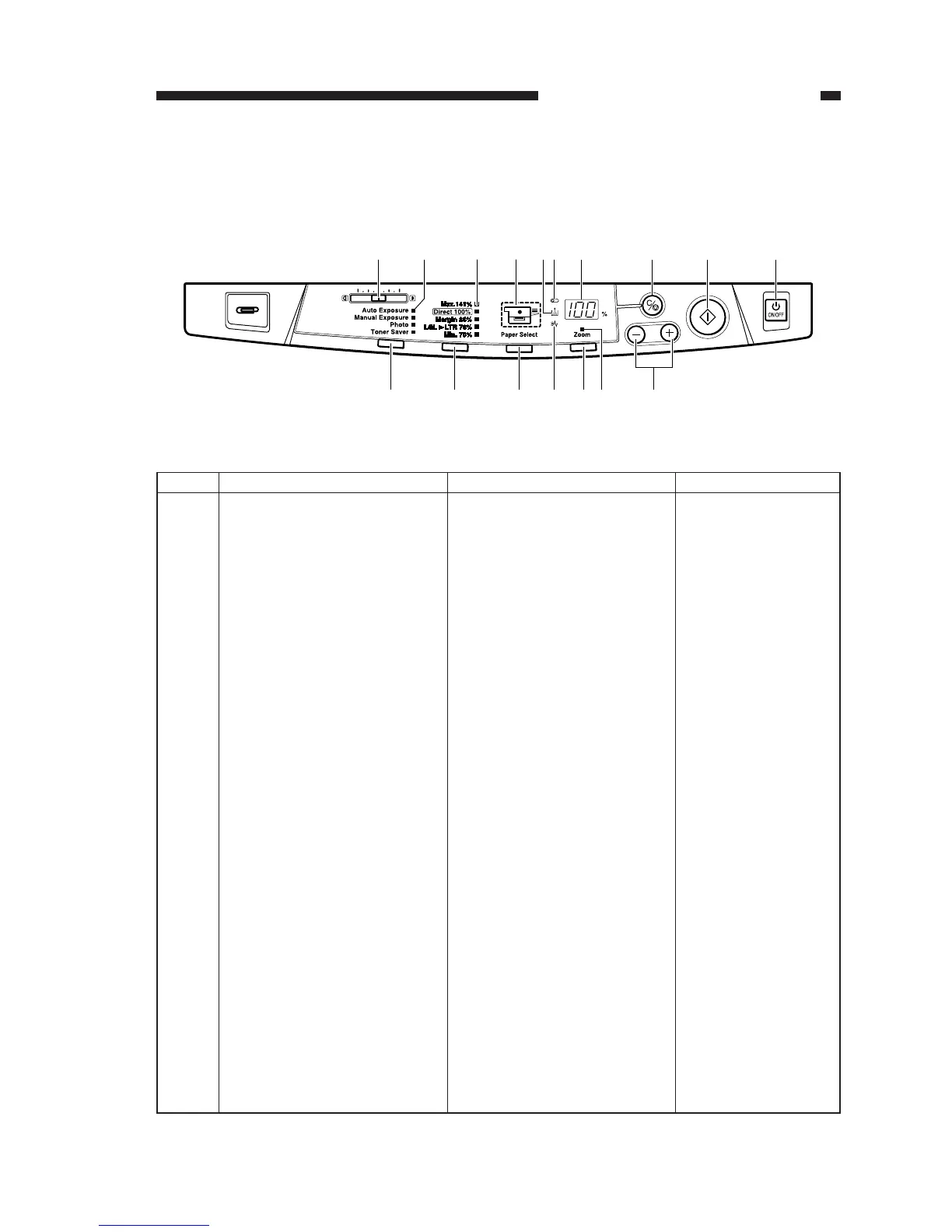
Description
Adjusts the density of copies
manually.
Indicates the selected copy den-
sity mode.
Indicates the selected default ra-
tio.
Indicates the selected cassette/
manual feed tray. If there is no
paper loaded, it flashes.
Flashes when the toner cartridge
must be replaced
Flashes to indicate that the drum
unit must be replaced. If also
flashes when it is necessary to
have waste toner disposed of.
• Indicates the number of copies
or reproduction ratio.
• The symbol “%” turns on
when indicating a ratio.
Stops copying or returns copy-
ing mode to standard mode.
No.
1
2
3
4
5
6
7
8
Remarks
100 (max.; continuous
copying)
Standard Mode
Ratio: 100%
Count: 1
Paper source: cassette
Copy density: auto
mode
Name
Copy density adjusting lever
Copy density mode indicator
Default ratio indicator
Paper selection indicator
Replace toner cartridge indica-
tor
Replace drum unit indicator
Count/ratio indicator
Clear/stop key
[2]
[1]
[4]
[3]
[6]
[5]
[7] [8] [9] [10]
[17]
[16]
[15]
[14] [13]
[12] [11]
IV. USING THE MACHINE
A. Control Panel
Figure 1-401




 To Next Page