CHAPTER 3 EXPOSURE SYSTEM
COPYRIGHT
©
1999 CANON INC. CANON NP6512/6612/7120/7130/7130F REV.0 AUG. 1999 PRINTED IN JAPAN (IMPRIME AU JAPON)
3-15
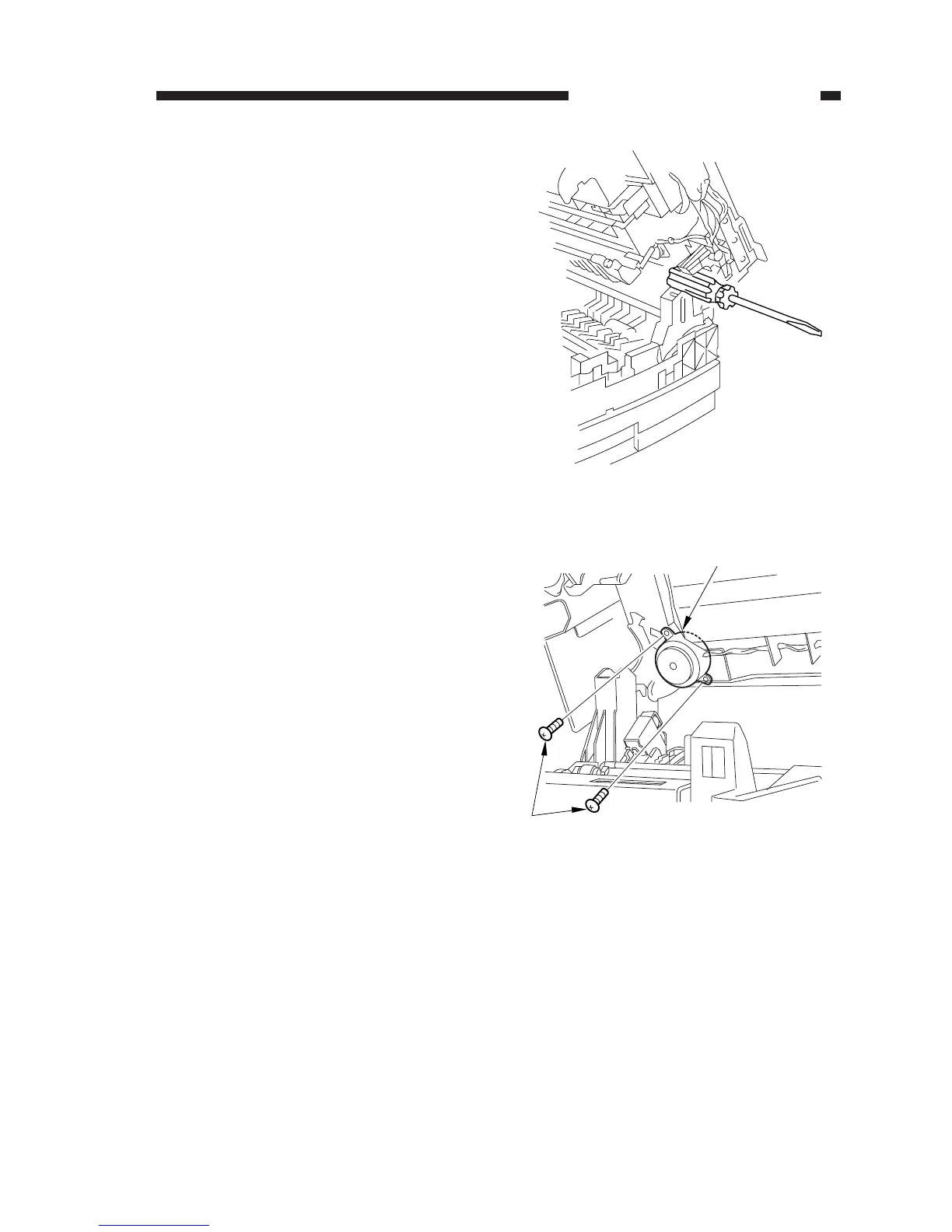
Figure 3-303
Figure 3-304
6) Open the machine’s top unit farther, and
hold it in position using the handle (about
30 mm in diameter) of a screwdriver.
[4]
[5]
7) Remove the two fixing screws [4] from
the scanner/lens drive motor [5].








 To Next Page