CHAPTER 3 EXPOSURE SYSTEM
COPYRIGHT
©
1999 CANON INC. CANON NP6512/6612/7120/7130/7130F REV.0 AUG. 1999 PRINTED IN JAPAN (IMPRIME AU JAPON)
3-42
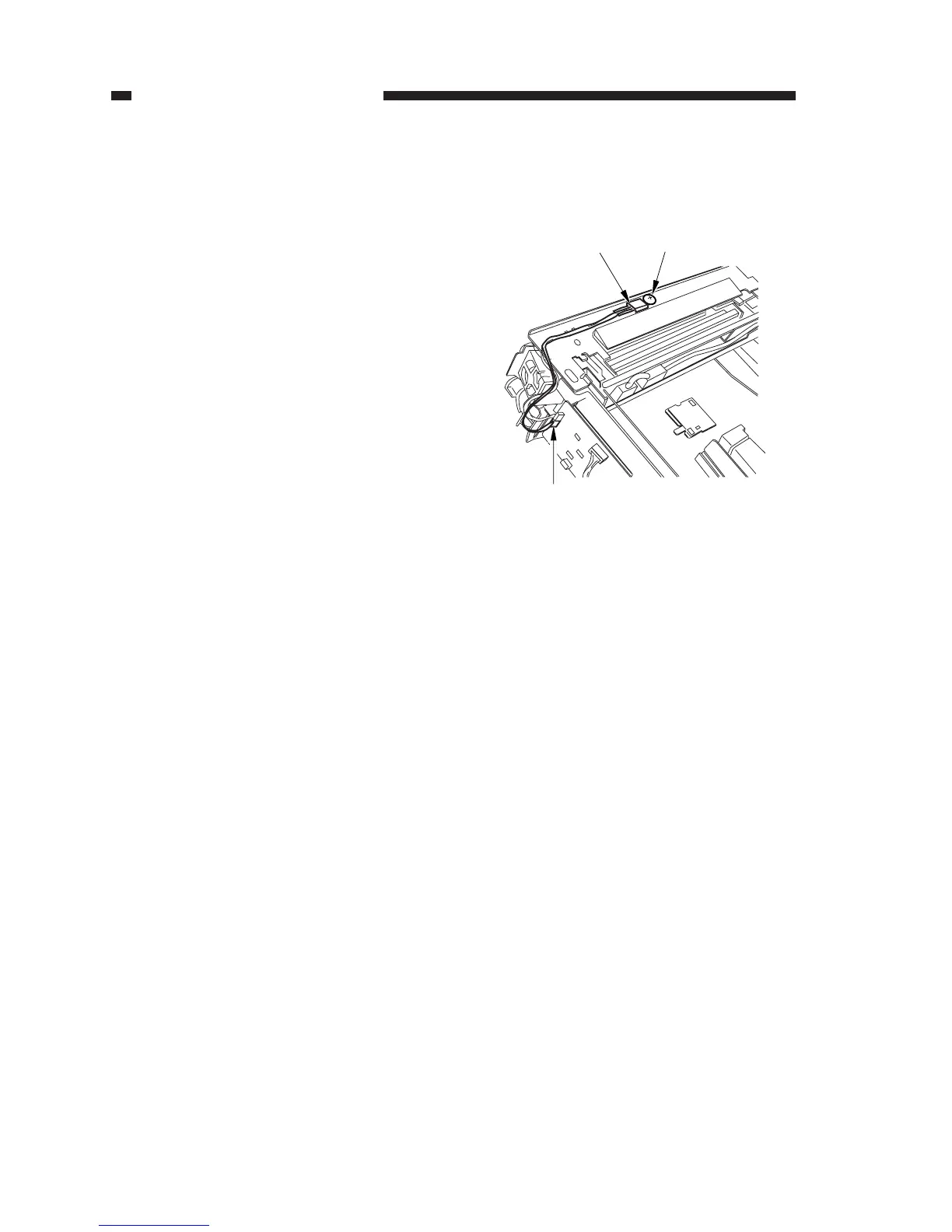
Figure 3-353
[1]
[2]
[3]
5. Removing the Thermistor Unit
1) Remove the top cover.
(See Chapter 7.III.A.1. “Removing the
Top Cover.”)
2) Disconnect the connector (J131) [1] from
the DC controller PCB; remove the screw
[2], and detach the thermistor unit [3].








 To Next Page