Empty the waste box of the reinforcement unit
Introduction
The protective sheet from the reinforcement tape is stored in a waste box. For each roll of tape,
you must empty the box twice.
NOTE
You can empty the waste box while the printer is running.
Procedure
1.
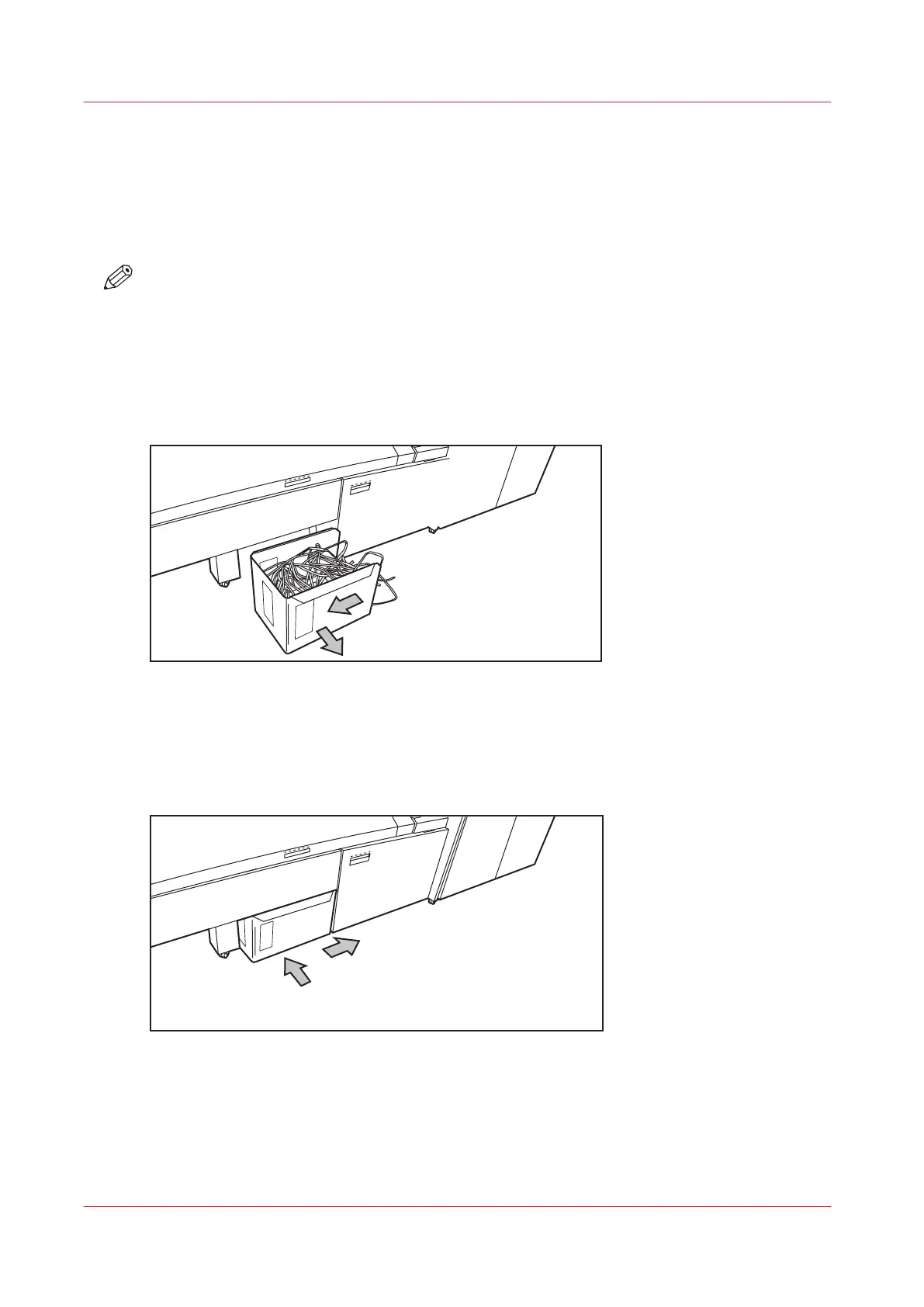
Open the waste box.
• First pull the waste box to the left-hand side.
• Next pull the waste box to the front'.
[18] Opening the waste box
2.
Empty the box.
3.
Close the waste box.
• First push the waste box forward.
• Next push the waste box to the right-hand side.
[19] Closing the waste box
Empty the waste box of the reinforcement unit
264
Chapter 6 - Maintain the Printing System









 To Next Page