Configure the Templates
Fold and Scan templates
Introduction
A template is a group of predefined settings you can configure yourself. Select the template on
the user panel to easily submit a job with optimized settings.
You can create templates for folding and scanning in Océ Express WebTools under the
[Preferences] tab. You can create various templates and select one of the templates as default.
For scan templates you can also enable one of the factory installed templates.
General template actions
There are several general actions you can perform for templates. You can:
•
Create a new template
on page 98
•
Delete all templates
on page 99
•
Export templates
on page 101
•
Import templates
on page 100
•
Restore the factory defaults of the templates
on page 102
•
Enable or disable scan templates
on page 103
Actions per template
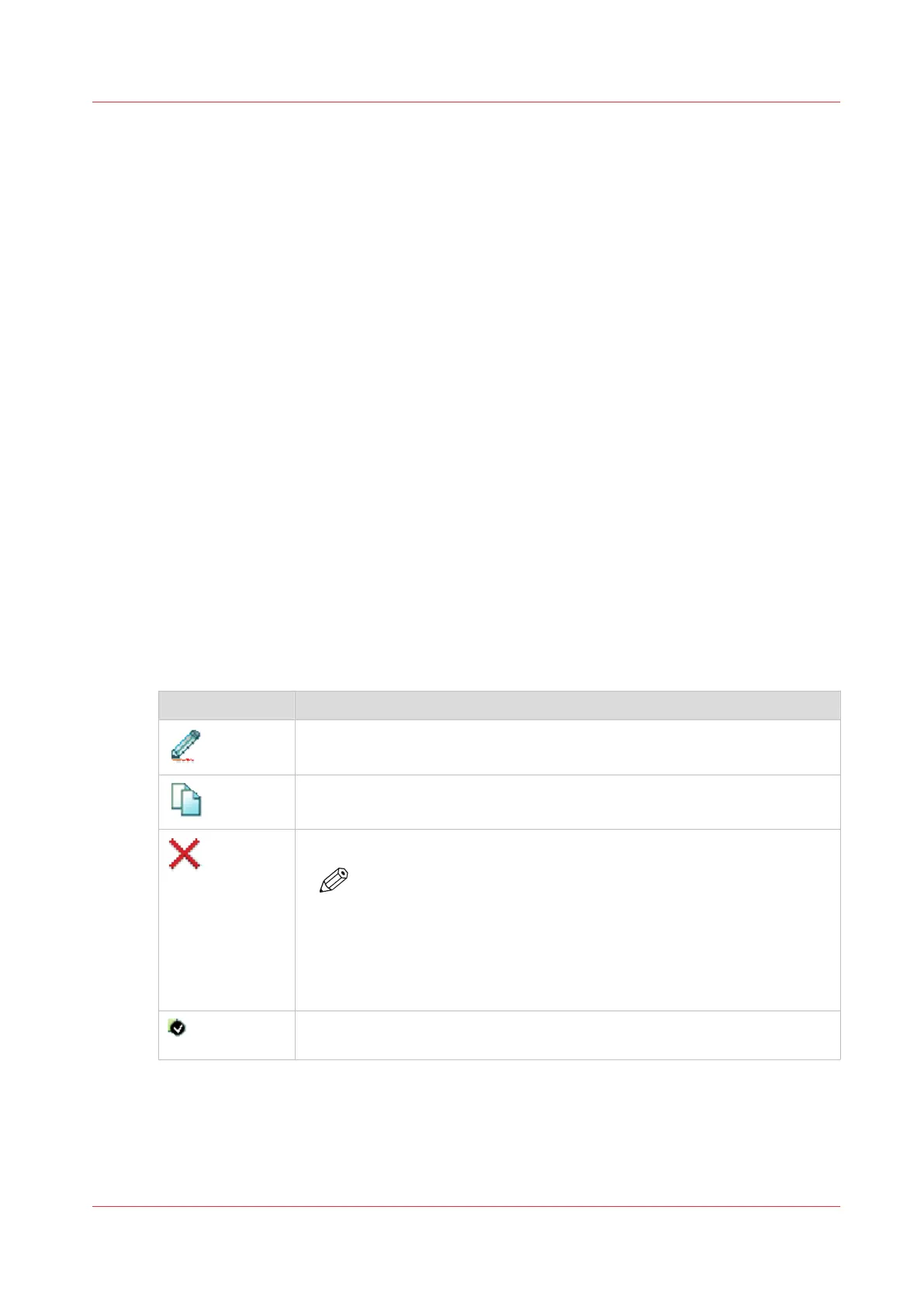
Next to this, you can perform actions per template. When you move the mouse pointer over the
template in the list you can see the available actions:
Icon Description
[Edit a template], to change the settings or the destination. You can also
modify factory installed scan templates.
[Copy a template], to create a new template.
[Delete a template], to remove one specific template.
NOTE
• When you have deleted a factory installed scan template, you
can retrieve it by restoring the factory defaults. For more infor-
mation, see
Restore the factory defaults
on page 58.
• Some destinations (external locations and Smart Inboxes) can-
not be deleted when they are set as a scan destination in the
scan template.
[Set this template as the default template], to set one default selected tem-
plate.
Configure the Templates
Chapter 3 - Define your Workflow with Océ Express WebTools
97









 To Next Page