Clean the reinforcement knives
Introduction
The knives of the reinforcement unit get sticky from the glue on the reinforcement tape, therefore
you have to clean the knives regularly.
When to do
Clean the knives:
• Before you install a new tape roll
Insert a new tape roll
on page 259.
• When an error in the reinforcement unit has occurred.
IMPORTANT
Use only the original Cleaner K and Fixing Unit Cleaning Oil (silicon oil) from Océ to prevent
damage to the reinforcement unit.
Procedure
1.
On the printer's user panel, open the system menu.
2.
Select [Clean the knife] and follow the wizard.
3.
Open the side door of the reinforcement unit.
4.
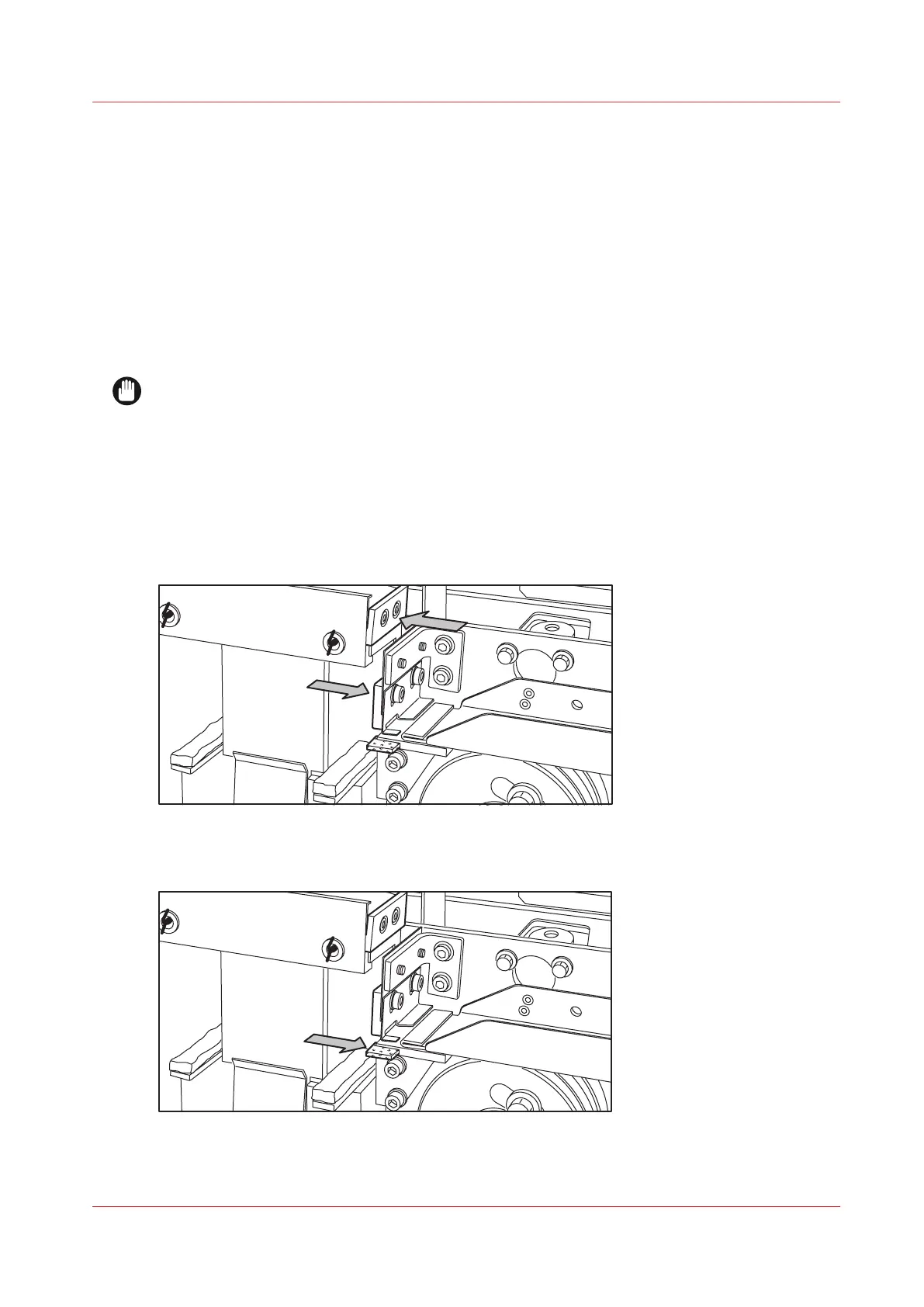
Clean the upper and lower knife using Cleaner K.
[20] Cleaning the upper and lower knife
5.
Use the Fixing Unit Cleaning Oil (silicon oil) to oil the felt.
[21] Oiling the felt
Clean the reinforcement knives
Chapter 6 - Maintain the Printing System
265









 To Next Page