Clear a media jam in the belt unit
Procedure
1.
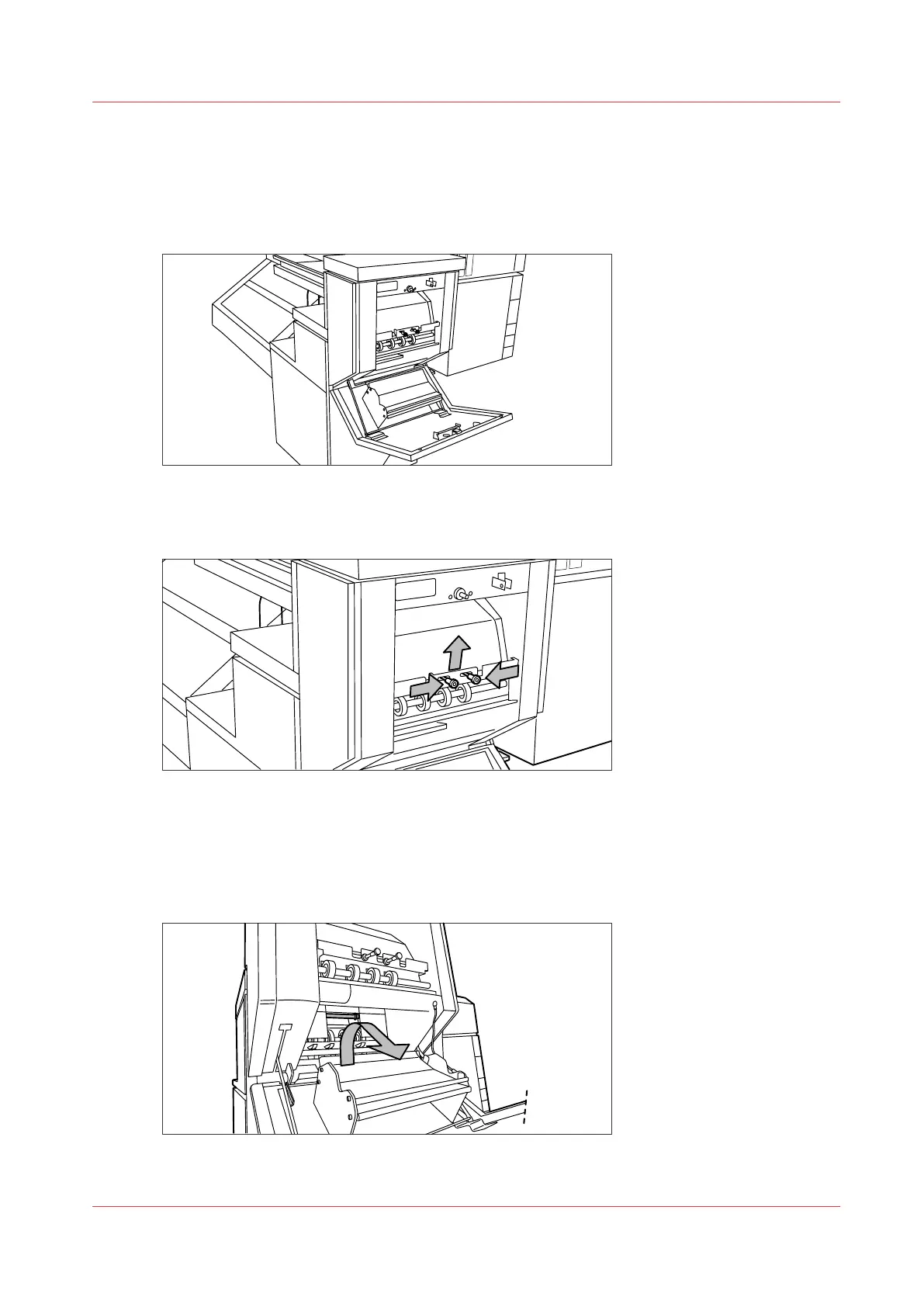
Open the door of the belt unit.
[33] Opening the belt unit door
2.
Squeeze the two green knobs together, in the upper section of the belt unit, and open the plate.
[34] Opening the plate
3.
Remove any jammed printing material.
4.
Squeeze the two knobs again and put the plate back in its original position.
5.
Release the green lever in the lower section of the belt unit (by slightly lifting it and pulling it
forward) to open the lower plate.
[35] Opening the lower plate
Clear a media jam in the belt unit
Chapter 9 - Solve Problems
295









 To Next Page