Get reinforcement strips on the output
Introduction
When there is no reinforcement strip on the output, then:
• The reinforcement strip is not correctly installed.
• The reinforcement strip is not available.
Procedure
1.
Open the side door of the reinforcement unit.
2.
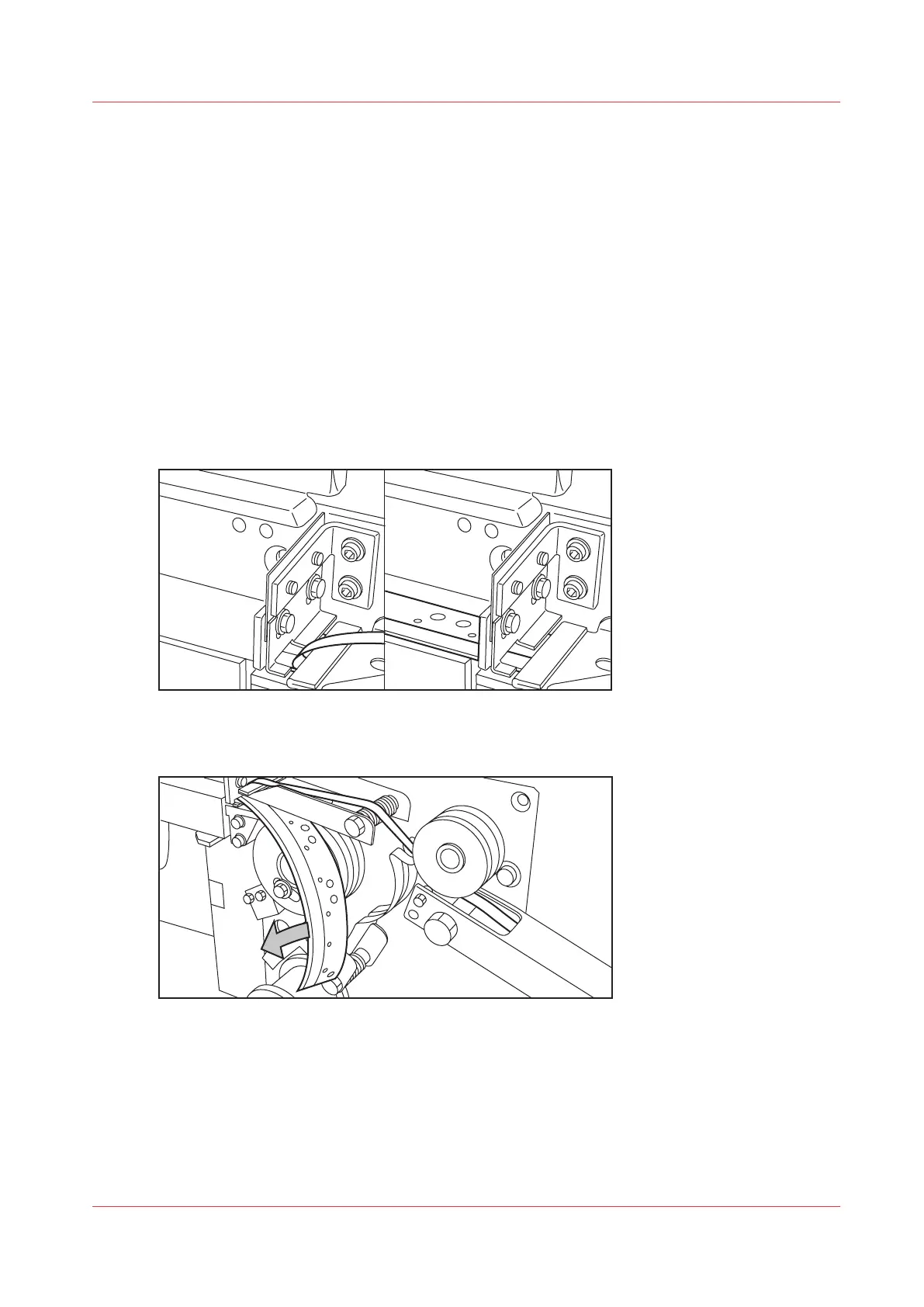
When the protection sheet is not on the reinforcement strip (situation A), it is not a mechanical
error. You must insert a new tape roll
Insert a new tape roll
on page 259.
When this error occurs often, call your local service representative.
3.
When the protection sheet is still on the reinforcement strips (see situation B), it is a mechanical
error.
[39] Situation A: No mechanical error. Situation B: Mechanical error.
4.
Remove the strips.
[40] Removing the tape
5.
Remove all tape between the rollers and the knives .
6.
Install a new trailing strip of tape between the rollers and the knives.
Get reinforcement strips on the output
Chapter 9 - Solve Problems
299









 To Next Page