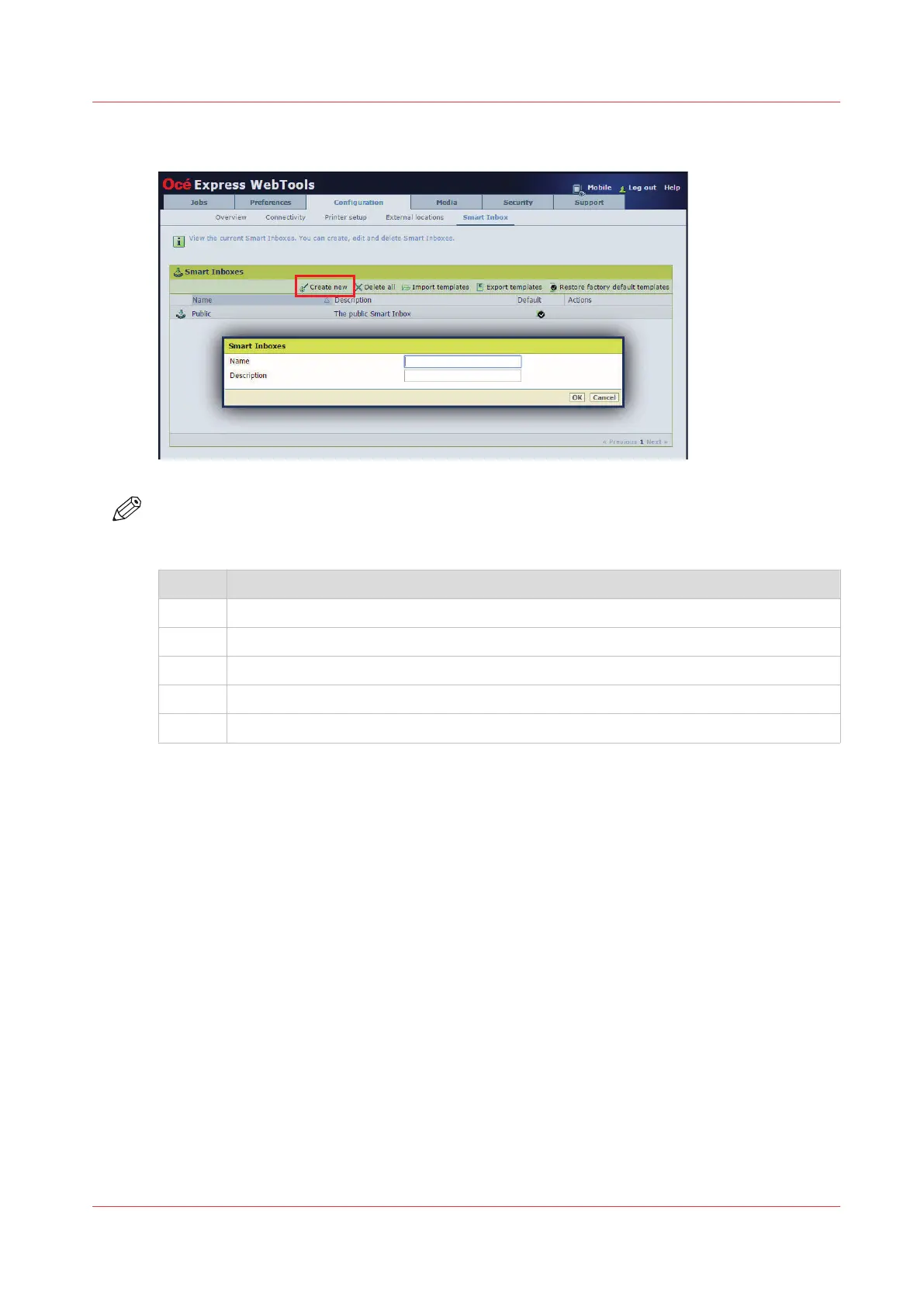
Create a Smart Inbox in the [Configuration] tab - [ Smart Inbox ] section
NOTE
The Smart Inboxes created in [Configuration] tab are permanent. Even when the Smart Inbox is
empty, it will always be available on the user panel.
Step Action
1. Open the [Configuration] - [ Smart Inbox ] tab.
2. Click on [Create new]. A window opens.
3. Enter a [Name] recognizable for the user. This name appears on the user panel.
4. Enter a [Description].
5. Click OK to confirm.
Create and open a Smart Inbox
Chapter 3 - Define your Workflow with Océ Express WebTools
69









 To Next Page