2-32
Preset Setting Tool
Setting the Preset Tour
How to Set
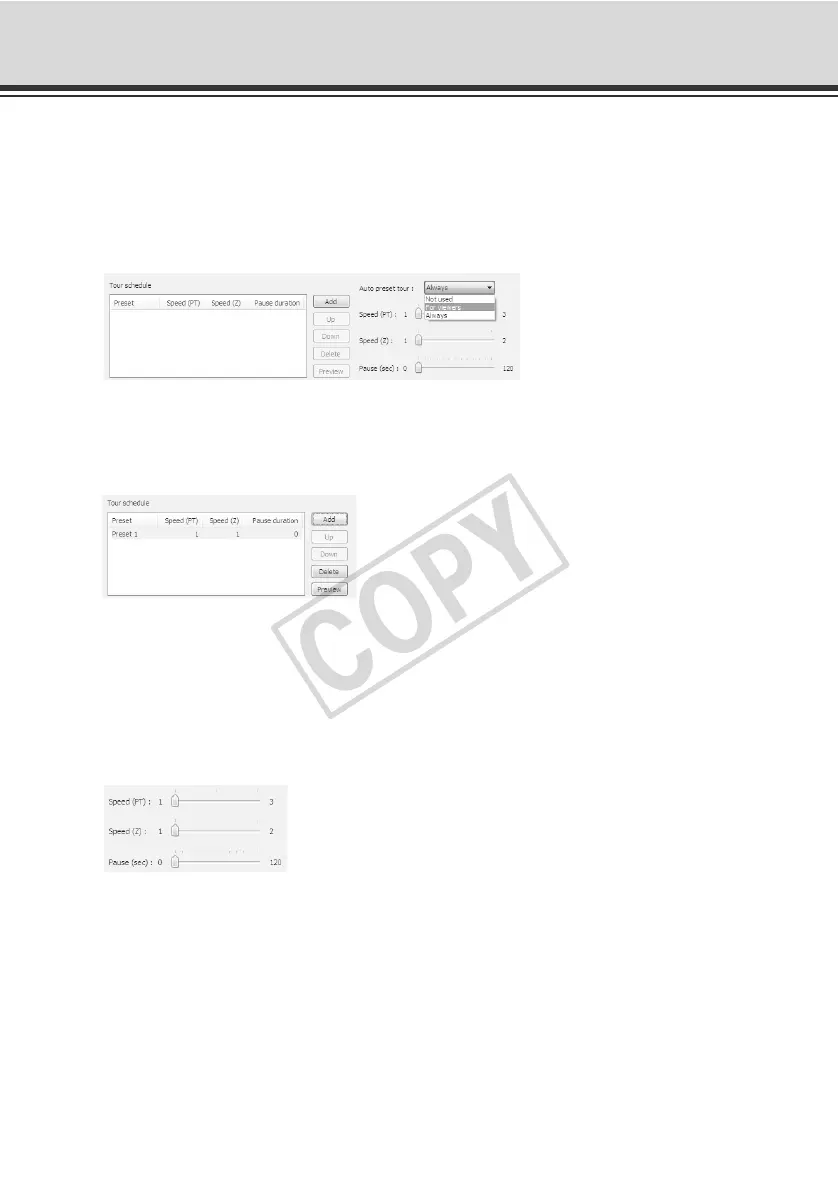
1. Select the touring method from [Auto preset tour].
Select [For viewers] or [Always].
2. Select from [Preset] in the preset setting area the preset number you want to add to the tour
schedule, and then click the [Add] button.
The preset is registered in the tour schedule list. Up to 20 presets can be registered.
3. Select a preset in the tour schedule list and set the pan/tilt/zoom speeds for each preset using
the [Speed (PT)], [Speed (Z)] and [Pause (sec)] slide bars, as well as the time in seconds
during which the camera remains stationary at the preset position.
Clicking the [Preview] button reflects the selected preset settings in the preset preview frame.
Also, the camera angle switches to this preset, and the new angle can be checked in Admin
Viewer.



 To Next Page