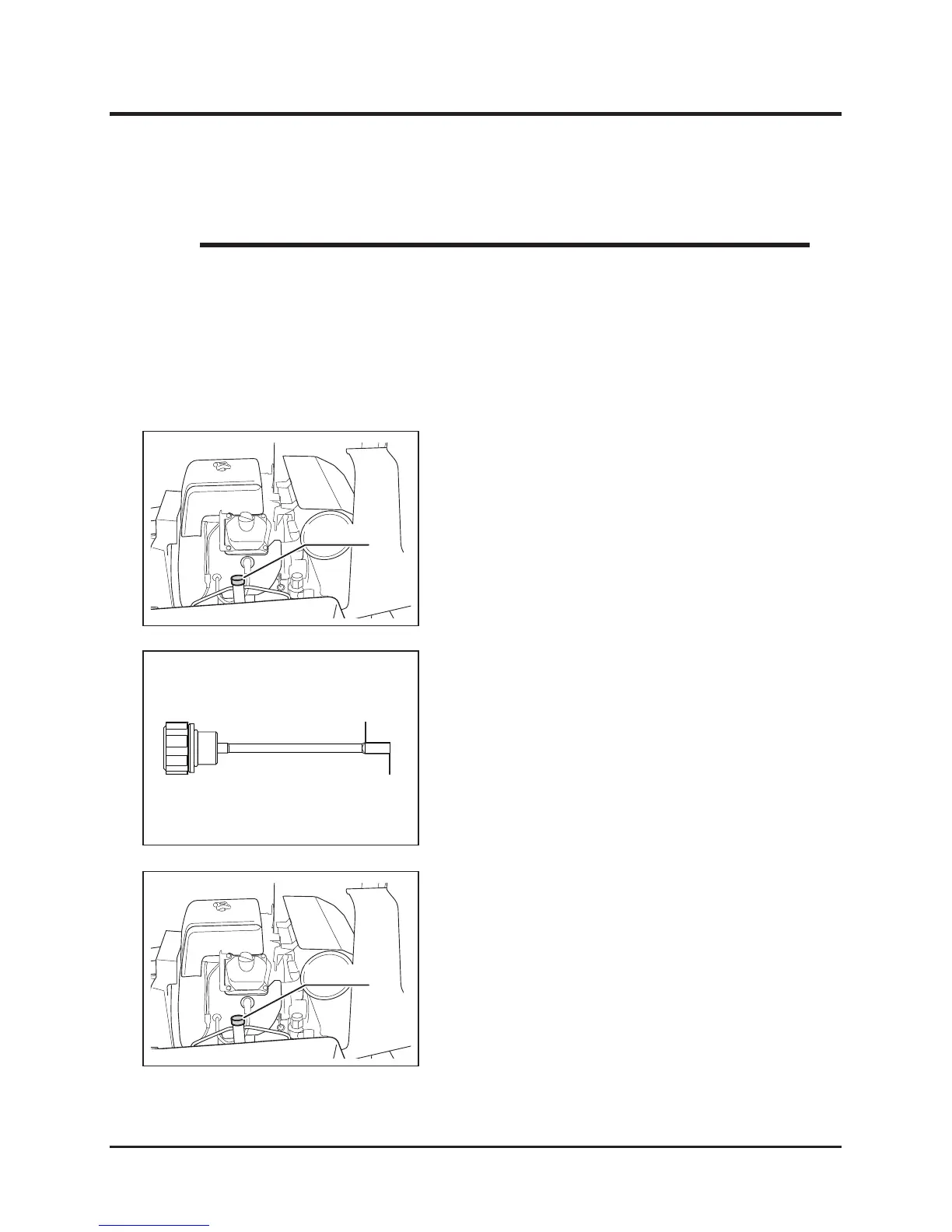
1. Park machine on level ground.
2. Open engine hood.
3. Remove HST uid ller cap and wipe its
dipstick clean.
4. Put ller cap back and fully screw it back.
5. Remove ller cap again.
6. Visually inspect uid level. Make sure uid
level is between upper and lower limits. If it is
below lower limit, add uid.
7. Visually inspect condition of uid. If it is too
dirty or viscosity is not normal, change uid.
8. Put ller cap back in place and screw it
securely.
9. Close engine hood.
Inspecting
• To obtain correct reading, check HST uid level before starting, or wait until HST
uid cools off sufciently. Hot HST uid expands in volume and does not provide
correct reading.
• Always check oil level on a level surface.
• Oil to Use: Page 43.
• Oil Capacity: Page 43.
NOTE
1. Open engine hood.
2. Remove HST uid ller cap.
3. Fill HST uid into ller.
4. Check uid level.
5. Put ller cap back in place and screw it
securely.
6. Close engine hood.
Filling



 To Next Page