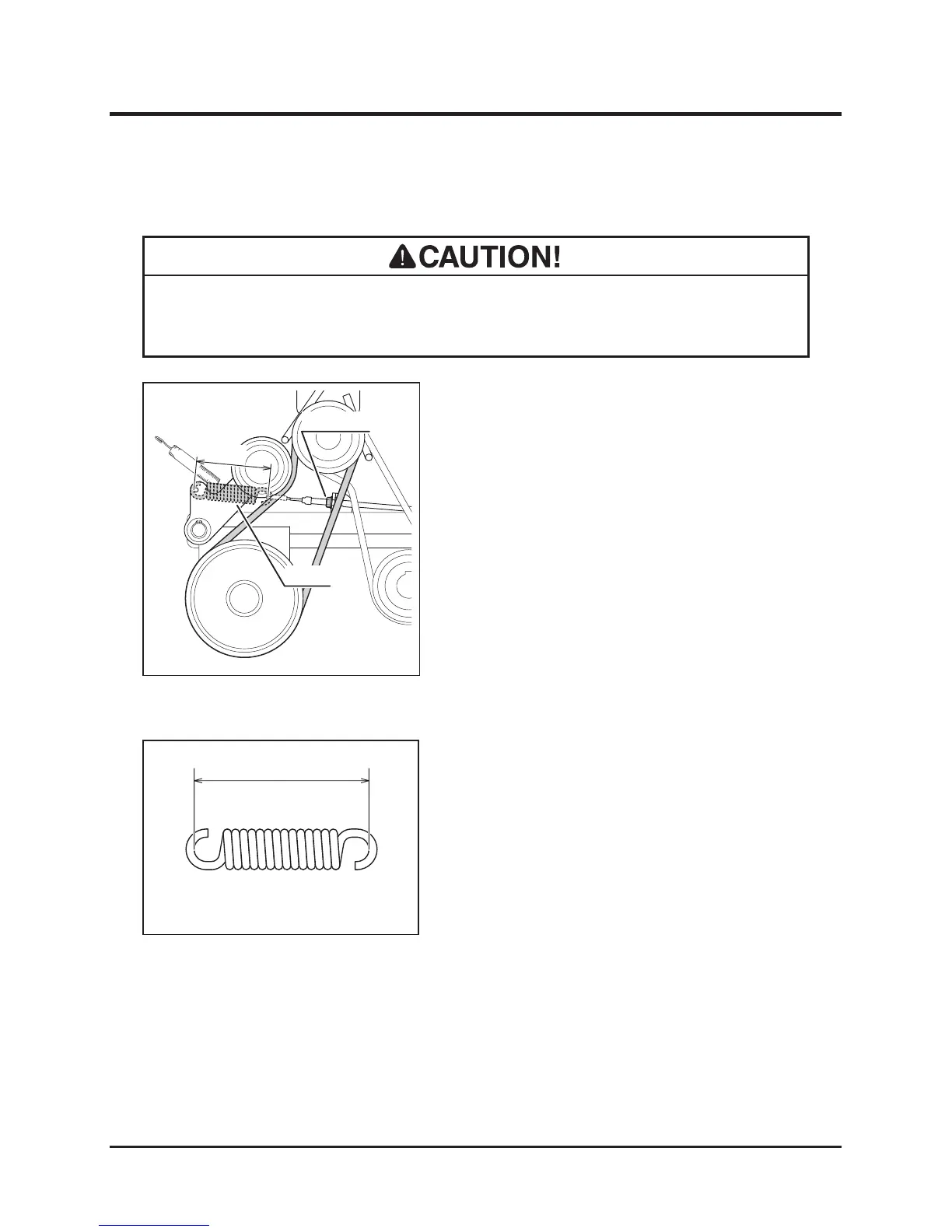
Cutting Rotary Drive Belt
• Adjust belt tension properly. Inproperly tensioned belt may reduce performance
and its service life.
1. Remove upper rear cover.
2. Move cutting height adjust lever to [180].
3. Move cutting rotary clutch lever to [ON].
4. Check v-belt tension. Inspect that the length
of spring is within the range of 115mm+/-
1mm. If it is out of this range, adjust spring
with adjust nut.
5. Visually inspect belt. Replace belt if it is
damaged. For replacement, contact your
CANYCOM representative.
6. Move cutting rotary clutch lever to [OFF].
7. Mo v e cuttin g he ight adj u st lever to
[Transport].
8. Install upper rear cover back in place.



 To Next Page