9
Calibration
Foresight
®
Calibration (if equipped)
Foresight is an optional module to improve the performance of corn systems very near the
ground. Each Insight box comes with a 5 hour free trial of Foresight.
1. Park the combine on a smooth, level surface - preferably a cement driveway or shop oor.
• If you are unable to nd a smooth surface, disable Foresight and perform the standard calibration
2. Adjust the snout tips height.
• The snouts should be level across the head and touch the ground at the same point
• The snouts should touch the ground when the skid plates are 4-6" off the ground for most headers
3. Enable Foresight on the Insight Box.
• Go to >>Setup>>Optional Modules>>Foresight>>Enable Foresight
If you would like to purchase Foresight, contact Headsight.
4. Set the Foresight Gain.
• >>Setup>>Optional Modules>>Foresight>>Set Foresight
Gain, in the Insight box
• The initial gain setting depends on the header
dimensions. To the right are example settings
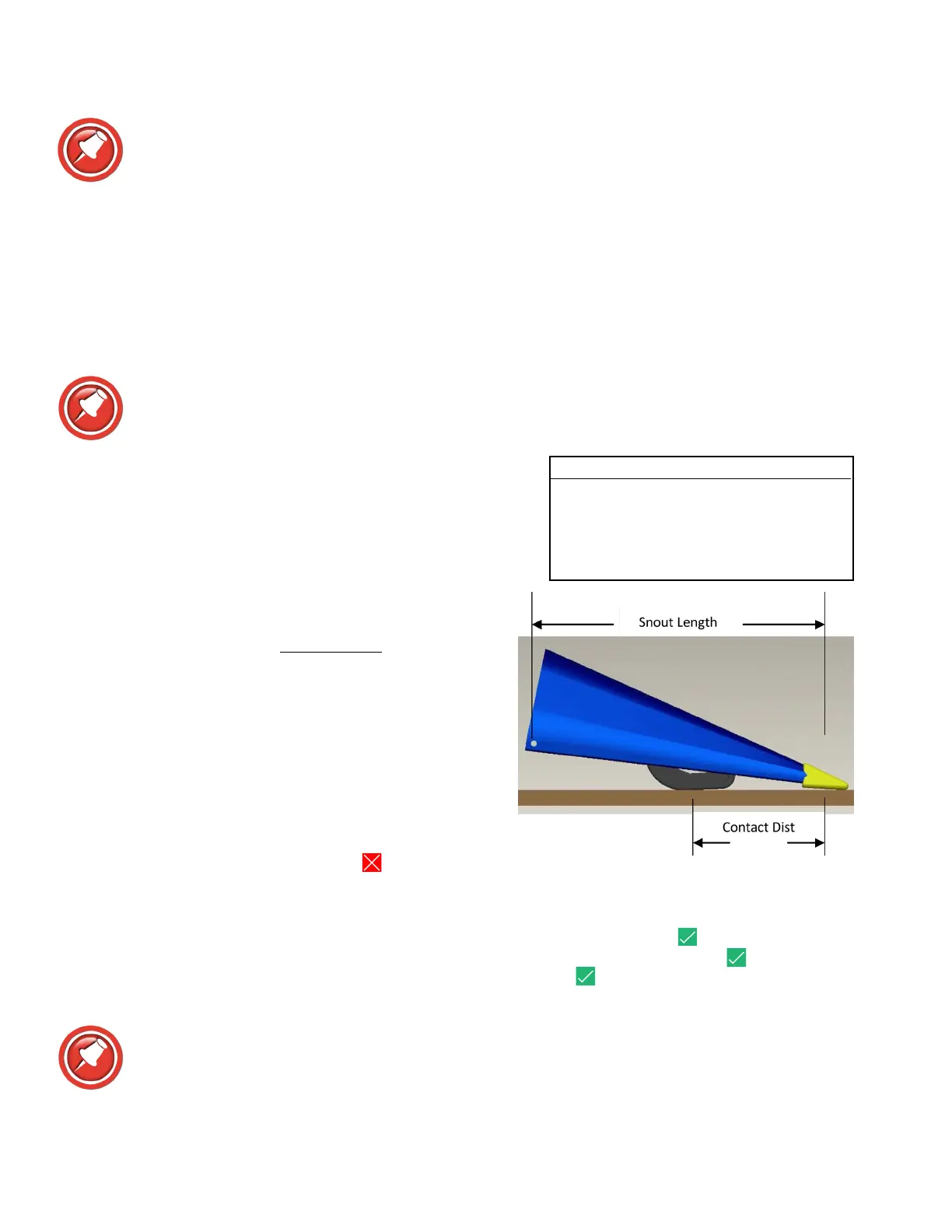
• For other headers and/or sensor combinations, the
proper setting may be determined by:
Gain =
Snout Length
Contact Distance
5. Fine tune the gain setting.
• Increase the gain for greater responsiveness near the
ground
• Decrease the gain if the header seems jumpy near
the ground ONLY
• If the header is jumpy with the points in the air, the
combine needs readjusted NOT Foresight
6. Return to the main menu by pressing
escape three
times.
7. Select >>Calibration - Follow on-screen instructions.
• “Raise Header” all the way so that NO sensors touch the ground and press enter
• “Put Snout Tips On The Ground” until they just barely touch the ground and press enter
• “Fully Lower Header” all the way down on the skids and press
enter
• Go to Combine Ground Calibration section of this manual.
If an error appears on the Insight box - see the Diagnostic section of this manual.
Headsight Sensors Wand Length Gain
Position 1 (no extension) 3.5
Position 2 3.1
Position 3 2.8
Position 4 (Longest) 2.5








 To Next Page