16
Operation
Operation
After calibrating Insight, operate the Headsight system exactly like you would use a CIH
system.
1. Engage header and separator clutch.
2. Manually lower header to the desired height.
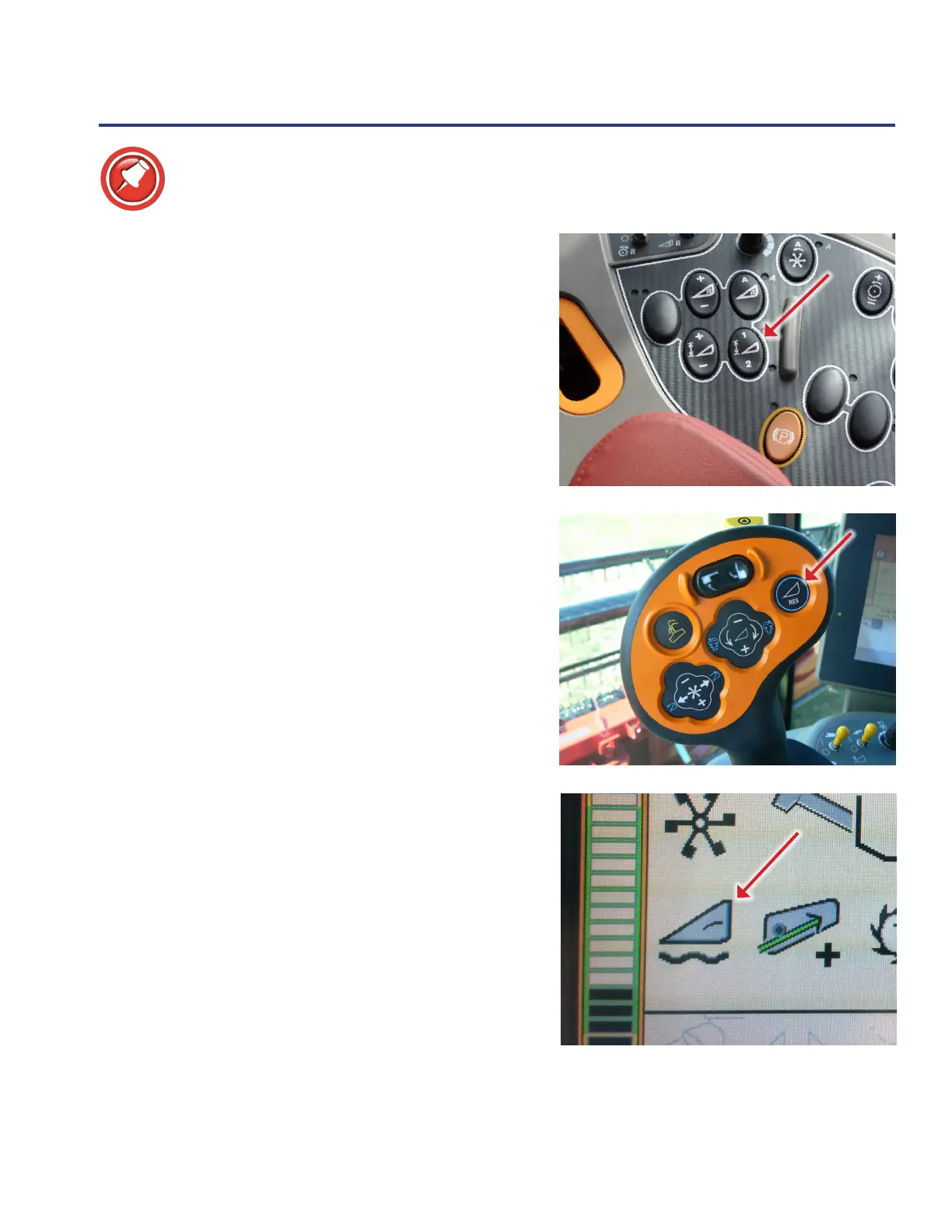
3. Press “Set #1” or “Set #2” button to store set point.
• Adjust the height set points slightly up or down by
using the ”+” and “-” button
4. Press the “Resume” button on the hydro handle.
• Press “Resume” again to toggle between set point
#1 and #2
5. The header icon with a wavy line must be present
when automatic header control is active.
• Flagship combines only








 To Next Page