17
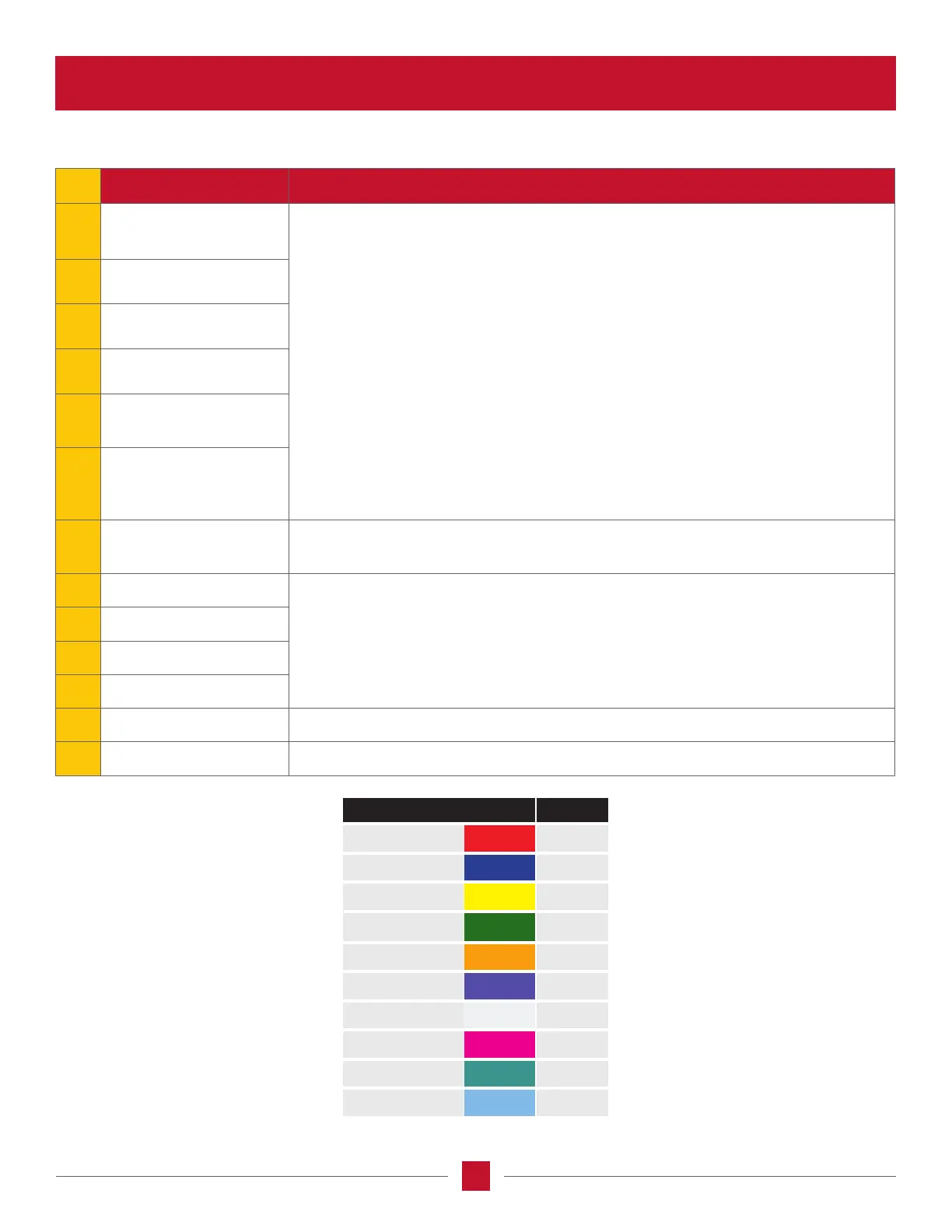
REF NAME FUNCTION
1 EHR Lever #1
• Electro Hydraulic Remote (EHR) levers are numbered from left to right for the number
of rear remote valves up to a total of 6.
• Any EHR lever can be assigned to any EHR valve installed. Each lever will light up
with the respective color of the EHR valve (see chart below). EHR levers do not light
up if the have not been assigned an EHR valve.
• Levers no longer latch into the Maximum Expend or Maximum Retract detent
positions therefore they will have to be held in the desired position until no longer
needed and when released they will go to the neutral position and ow will stop. If
the lever is moved to the max extend or max retract position with a timer set for that
valve then the ow will stop when the time limit is reached, or the lever is moved out
of the neutral position.
• There is no longer timer learn buttons at the bottom of the levers. Navigate to the
EHR settings screen to manual adjust timer values, turn on the timer, and/or arm
timer learning mode of extend or retract.
NOTE: For the remote that is on constant ow, the timer should be set to innity.
2 EHR Lever #2
3 EHR Lever #3
4 EHR Lever #4
5 EHR Lever #5
6 EHR Lever #6
7
Congurable
display shortcut
Sets up the conguration screen for congurable buttons, EHR levers, EHR pairs,
and joystick (if equipped).
8 Congurable functions #1
By default, pressing these buttons will prompt the congurable button setting screen.
Buttons can be assigned to various functions using the display.
9 Congurable functions #2
10 Congurable functions #3
11 Congurable functions #4
12 Rear hitch lower inching Lowers the hitch at a slow rate as long as the button is pushed.
13 Rear hitch raise inching Raises the hitch at a slow rate as long as the button is pushed.
RAL NAME COLOR VALVE
Tomato Red R1
Signal Blue R2
Sulfur Yellow R3
Emerald Green R4
Dalhia Yellow R5
Blue Lilac R6 / F4
Signal White F1 / R7
Tele Magenta F2 / R8
Turquoise Blue F3
Sky Blue ISOBUS
*
*








 To Next Page