47
AFS Pro 1200
™
Display
SETTING UP THE TRACTOR WITH A THREE-POINT MOUNTED IMPLEMENT
• Attach a tool to the 3-point hitch.
a. Follow operator’s manual instruction on the lift link adjustment for the particular tool to be mounted.
b. Follow operator’s manual instructions on the mounting of the 3rd link to the tractor as it can make a difference in the
raised ground clearance on taller implements like mounted plows and rippers.
• Make sure the tractor is properly ballasted on the front end to offset the hitch weight of the implement.
• Check rear tire pressure to make sure they are inated correctly to compensate for the added weight of the implement to
be sure the tractor has the traction necessary on the rear axle to handle the application.
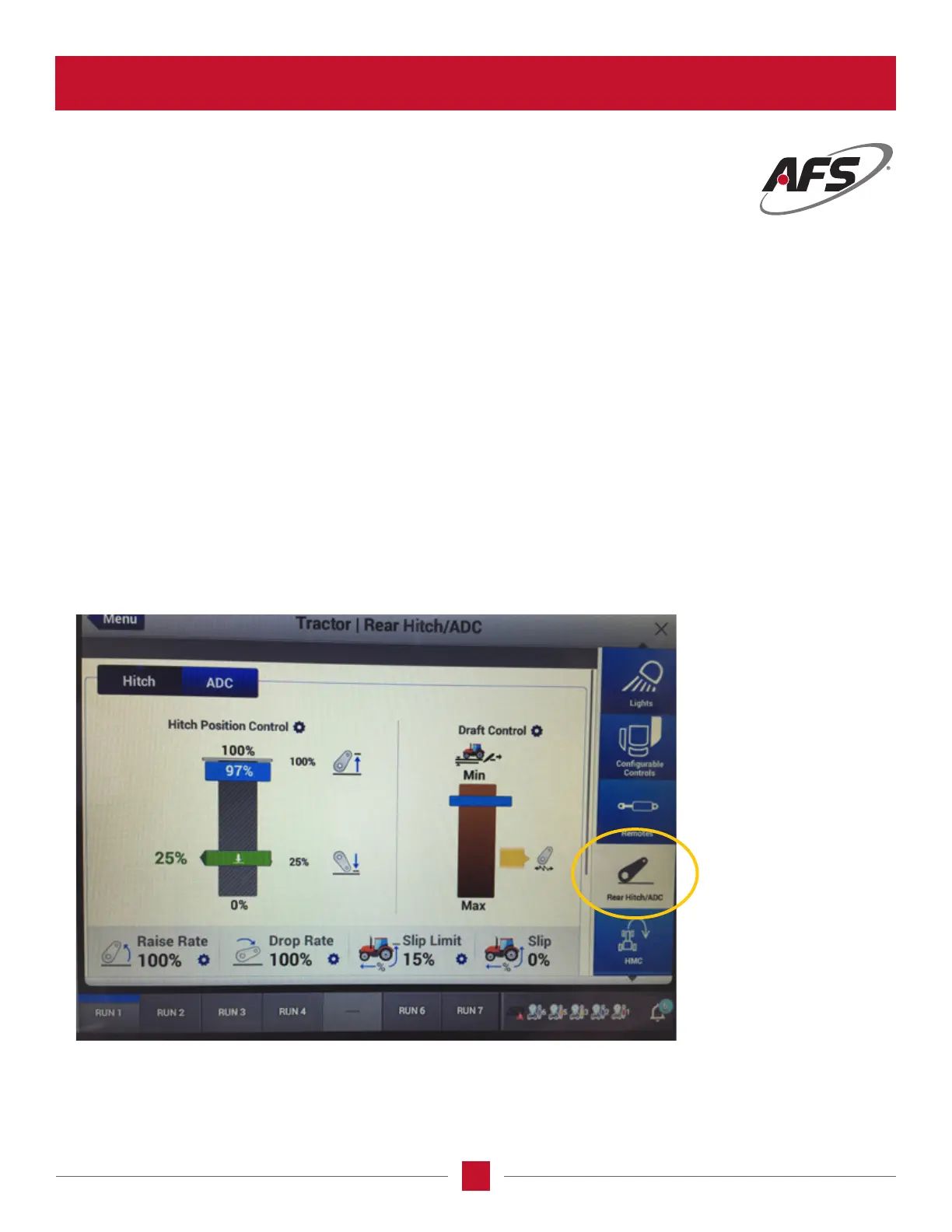
• Make tractor adjustments by going into the Vehicle Settings page on the display.
a. Choose the Implement box in the display and set the width of the implement to be used in guidance set up.
b. Choose the Tractor box in the Vehicle Settings page to set the draft control for the implement being used.
Consult the Operator’s Manual for a starting point for draft control.
• Set the draft control using the knobs on the armrest, and display on the Vehicle Settings page, tractor menu choice, and
Rear Hitch/ADC page by touching the rear hitch selection on the right-hand side of the display.








 To Next Page