CASE IH PRO VISION OPERATING SYSTEM GUIDE
46
AFS Pro 1200
™
Display
SETTING UP THE PTO
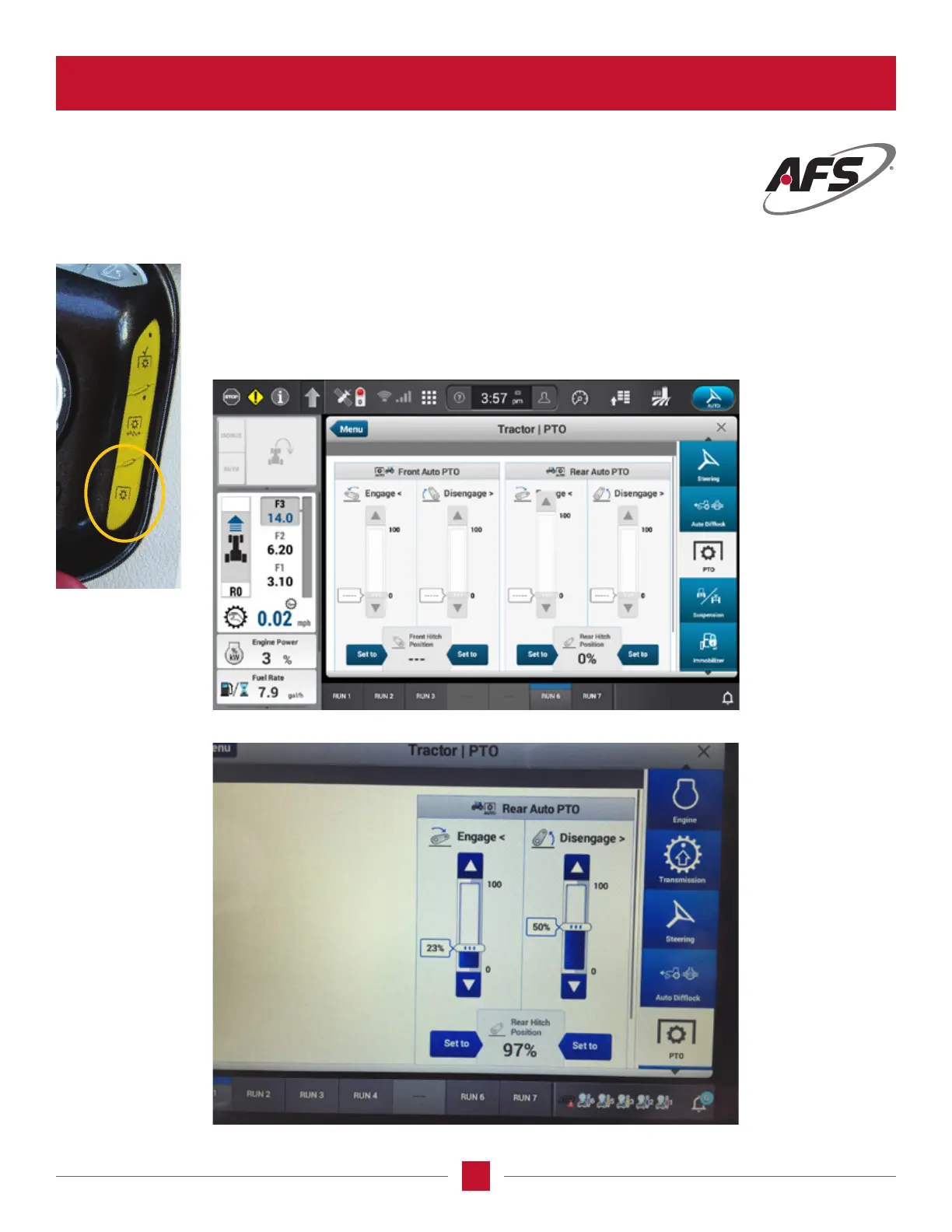
Push the PTO short cut button on the armrest and the AFS Pro 1200 will display the
tractor/PTO screen. This screen allows the operator to set the percent limits of when
the PTO will engage and disengage based on where the 3-point hitch percents are
set when it lowers and raises. The operator will congure this screen when using an
implement that requires both an PTO and 3-point hitch.
Tractor with front PTO (if equipped)
Tractor with rear PTO only








 To Next Page