CASE IH PRO VISION OPERATING SYSTEM GUIDE
34
AFS Pro 1200
™
Display
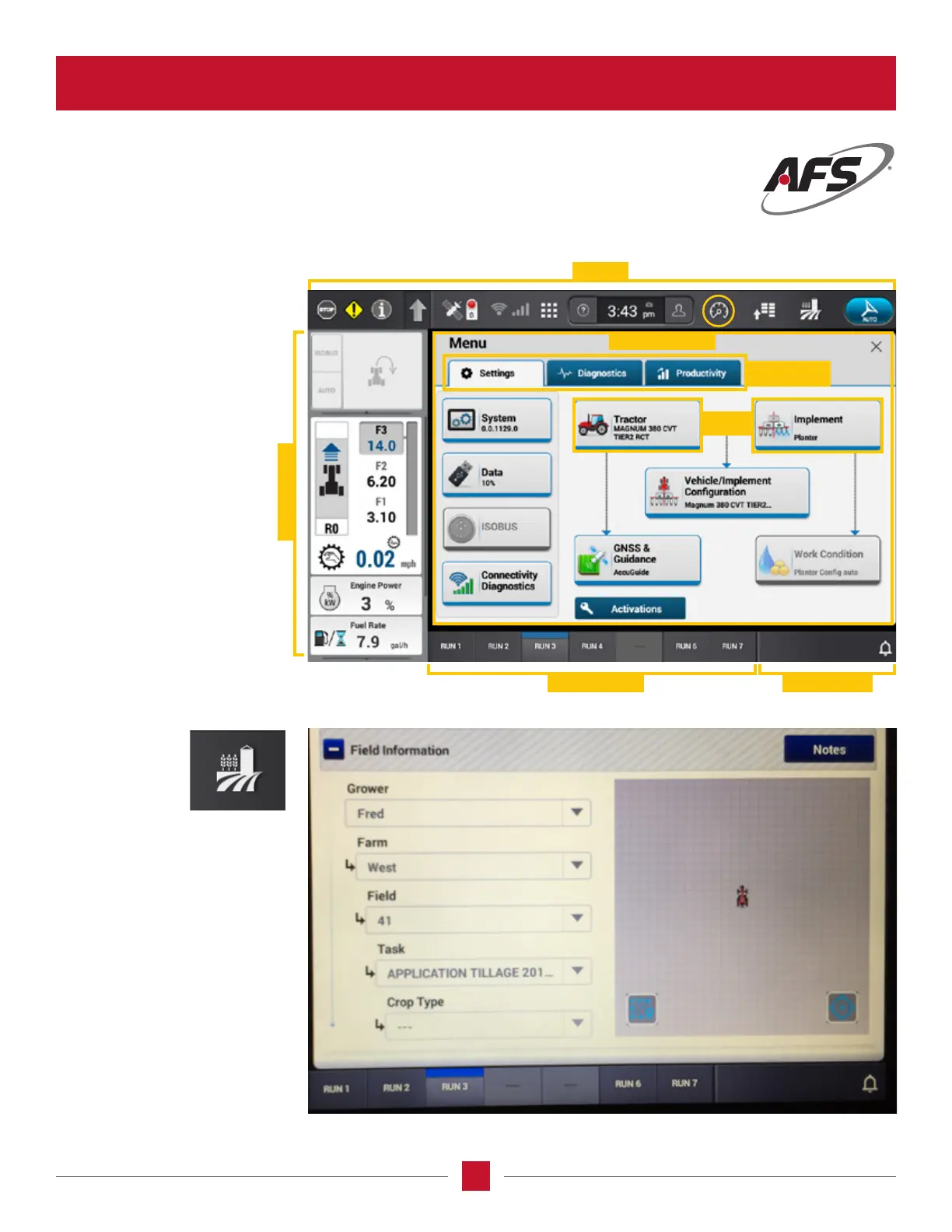
USING THE AFS PRO 1200
The following pages are a
practical use guide of the
AFS Pro 1200 Display
showing more details of the
icons, the related screens
and their functions. As an
example, pressing the Vehicle
Settings (arrow with menu
icon) in the Top Bar results in
displaying the Menu Screen.
The Menu Screen will show
the Menus for the icon just
pressed. In this example,
there are three Menus
available with Settings being
the active Menu. The Settings
Menu shows the associated
Cards for that Menu item.
Pressing the
Operations Screen
icon in the top
tool bar will take
the operator to
the Field Information screen.
On this screen, the operator will
enter the necessary information
to identify the farm or the eld
being planted, tilled or harvested.
Left-Hand Area
Top Bar
Run Screens Status Area
Cards
Menu Screen
Card Menus








 To Next Page