27
ARMREST WALKAROUND
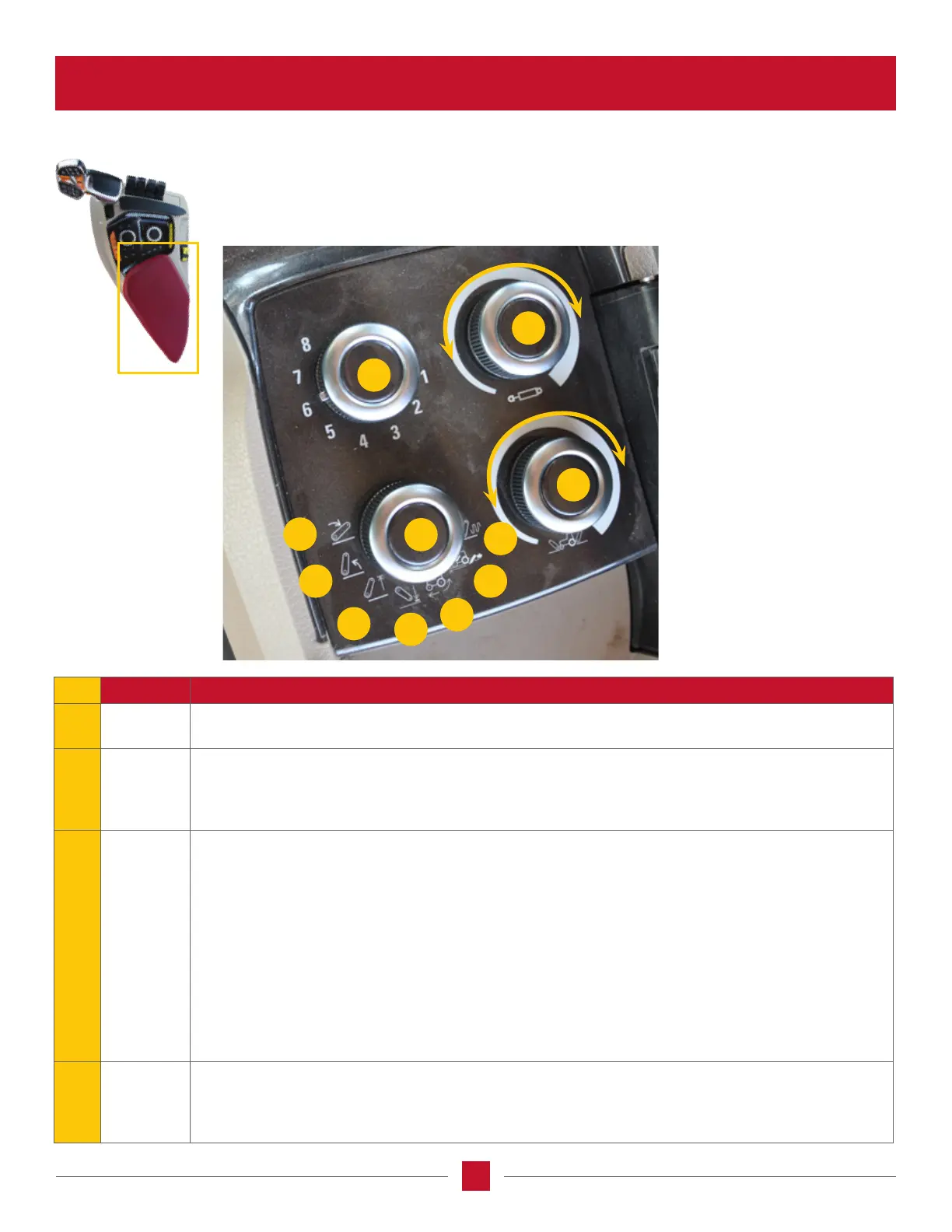
ARMREST COMPARTMENT BUTTONS
41
43
A
B
C
D
E
F
G
42
44
REF NAME FUNCTION
41
EHR valve
selection
Selects the EHR valve (up to 8 remotes, if available).
42
EHR valve
ow limit
adjustment
Controls the valve ow rate of the EHR selected with #41.
• Turn the knob counterclockwise to turn the valve ow rate down, clockwise to turn the ow rate up.
• Press the top to switch to adjust retract or extend with the default being the current direction ow, or
retract if not owing.
43
Hitch
settings
selection
A) Lower hitch rate – How fast the hitch will go down when using the hitch lower express button on the
MFH, or the hitch is operating in draft control.
B) Raise hitch rate – How fast the hitch will go up when using the hitch raise express button on the
MFH, or the hitch is operating in draft control.
C) Hitch upper limit – Limits the maximum height the hitch is allowed to go if maximum hitch travel up
is not desired.
D) Hitch lower limit – Limits the lower limit of the hitch travel when a specic operating position of the
hitch is desired.
E) Slip Limit – Sets the maximum amount of tire slippage before the hitch raises.
F) Draft load – sets the amount of horizontal load on the lower hitch links.
G) Draft sensitivity – Sets the sensing rate of the draft control, or how fast the draft control will sense the
load on the lower hitch links.
44
Hitch
setting
adjustment
Controls the setting value of the hitch selected with hitch settings selection #43.
• Turn the knob counterclockwise decreases the selected setting value, increases the selected setting value.
• Press the center of the knob to switch between front and rear hitch if equipped. Default is to the
rear hitch.








 To Next Page